
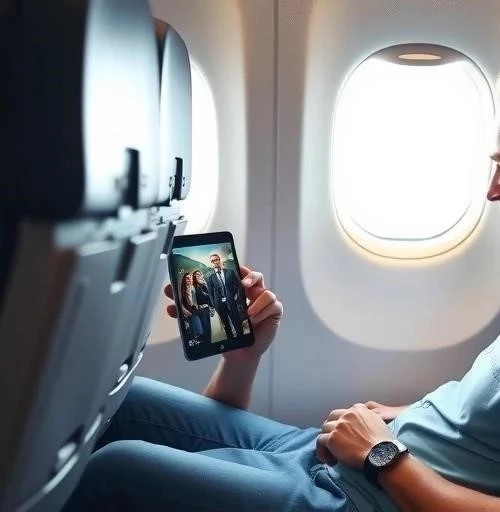
Yes, you can watch Netflix on a plane—but the dependable way is to download shows or movies to your device before you leave. Streaming during the flight may work if the aircraft offers suitable Wi-Fi, but it depends on the airline, route, connection quality, and the Netflix title you want to watch. In other words, watching is possible; assuming that in-flight internet will make it possible is a riskier plan.
The most reliable option: download before departure
Netflix allows subscribers to download many, but not necessarily all, titles in its app for offline viewing. Downloading stores a copy on a supported phone or tablet, so playback does not require an internet connection. This is usually the best choice for a long flight, especially if you want to avoid paying for Wi-Fi or cannot be sure that the cabin connection will support video.
- While you still have a reliable internet connection, open the Netflix app on your phone or tablet.
- Find a film or series and look for the download icon. If it is not available, that title cannot be downloaded on that device.
- Choose the download quality you want, if the app offers a choice. Higher quality generally uses more storage.
- Wait for the download to finish, then open the app’s downloads section and test playback before you leave.
Do not leave this until you are at the airport. A download can take longer than expected, and airport Wi-Fi may be slow or unreliable. Check that your device has enough free storage, that you are signed in, and that the app is up to date. If you have downloaded several episodes, open at least one while online to confirm that everything works as expected.
Can you stream Netflix using airplane Wi-Fi?
Sometimes. Many airlines sell or provide Wi-Fi, but access, prices, and performance vary. Some connections are intended for messaging or browsing rather than video, and an airline may restrict streaming or charge extra for a faster internet tier. Even when streaming is allowed, crowded networks, weak coverage, and interruptions can make a film buffer or stop altogether. Service may also change during the flight or be unavailable on particular routes or aircraft.
Before buying Wi-Fi, check the airline’s current policy and what its internet package actually includes. “Wi-Fi available” does not necessarily mean “Netflix streaming supported.” If the airline says video streaming is permitted, playback still depends on the connection being fast and stable enough. For an important flight, treat streaming as a bonus, not your only entertainment plan.
Airplane mode and mobile data
Passengers are generally instructed to follow the crew’s directions about airplane mode and the use of phones. With airplane mode on, you may be able to turn Wi-Fi back on separately and connect to the aircraft’s network, if one is offered. The exact instructions depend on the airline and the device, so follow crew announcements and posted guidance.
Do not count on ordinary mobile data to stream from the air. Cellular coverage may be unavailable at cruising altitude, and using a phone’s cellular connection is not a substitute for an approved onboard internet service. Rules can differ by country and airline. Keep airplane mode enabled when required, and use only connections the airline permits.
What can prevent an offline download from working?
Downloads are convenient, but they are not a permanent library. Not every Netflix title is available to download; availability can depend on licensing, the title, and the device. Some downloads expire, and some may need to be renewed by connecting to the internet. A title may also leave the service, in which case its download may no longer play. If your subscription or app settings limit downloads, you may need to adjust them before travel.
There are practical issues, too. A phone or tablet can run out of battery, storage, or both. Downloading over mobile data may use a significant amount of your allowance, so use Wi-Fi where possible and review the app’s download settings. Bring a charged device, consider a power bank if permitted, and check the airline’s rules for using or charging devices onboard.
A simple pre-flight checklist
- Download more than one option, such as a film and several episodes, in case your mood changes.
- Check the app’s downloads section and test playback before boarding.
- Allow enough time for downloads, and confirm that the device has free storage.
- Charge your device and pack headphones; follow the airline’s rules for batteries and onboard device use.
- Check Wi-Fi availability, streaming restrictions, and fees directly with your airline.
Bottom line
Yes—Netflix can be watched on a plane, and downloading in advance is the most dependable method. In-flight streaming can work when the airline provides a suitable connection and allows video, but neither availability nor quality is guaranteed. Prepare offline downloads before departure, then use onboard Wi-Fi only if the airline’s instructions and service support it. For current account, device, and download guidance, consult the Netflix Help Center at help.netflix.com.



6 Comments. Оставить новый
The distinction between downloading and streaming is useful. In-flight Wi-Fi can vary considerably, so downloading content in advance is the more dependable plan for anyone who wants uninterrupted viewing.
I appreciate the practical reminder to test a download before leaving. Checking playback while still online can catch sign-in or download issues before they become a problem on the plane.
The article does well to avoid promising that airline Wi-Fi will support video. Connection quality and streaming restrictions differ, so travelers should check their airline’s options rather than assume Netflix will work.
The guidance is practical and balanced. It explains why downloading is generally safer while acknowledging that streaming may work on some flights, depending on the airline and the connection.
This is a clear answer to a common travel question: watching Netflix on a plane is possible, but the method matters. Downloading beforehand is sensible, while streaming is best treated as a bonus.
The storage and download-quality advice is helpful because offline viewing still requires preparation. A little planning can make a long flight more comfortable without relying on paid or unreliable Wi-Fi.