
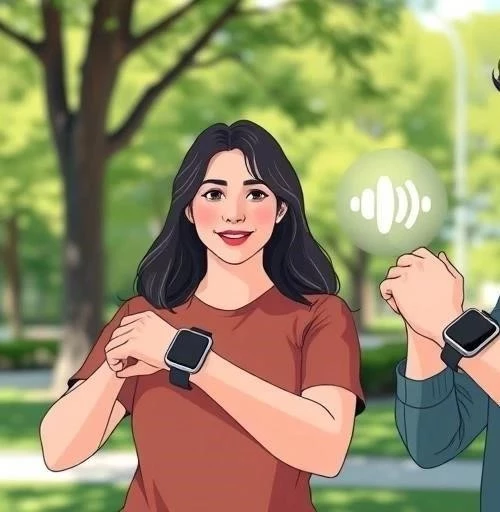
Apple Watch’s Walkie-Talkie app offers quick, voice-based conversations, but it is not a traditional two-way radio․ It does not transmit directly between watches over a fixed radio channel or work simply because two people are nearby․ Instead, it uses an internet connection and Apple’s FaceTime Audio service to carry voice between participants․ That distinction explains both its convenience and its limitations․
What happens when you talk
After two people connect through the app, one person presses and holds the talk button and speaks․ The watch captures the voice and sends it through the internet to the other person’s Apple Watch, where it plays as audio․ When the speaker releases the button, the transmission ends, leaving the other person free to reply․ This push-to-talk approach feels like using a radio, while the underlying communication is an internet-based voice call․
Consequently, the watches need a way to reach the internet․ Depending on the model and circumstances, that can be a nearby iPhone’s connection, Wi-Fi, or cellular service on a cellular Apple Watch․ A cellular watch can be useful when its wearer leaves the iPhone behind, but service availability and carrier support still matter․ Unlike a conventional walkie-talkie, the app has no simple distance limit measured in metres: participants may be far apart, provided their watches can connect to the service․
Setting it up
- Open Walkie-Talkie on the Apple Watch․ If the app is missing, check whether it is available in your region and whether FaceTime is set up․
- Tap the option to add a contact, then choose someone who can use the feature․
- Wait for that person to accept the invitation․ Until they do, you cannot start a conversation with them․
- When the contact is available, tap their name, press and hold the talk control, speak, and release it when finished․
Both participants need compatible Apple Watches and access to FaceTime Audio through their Apple Accounts․ An invitation is not the same as a normal phone call: it establishes permission to communicate using Walkie-Talkie․ The recipient may accept or decline, and either person can later remove the contact․ Exact availability can depend on region, device, software, account settings, and network conditions;
Availability and controls
The app includes an availability control․ When a person is marked available, an accepted contact can try to speak to them; turning availability off prevents Walkie-Talkie interruptions․ Focus settings, Silent Mode, and other notification choices can also affect how an incoming message is presented․ The watch may play the voice automatically when the recipient is available, so it is sensible to consider the setting before entering a meeting, classroom, or quiet public space․
For a clearer exchange, speak close to the watch microphone and use short messages․ The other person needs a moment to hear you and respond, because the app is designed for alternating turns rather than two people speaking over one another․ If the sound is too loud or quiet, adjust the watch’s volume․ If a message does not arrive, check availability, the invitation status, internet access, and whether FaceTime can connect․
Privacy, reliability, and practical limits
Walkie-Talkie is convenient because it avoids the formality of placing a conventional call․ A brief press-and-speak message can be faster than finding a contact, dialing, and waiting for an answer․ Yet it is not a guaranteed emergency communication system: internet access may fail, cellular coverage may be absent, and the recipient may be unavailable․ For urgent help, use the appropriate local emergency service rather than relying on this app․
It is also not a secure substitute for a private, controlled radio network in every situation․ FaceTime Audio is designed to protect communications, but users should still be thoughtful about where they speak and who they invite․ Voice may play aloud in the recipient’s surroundings, and someone nearby could hear it․ Do not share sensitive information where others can listen․
In short, Apple Watch Walkie-Talkie imitates the simple push-to-talk experience of a radio while relying on internet-based FaceTime Audio behind the scenes․ That makes it useful across long distances and easy for quick conversations, but dependent on compatible devices, accepted contacts, account setup, and a working connection․ Knowing that trade-off helps users choose it for casual coordination—not as a true radio or a replacement for a phone call or emergency service․
8 Comments. Оставить новый
This is a helpful overview for anyone confusing Walkie-Talkie with a direct radio connection. The comparison explains both the familiar push-to-talk experience and the internet dependency behind it.
The practical explanation of how voice is sent and played on the other watch adds useful context to the instructions. It makes clear why both participants need compatible devices and a way to access the service.
The article does a good job explaining that distance is not the main limitation. Whether both watches can connect to the service is more important, which is useful context for people considering the feature.
The distinction between Walkie-Talkie and a traditional radio is explained clearly. Emphasizing that the feature relies on an internet connection helps set realistic expectations about where it will work.
The article balances the feature’s convenience with its limitations rather than presenting it as a replacement for a conventional walkie-talkie. That makes the explanation more useful for readers deciding whether it suits their needs.
Including the different connection options—an iPhone, Wi-Fi, or cellular service—makes the practical requirements clearer. The note about carrier support is important because a cellular watch does not automatically guarantee connectivity everywhere.
The setup steps are presented in a sensible order, especially the reminder that the other person must accept the invitation. That detail prevents readers from expecting a conversation to work immediately after adding a contact.
The explanation of the press-and-hold interaction makes the feature easy to picture. It also helps clarify why the conversation feels like a radio exchange even though the audio is carried through an internet-based service.