
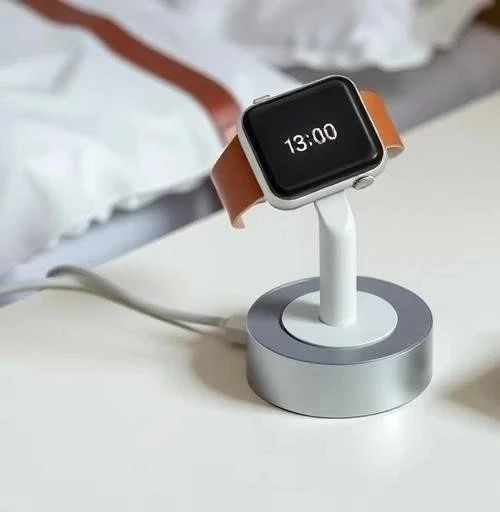
The Apple Watch Series 3 charges wirelessly using the magnetic charging cable supplied with the watch or a compatible Apple Watch charger. It does not charge through its side buttons or a standard USB cable. Follow the steps below to connect it safely and check that charging has started.
Charging steps
- Connect the charging cable to a USB power adapter‚ then plug the adapter into a working wall outlet. Use the cable and adapter in good condition‚ and follow their manufacturers’ instructions.
- Place the charger on a flat‚ stable surface. Put the back of the watch against the concave‚ magnetic end of the cable. The magnets help position the watch; you may feel it settle into place.
- Wait for the charging symbol to appear on the watch face. A green lightning bolt indicates that the watch is charging. If the battery is very low‚ a red bolt may appear first; leave the watch connected until the display changes.
You can charge the watch with the band open or removed. Make sure the back of the case and the charger are reasonably clean and dry‚ and keep the watch aligned on the charging puck. If you use a stand or dock‚ check that it is designed for Apple Watch and holds the Series 3 securely.
Charging time and battery display
Charging time depends on the adapter‚ cable‚ battery condition‚ and whether the watch is being used. Apple’s estimate for Series 3 is about 1.5 hours to reach 80% and about 2 hours to reach 100% when using the Apple Watch Magnetic Charging Cable and a suitable USB power adapter. These are approximate times‚ not a guarantee.
To check the battery level‚ wake the watch and look at the battery indicator‚ or add the Battery complication to a watch face. You can also open Control Center and view the percentage. A full battery can remain on the charger; the watch manages charging automatically.
If the watch does not charge
- Check that the cable is firmly connected to the adapter and the outlet. Test another outlet or compatible adapter if available.
- Lift the watch‚ reposition it on the magnetic puck‚ and confirm that the charging icon appears.
- Remove any protective film or case that prevents contact. Inspect the cable and charger for damage‚ and do not use damaged accessories.
- If the screen is blank‚ leave the watch connected for up to 30 minutes. Then try restarting it. If it remains unresponsive‚ contact Apple Support or an authorized service provider.
Good charging habits
Keep the charger away from liquids and excessive heat‚ and do not place metal objects between the watch and the puck. Disconnect equipment before cleaning it‚ and wipe the watch with a soft‚ lint-free cloth. Avoid forcing the watch onto the charger. Using a compatible magnetic charger and a reliable power source is the simplest way to charge an Apple Watch Series 3.

2 Comments. Оставить новый
The instructions explain the magnetic charging setup in an easy-to-follow way, including how to recognize the charging indicator. A brief note on what to try if charging still fails would make the troubleshooting section more complete.
The article provides clear, practical steps for charging an Apple Watch Series 3 and checking its battery status. The approximate charging times and basic troubleshooting guidance are useful additions.