
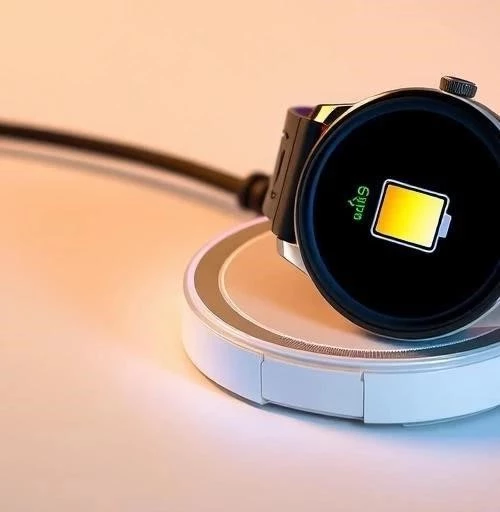
For many Apple Watch models, a full charge is designed to last about 18 hours under typical daily use․ That usually means wearing the watch during the day, receiving notifications, checking the time and activity, and tracking a workout․ It does not guarantee the same runtime for every person: settings, features, battery age, and the model all affect how often the watch needs charging․
Battery life by model
Apple’s published estimates differ across models and generations․ As a general guide, several standard Apple Watch models, including the SE (2nd generation) and Series 9 and 10, are rated for up to 18 hours of normal use․ Apple Watch Ultra models are designed to last longer: for example, Ultra 2 is rated for up to 36 hours of typical use․ Exact figures and test conditions vary, so check the specifications for the particular watch you own․
- Standard Apple Watch models: commonly up to 18 hours in Apple’s stated daily-use tests․
- Apple Watch Ultra: a longer estimate, with some models rated for up to 36 hours․
- Low Power Mode: can extend runtime․ For example, Apple lists up to 36 hours for Series 10 and up to 72 hours for Ultra 2 in this mode․
These are estimates, not promises that the watch will last exactly that long․ Apple’s testing uses defined settings and activities․ A watch that is used more intensively may need charging sooner, while a lightly used device may last longer․ Low Power Mode also reduces or changes some functions, so its longer estimate is not directly equivalent to normal use․
What affects how long a charge lasts?
The largest differences usually come from features that keep the display, sensors, or wireless connections active․ Continuous or frequent workout tracking uses GPS and heart-rate monitoring; outdoor GPS workouts can be especially demanding․ Streaming or playing audio from the watch, making calls, using mobile data on a cellular model, and frequent app use can also increase power consumption․
Other factors include screen brightness, the Always-On display, notification volume, background app refresh, and how often the screen wakes․ Weak cellular or Wi-Fi reception can use extra power as the watch tries to maintain a connection․ Temperature matters too: very hot or cold conditions can temporarily reduce battery performance․ Over time, rechargeable batteries wear down, so an older watch may not reach its original runtime even when its settings and usage are unchanged․
How to make the battery last longer
- Turn on Low Power Mode when you need extra runtime and can accept reduced or limited features․
- Lower screen brightness, shorten the wake duration, or turn off the Always-On display if your model offers it․
- Review notifications and disable alerts that are not useful․
- Limit background activity for apps that do not need to update frequently․
- For a long workout, consider whether you need cellular streaming or other features running at the same time․
- Keep watchOS up to date․ After an update, battery use may briefly differ while the watch completes background tasks․
These adjustments involve trade-offs; For instance, turning off Always-On display may save power, but the time will not remain continuously visible․ Disabling connectivity can reduce convenience and may affect notifications or location features․
When should you charge it?
Many people charge an Apple Watch once a day, often while getting ready in the morning or before bed․ Daily charging is particularly practical for users who want to track sleep, because it creates a predictable opportunity to top up the battery․ If the watch is used for sleep tracking, a short charge before bedtime may be enough, depending on the remaining charge and that day’s activity․
Charging speed depends on the model, charger, power adapter, and temperature․ Some newer models support fast charging with a compatible magnetic charging cable and adapter; older models may take longer․ Apple’s published charging times are measured under specific conditions, so they should be treated as guides rather than guarantees․ Check the technical specifications for the exact watch and use a compatible charger․
How to check battery condition
To see the current charge, open Control Center on the watch or check the Batteries complication if one is available on the selected watch face․ For battery condition, open Settings > Battery > Battery Health and review Maximum Capacity․ Menu labels can vary with software versions․ A lower maximum capacity means the battery holds less energy than when it was new; it does not, by itself, identify a fault․
If runtime suddenly becomes much shorter, first check whether a workout, app, connection, or setting is using more power than usual․ Restarting the watch and installing available software updates may help with temporary issues․ If the battery drains unusually quickly over several days, or the watch reports that service is needed, consult Apple Support or an authorized service provider․
Bottom line
As a practical expectation, plan to charge many standard Apple Watch models daily; their stated typical-use estimate is around 18 hours․ Ultra models have a longer rated runtime, and Low Power Mode can extend it further, with some functions limited․ The precise answer depends on the model, battery condition, and personal use, so the published figure for the specific watch is the best starting point․

1 Comment. Оставить новый
The article gives a useful overview of Apple Watch battery-life estimates and explains why actual runtime can differ. The distinction between standard use and Low Power Mode is helpful, as are the examples of features that can use more power.