
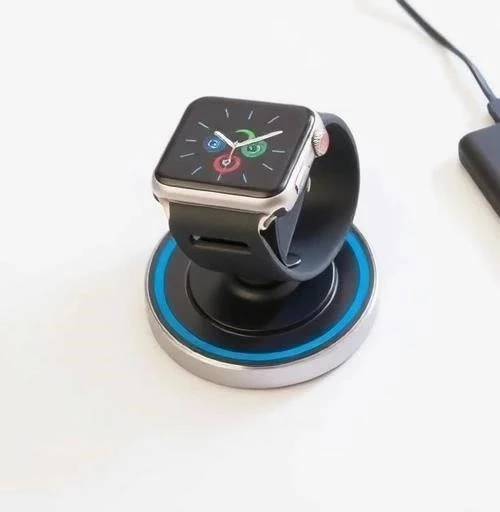
If your Apple Watch battery is running low and its charger is nowhere to be found, the options are limited—but there are safe ways to get power․ Apple Watch does not charge like an iPhone: it needs a magnetic charging puck or a charger specifically designed and certified for Apple Watch․ A regular Qi wireless pad, a phone’s wireless power-sharing feature, or a USB cable by itself will not charge it․
What to try first
- Borrow an Apple Watch charger․ Ask a friend, hotel reception, workplace, or nearby electronics store․ The magnetic charging cable supplied with many Apple Watch models works across generations․ Connect its USB plug to a suitable USB power adapter, computer port, or power bank, then place the back of the watch against the puck․ A charging symbol should appear on the screen․
- Look for a compatible power bank․ Some portable batteries have a built-in Apple Watch charging surface or a dedicated Apple Watch charging module․ Check the product description carefully: a power bank with only a flat Qi pad is not necessarily compatible․ Follow its instructions and align the watch with the magnetic charging area․
- Visit an Apple Store or authorized service provider․ Staff may be able to let you charge the watch briefly or help you find the right cable․ A hotel, airport lounge, or repair shop may also have a compatible charger, but ask before using unfamiliar equipment․
- Buy or borrow a replacement cable․ If you need a longer-term solution, choose an Apple charger or a reputable accessory that explicitly states it is made for Apple Watch․ Check that the connector suits the power source you have: newer cables commonly use USB-C, while some older accessories use USB-A․
Can you charge it from an iPhone or another wireless pad?
Generally, no․ iPhones do not provide a standard way to charge an Apple Watch by placing it on the back of the phone․ Most Qi wireless charging pads and many chargers made for other smartwatch brands also will not work․ The watch’s magnetic attachment does not mean that every magnetic or wireless charger is compatible; it must support Apple Watch charging․
Some older Apple Watch models have a small service port, but it is not a practical consumer charging method․ Do not try to connect wires, adapters, or improvised accessories to it․ Such experiments can damage the watch, create a short circuit, or affect water resistance․ A USB-C cable alone also cannot charge the watch: the watch needs the proper charging puck or a compatible built-in charging module․
Make the remaining battery last
If you cannot find a charger immediately, reduce power use while you look․ Turn on Low Power Mode from Control Center or Settings, lower screen brightness, and avoid workouts, navigation, streaming audio, and repeated app use․ You can also turn off features you do not need, such as the always-on display on supported models․ If you only need to keep time, consider powering the watch off until you can charge it․ These steps can extend the remaining battery, but they do not recharge it․
Charge safely
- Use a dry, undamaged charging cable and a reliable USB power source․ Keep the charger and watch away from water while charging․
- Remove thick cases or accessories if they prevent the puck from sitting flat against the watch’s back․
- If the watch or charger becomes unusually hot, disconnect it and let it cool․ Stop using cables that are frayed, cracked, or otherwise damaged․
- Do not force a connection, use exposed wires, or rely on unverified “charging hacks․” They can harm the battery or create a safety risk․
Fast charging depends on the Apple Watch model and a compatible fast-charging cable and power adapter; not every watch or USB port supports it․ If the battery is completely empty, leave the watch on a known-compatible charger for a while before checking again․ If it still shows no charging indicator after trying a different suitable power source, inspect the cable and contact Apple Support or an authorized service provider․
Bottom line
Without the proper charging hardware, there is no reliable way to charge an Apple Watch directly from an ordinary phone, laptop, or wireless pad․ The quickest safe solution is to borrow or locate an Apple Watch magnetic charger, or use a power bank specifically designed for Apple Watch․ Until then, conserve the battery and avoid improvised methods․


2 Comments. Оставить новый
This clearly explains the safest options when you are without a charger. I also appreciate the suggestion to borrow a certified cable or ask a nearby store rather than relying on an incompatible wireless charger.
Helpful and practical advice, especially the reminder that a standard Qi pad or an iPhone’s power-sharing feature will not charge an Apple Watch. Checking compatibility before using a power bank is a useful tip.