
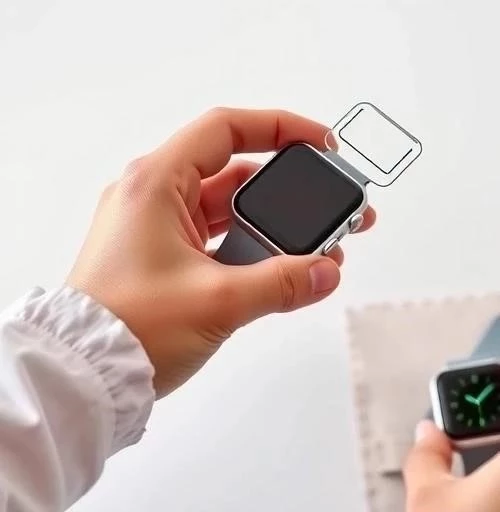
Your Apple Watch holds personal information, connects to your iPhone and Apple Account, and may be used for payments. Protecting it means securing your account, limiting what appears on screen, and looking after the watch itself. No single setting can prevent every risk, so combine these practical steps.
Secure the watch and your Apple Account
- Set a strong passcode. On the watch, open Settings > Passcode and choose a code that is difficult to guess. Avoid birthdays and repeated digits. You can set or change the passcode in the Watch app on your iPhone as well.
- Turn on Wrist Detection. In the Watch app, go to Passcode and enable Wrist Detection. The watch can lock automatically when it is removed, helping keep its data and payment features from being accessed by someone else.
- Protect your Apple Account. Use a unique password and two-factor authentication, and keep your trusted phone numbers up to date. Never share a verification code with someone who contacts you unexpectedly.
- Keep Activation Lock enabled. Find My helps you locate a missing watch and links it to your Apple Account. Do not remove the watch from your account or disable Find My just because someone claiming to have found it asks you to.
Manage privacy and notifications
Review which apps can access health, location, contacts, and other sensitive information. On your iPhone, open Settings > Privacy & Security and check permissions; available options depend on the app and software version. Remove apps you no longer use, and install apps only from trusted sources.
Notifications can reveal message previews, one-time codes, or other private details. In the Watch app, review Notifications and turn off alerts you do not need. Consider hiding sensitive previews, especially if people may see your watch face. Check your watch face complications too: they can display information at a glance.
Update, back up, and beware of scams
Install watchOS and iOS updates when available. Updates can include important security fixes. You can check for a watch update in the Watch app under General > Software Update; keep the watch connected to power and Wi-Fi or its paired iPhone as directed.
Be cautious with unexpected messages, links, calendar invitations, or requests to install a profile or disclose your passcode. Apple will not need you to tell a stranger your passcode or verification code. If a message seems suspicious, do not follow its link; contact the organization through its official app or website.
Protect it if it is lost or damaged
Set up Find My on the paired iPhone before you need it. If the watch goes missing, use the Find My app or iCloud Find Devices to locate it, play a sound, or mark it as lost when available. Contact your carrier if the model has cellular service. Do not try to recover it yourself from an unsafe location. If it cannot be recovered, erase it remotely, but keep it associated with your Apple Account to preserve Activation Lock.
For physical protection, choose a well-fitting case or screen protector if your activities may cause bumps or scratches. Clean and dry the watch as Apple recommends for its model. Water resistance is not permanent, and the watch is not waterproof; avoid exposing it to soaps, high-pressure water, or deep water beyond its stated rating.
Make protection a habit
Use a passcode, keep software current, review permissions, and know how to use Find My. These simple habits help protect your Apple Watch, your information, and your connected account.
3 Comments. Оставить новый
A useful, practical overview of Apple Watch security. The reminders about passcodes, Wrist Detection, and protecting Apple Account verification codes are especially important.
Clear and easy to follow, with helpful steps for both the watch and iPhone. The warning not to trust unexpected requests to disable Find My is a valuable addition.
I appreciate the balanced advice on privacy, notifications, and app permissions. Hiding sensitive previews is a simple step that can make a real difference in everyday situations.