
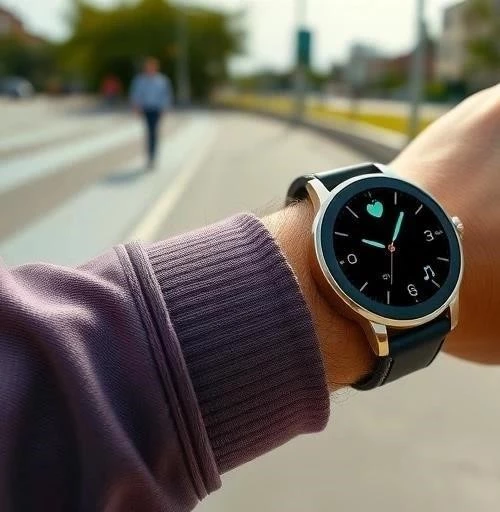
Apple Watch is a wrist-worn companion for an iPhone, combining timekeeping, communication, health tools, fitness tracking, and small apps. Its exact features depend on the model, software, region, and whether the watch has cellular service.
For health and safety, it can record heart rate, workouts, activity, sleep, and (on supported models) additional measurements such as blood oxygen or an ECG. Notifications can flag unusually high or low heart rates. Fall and crash detection may contact emergency services or chosen contacts, subject to settings, coverage, and local availability. These tools support awareness; they do not diagnose illness or replace professional care.
For everyday activity, the watch counts steps and movement, sets personal activity goals, and guides workouts with timers, pace, distance, and other available metrics. GPS-equipped models can track an outdoor route without carrying a phone. The Fitness app summarizes progress, while compatible services can share selected data or offer coaching.
For convenience, it displays calls, texts, calendar reminders, maps, weather, and app alerts on the wrist. Users can answer calls, reply to messages, use voice commands with Siri, make contactless payments with Apple Pay, control music or smart-home devices, and find a paired iPhone. Wi-Fi and cellular options vary by model; many tasks work best when paired with an iPhone.
Apps extend these functions: users can check travel details, set reminders, record notes, follow navigation prompts, or use accessibility features such as enlarged text, haptic alerts, and VoiceOver. Watch faces can be customized with colors and complications—small displays for information such as the date, battery, or next appointment. Battery life and available apps vary, so charging and setup matter.
In short, Apple Watch puts fitness, health alerts, and everyday tasks on your wrist. Some features require an iPhone, internet access, subscriptions, or a compatible model and region. It is not a medical device; check specifications for sensors, emergency functions, battery life, and cellular support before making the choice. Support may vary by model.


7 Comments. Оставить новый
The overview clearly distinguishes features that depend on the watch model, region, and connection setup.
The explanation of emergency alerts includes important qualifications about settings, coverage, and availability.
The concise conclusion gives readers a practical reminder to check compatibility and charging needs.
The reminder that health measurements are not a substitute for professional care is useful and appropriately stated.
The article covers health, activity tracking, and everyday convenience in a balanced way.
The examples of accessibility tools and customizable watch faces add useful detail to the feature summary.
It is helpful that the article notes GPS, cellular service, and iPhone pairing can affect how features work.