
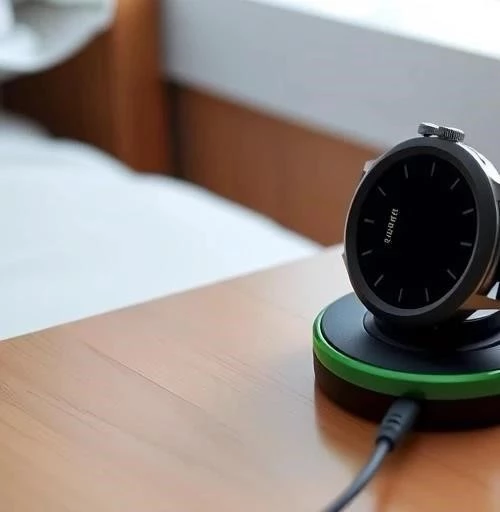
Short answer: Most Apple Watch models need roughly 1–2.5 hours for a full charge, depending on the model, charger, starting battery level, and temperature. A quick top-up can provide several hours of use, but charging time is not identical for every watch. Check the specifications for your particular model if you need a precise estimate.
Typical charging times
Times below are approximate, measured from a nearly empty battery under suitable conditions with a compatible Apple Watch charging cable and power adapter. Actual results can vary. Fast charging is available only on supported models and with the required charging equipment.
- Apple Watch Series 10: about 30 minutes to reach 80%, and around 60 minutes to reach a full charge.
- Apple Watch Series 9: approximately 45 minutes to reach 80%; a full charge can take around 75 minutes.
- Apple Watch Ultra 2: approximately 60 minutes to reach 80%, with a full charge taking around 90 minutes.
- Apple Watch SE (2nd generation): allow about 1.5 hours to reach 80% and roughly 2.5 hours for a full charge.
These are useful estimates, not guarantees for every generation or charging setup. Older models may charge more slowly, and the figures for one model should not be assumed to apply to another. For the most accurate model-specific information, consult Apple’s technical specifications or the support information for your watch.
Why does charging slow down near 80%?
Apple Watch does not charge at one constant speed. It generally fills the battery more quickly when the charge is low, then reduces the charging rate as the battery approaches full. This is a normal part of managing heat and battery wear, so the last portion—from around 80% to 100%—can take a noticeable amount of time. A watch that reaches 80% quickly may still need a while before it shows 100%.
Optimized Battery Charging can also affect what you see. When the feature predicts that the watch will stay on its charger for a long time, it may pause charging near 80% and finish closer to when you are likely to take it off. This behavior is intended to help reduce battery aging; it does not necessarily mean the charger or watch is faulty. You can check the charging status on the watch and review battery settings if you need it to charge fully sooner.
What can change the charging time?
- Model and cable: Fast charging requires a compatible watch and the appropriate magnetic fast-charging cable. A standard cable may take longer, even when the power adapter is capable.
- Power source: A reliable wall adapter is usually a better choice than a low-power USB port, computer, or multi-device hub. Use a compatible adapter and follow its safety instructions.
- Temperature: Very hot or cold conditions can slow or temporarily pause charging. Let a watch return to a comfortable room temperature before trying again.
- What you do while charging: Apps, updates, and heavy activity can use power and make progress appear slower. Leave the watch idle for the clearest estimate.
- Battery condition: An older or degraded battery may behave differently from a new one. If the watch regularly loses charge unusually quickly, check Battery Health.
How long should you leave it on the charger?
You do not need to calculate an exact charging period. Put the watch on its charger until it has enough power for your plans, or leave it until full if convenient. For a quick boost before heading out, even a short session can add useful charge; the amount depends on the model and starting level. If you track sleep, charging while getting ready in the morning or during another regular break can help keep the watch available overnight.
It is fine to remove the watch once it reaches the level you want. You also do not need to wait for the battery to drain completely before charging it. Avoid leaving the watch or charger in direct sun, under bedding, or in another place where heat can build up. Keep the charging surface and back of the watch clean and dry, and use accessories in good condition.
If your Apple Watch charges slowly
- Confirm that the cable is firmly connected to power and that the watch is correctly seated on the magnetic charger.
- Try a different compatible wall adapter or outlet, and inspect the cable and charging puck for damage.
- Remove any protective material or debris that may prevent contact, and let an overheated watch cool down.
- Check whether Optimized Battery Charging is holding the charge near 80%, and allow time for charging to resume.
- Restart the watch if charging remains stalled. If the problem continues, consult Apple Support or an authorized service provider.
Bottom line: Expect roughly an hour to a few hours for a full charge, with newer fast-charge models reaching 80% much sooner. Your exact time depends on the watch, accessories, temperature, settings, and battery condition; a brief pause near 80% is often normal.

3 Comments. Оставить новый
The model-by-model estimates are helpful, especially the reminder that charging speed can vary with the charger and starting battery level.
This is a useful overview, and the advice to check specifications for the exact model helps avoid relying on estimates that may not apply.
I appreciate the explanation of why charging slows near 80%. It clears up why the final part of a charge can take longer than expected.