
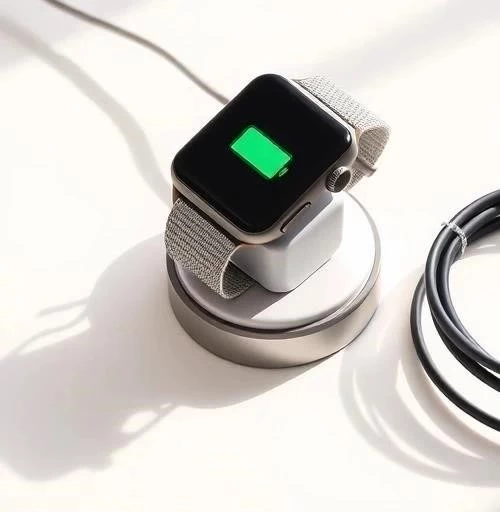
The short answer: there is no special “first-charge” rule. Charge your Apple Watch until it has enough power for your plans. Depending on the model, charger and starting battery level, a full charge may take roughly one to two and a half hours. Some newer models charge much faster, while older watches and the Apple Watch SE can take longer.
Think of the first charge not as a battery ritual, but as a quick introduction: the watch meets its charger, the battery fills, and you get on with your day. You do not need to drain it completely first, leave it charging for a precise number of hours, or keep it plugged in overnight to “train” the battery.
Typical charging times by model
Apple’s published estimates are measured under particular test conditions, so your results can differ. These examples give a useful idea of the range:
- Apple Watch Series 10: about 30 minutes to reach 80%, and around an hour for a full charge.
- Apple Watch Series 9: about 45 minutes to reach 80%; a full charge can take around 75 minutes.
- Apple Watch Ultra 2: roughly an hour to reach 80%, and about 90 minutes to reach 100%.
- Apple Watch SE (2nd generation): around 1.5 hours to reach 80%, and up to about 2.5 hours for a full charge;
Other generations may fall somewhere between these examples. If your watch is an older model, a full charge taking close to two hours—or a little longer—is not automatically a problem. For the most accurate figure, check the charging information for your particular model.
What can make the first charge slower?
The clock starts from your actual battery level, not from zero by default. A watch arriving with 40% charge will usually reach full sooner than one arriving nearly empty. Charging also tends to slow as the battery approaches 100%, so the final stretch can feel longer than the first few minutes.
- The charger and cable: Fast charging is available only on supported models with a compatible magnetic fast-charging cable and suitable USB-C power adapter. An older charging puck or a less capable power source may take longer.
- Temperature: Very hot or cold conditions can slow charging. Let a watch that feels hot cool down in a comfortable room before trying again.
- What the watch is doing: Setup, software updates, syncing, and active use can affect how quickly the battery percentage rises.
- How it sits on the charger: The back of the watch needs to make proper contact with the magnetic charging puck. A case, dirt, or a poorly aligned charger can interfere.
How to charge it for the first time
- Connect the Apple Watch charging cable to a compatible power source.
- Place the back of the watch against the charger. The magnets should pull it into position.
- Look for the charging symbol on the display. If the battery is very low, give it a few minutes before checking again.
- Leave it to charge, and check the battery level on screen when convenient. Unplug it whenever you have enough power.
If you are setting up a new watch, it is perfectly reasonable to charge it while setup or an update is underway. You do not have to wait until it reaches 100% before pairing it, and you do not need to supervise every percentage point. If you want the longest possible runtime before heading out, let it finish charging; otherwise, use it when you need it.
Does the first charge need to be overnight?
No. Modern Apple Watch batteries do not require an overnight first charge or a full discharge-and-recharge cycle. Leaving the watch on its charger after it reaches 100% is generally fine: charging is managed by the device, and optimized charging features may limit how long it stays fully charged in some circumstances. Still, charging overnight is a convenience, not a requirement.
What if it does not seem to charge?
First, reseat the watch on the puck and check that the cable is firmly connected to power. Try another compatible outlet or adapter if available, and make sure the charger and the back of the watch are clean and dry. A nearly empty watch may need several minutes before its display wakes up. If it remains unresponsive, warms unusually, or gains no charge after trying a known-good charger, consult Apple Support rather than repeatedly testing questionable accessories.
The practical takeaway
For a first charge, plan on about one to two and a half hours for a full battery, with the exact time depending chiefly on the Apple Watch model and charger. A compatible fast charger can make newer models much quicker; an SE or older watch may take longer. Charge it when convenient, stop whenever you have enough power, and skip the battery “conditioning” myths. Your watch is ready when you are.

4 Comments. Оставить новый
I like the idea of treating a first charge as an introduction, not a battery superstition. The practical model-by-model estimates make this advice especially useful.
Helpful distinction between reaching 80% and getting a full charge. Those extra minutes matter when planning a quick top-up before heading out.
The “no battery ritual” framing is memorable. It cuts through old advice about draining devices first and gives new Apple Watch owners permission to simply charge and go.
That reminder about charging slowing near 100% explains why the final few percent can feel like a tiny watch-themed cliffhanger. Clear, reassuring guidance.