
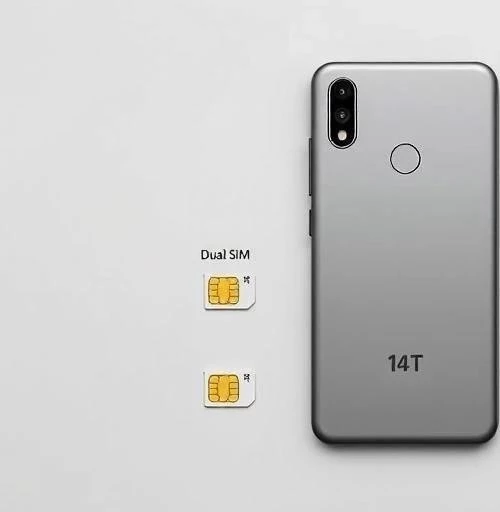
Short answer: the Xiaomi 14T supports two SIM lines․ Depending on the version sold in your country, you can use two physical nano-SIM cards, or a nano-SIM together with an eSIM․ The exact combination can vary by market, so check the specifications for your particular device before buying a SIM or starting an eSIM transfer․
SIM combinations
The Xiaomi 14T is generally described as a dual-SIM phone․ “Dual SIM” means that it can register two mobile subscriptions, but it does not necessarily mean that every regional model has the same SIM tray or supports the same eSIM features․
- Two nano-SIM cards: supported on versions with a dual physical-SIM tray․
- Nano-SIM plus eSIM: available on compatible regional versions and with a carrier that supports eSIM․
- Two eSIMs: do not assume this is supported․ Check Xiaomi’s specifications for the exact market version and confirm with your operator․
In other words, the useful answer to “How many SIM cards does the Xiaomi 14T take?” is up to two active mobile lines․ Whether both lines use removable cards depends on the specific model․ An eSIM is a digital subscription stored in the phone, not a second plastic card․
What “dual SIM” means in everyday use
With two lines set up, you can keep separate numbers on one phone—for example, a personal number and a work number, or a local SIM and a travel SIM․ In the phone’s settings, you can usually choose which line to use for mobile data, calls, and text messages․ You can also give each line a label so it is easier to tell them apart․
Dual-SIM phones commonly use dual-SIM dual-standby operation․ Both lines can remain registered on the network while the phone is idle, but this does not mean that you can conduct two separate calls at the same time․ If one line is being used for a call, the availability of the other line may depend on network support, call settings, and whether call forwarding or similar services are enabled․
Also, two SIMs do not automatically provide two separate data connections at once․ You normally select one line as the mobile-data SIM․ The other line can still be available for calls and messages, subject to coverage and carrier settings․
How to check your Xiaomi 14T
- Open Settings and look for SIM cards & mobile networks or a similarly named menu․ The wording can differ between software versions and regions․
- If the phone has a SIM tray, eject it carefully with the supplied tool and check the tray layout․ Do not force a card into a slot that does not match its shape․
- Look in Settings for an option such as Add eSIM․ Its presence is a useful indication that eSIM setup may be available, but your carrier must also support it․
- For a definitive answer, check the model number and regional specifications on the box, in the device information, or with Xiaomi support or the seller․
If you have purchased a used or imported phone, checking the exact model is particularly important․ Two phones sold under the Xiaomi 14T name can have different regional configurations, and carrier restrictions or software availability may also affect eSIM activation․ A menu option alone does not guarantee that every operator will issue an eSIM for the device․
Using an eSIM
An eSIM is usually activated by following your mobile operator’s instructions, which may involve scanning a QR code or using the operator’s app․ Before removing a physical SIM or resetting the phone, make sure you know how to recover or transfer the eSIM․ Some operators require a new activation code when moving a plan to another device․
If you plan to travel, ask the provider whether its eSIM plan supports the Xiaomi 14T version you own, and whether the phone is unlocked․ An eSIM plan may provide data only; voice calls and text messages depend on the plan itself․ Do not delete an installed profile unless you are sure it can be reactivated․
Does it support a memory card?
A SIM card and a memory card serve different purposes․ A SIM connects the phone to a mobile network; a microSD card expands file storage․ Do not assume that a second SIM position can accept a microSD card․ Check the Xiaomi 14T specifications for your region if expandable storage matters to you;
Bottom line
The Xiaomi 14T supports two SIM lines․ Depending on its regional version, the setup may be two nano-SIM cards or one nano-SIM plus an eSIM․ Verify the precise model, inspect the SIM settings or tray, and confirm eSIM compatibility with your carrier․ This is the safest way to know which two-line setup your own Xiaomi 14T can use․
2 Comments. Оставить новый
This clearly explains that dual SIM support can differ by region, especially when comparing two physical SIM cards with a nano-SIM and eSIM. Checking the exact model before buying is good advice.
Helpful overview of what dual SIM means in everyday use. I also appreciate the clarification that two active lines do not necessarily allow two simultaneous calls.