
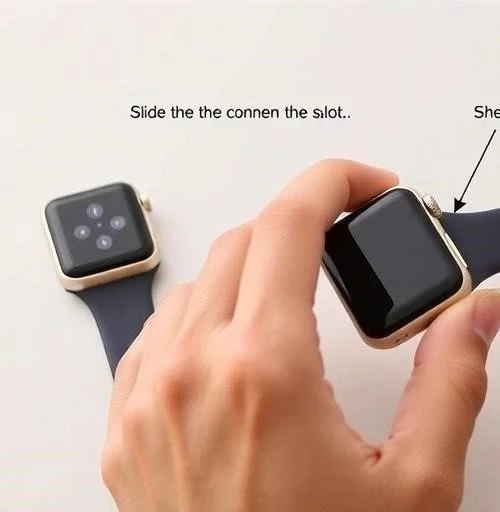
Fitting a strap to an Apple Watch Series 5 is simple, but doing it carefully matters. A band that is not fully seated can slide out, while one worn too loosely may let the watch move and lose reliable contact with your wrist. The safest approach is to check compatibility, attach the band without force, and test the fit before wearing the watch for the day.
Check that the band is compatible
Series 5 comes in 40 mm and 44 mm case sizes. In general, bands made for 38 mm cases fit the 40 mm model, and bands made for 42 mm cases fit the 44 mm model. Choose the size group that matches your watch: the band should sit flush in the slot rather than appear too narrow or leave a gap. If a third-party band lists compatibility, check the maker’s size guide instead of relying on appearance alone.
Attach the strap
- Protect the watch. Remove it from your wrist and place it face down on a clean, soft cloth. This helps prevent scratches while you work.
- Find the release buttons. On the back of the case, near each band slot, there is a small band-release button. Press and hold the button beside the slot you are using.
- Slide in the band. Keep the button pressed and slide the band into the slot until it stops. The printed side or buckle orientation depends on the band style, so follow its design and make sure the band lies flat.
- Check the connection. Let go of the button, then gently move the band from side to side. It should stay in place. Repeat the steps for the other half.
Do not push a band into the slot or pull it out by force. If it does not slide smoothly, remove it, check that it is the correct size and orientation, and try again while holding the release button down. Forcing it can damage the band or the watch’s connector; stopping to realign it is both safer and faster.
Put the watch on and adjust the fit
Place the watch on the top of your wrist, with the display facing you. Fasten the strap according to its design: thread a sport band’s pin through a hole, tuck the end of a sport loop back through its fastener, or close a buckle or clasp securely. The crown should remain easy to reach, and the band should not twist or pinch your skin.
A good fit is snug, not tight. The watch should make consistent contact with your skin, but you should still be able to move it slightly when adjusting or removing it. This balance matters because a loose watch can shift during activity, while an overly tight strap can feel uncomfortable. If you use the watch for exercise, check the fit again before starting; you may prefer a secure fit during a workout and a slightly looser one afterward.
Before you wear it
Give both band connections a final gentle tug. If either side moves out of its slot, take the watch off and attach that side again—do not assume the clasp alone will keep it secure. When removing the band, turn the watch face down, press and hold the appropriate release button, and slide the band out horizontally. Clean, correctly sized, fully seated straps are not just a matter of appearance: they help keep the Series 5 comfortable and securely attached throughout the day.



2 Comments. Оставить новый
The guide gives clear, practical steps for choosing a compatible band and attaching it safely. The advice to hold the release button and avoid forcing a strap is especially useful, since it helps prevent damage to the watch and band.
This is a helpful explanation for Series 5 owners, particularly the distinction between the 40 mm and 44 mm size groups. The fit and connection checks also give readers a straightforward way to confirm that the band is secure before wearing the watch.