
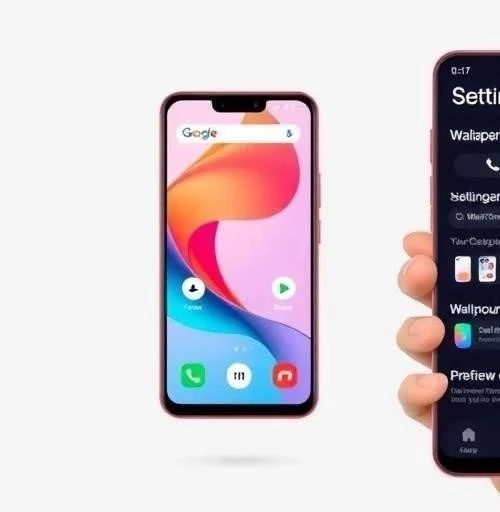
You may be able to change the picture shown during calls on a Redmi 9, but the available controls depend on the phone app and MIUI version. Many global Redmi 9 models use Google Phone, which may not offer a full-screen call wallpaper. So first check which dialer is installed rather than assuming every Redmi 9 has the same menu.
Check for a built-in call background setting
- Open the Phone app and tap the three-dot menu.
- Choose Settings and look for Call background, Display options, or a similarly named item. On some MIUI versions, call options may instead be under Settings > Apps > System app settings > Call settings.
- If Call background is available, open it, select a photo or preset, preview the result, and tap Apply or Save.
Menu names and locations vary by software version and region. If you cannot find the option, that usually means your installed dialer does not support a custom call-screen background; it does not necessarily mean the phone is faulty.
Use a contact photo as an alternative
A contact picture is the most reliable option when the call-background control is missing. It will not necessarily fill the entire screen, but it can make calls from a particular person easier to recognize.
- Open Contacts and select the person.
- Tap Edit, then tap the picture or camera icon.
- Choose a photo, crop it, and save the contact.
Call that contact to check how the image appears. The display may look different depending on whether the call screen is provided by Google Phone or Xiaomi’s dialer.
If the setting is missing
Check the app name under Settings > Apps > Manage apps. If the phone uses Google Phone, look through its settings, but do not expect a wallpaper option if none is listed. Updating MIUI or the Phone app may add or change features, although an update is not guaranteed to provide this one.
Themes can change parts of the interface, but they do not reliably replace the call background on every Redmi 9. Avoid installing unknown dialer or wallpaper APKs just to get this effect: call apps may request access to contacts, call logs, and microphone permissions. If you try a reputable alternative, review its permissions and set it as the default phone app only if you trust it.
Important distinction
A photo shown during an ordinary voice call is different from a background effect in a video-calling app. Video backgrounds are usually configured inside that app and may depend on its own features. In short, use the built-in call-background menu if your dialer provides it; otherwise, a contact photo is the safest practical substitute.
9 Comments. Оставить новый
The guidance is useful for readers who are unsure whether they have missed a setting. Checking Manage apps is a simple way to identify the dialer and choose the right next step.
The troubleshooting advice is clear and measured. In particular, explaining that a missing setting does not necessarily indicate a fault can prevent unnecessary concern.
The contact-photo suggestion is a practical fallback. It also sets the right expectation that a picture assigned to a person may not fill the whole call screen.
A concise and practical explanation. The article separates the built-in call-background feature from contact photos, which helps readers understand what each option can realistically do.
I like that the article avoids promising an update will add the feature. It presents updating as something worth checking while being honest that the option may remain unavailable.
The instructions for adding a contact picture are straightforward, and the reminder to test how it appears is helpful because the dialer affects the final display.
This is a useful distinction between changing a call background and setting a contact photo. Checking which dialer is installed first should save readers from searching for an option their version may not support.
This article gives readers a sensible first step: identify the phone app before looking for call-background controls. Since Redmi software can vary, that detail is important.
I appreciate that the instructions acknowledge differences between MIUI versions and regions. That makes the guidance more realistic than presenting one menu path as universal.