
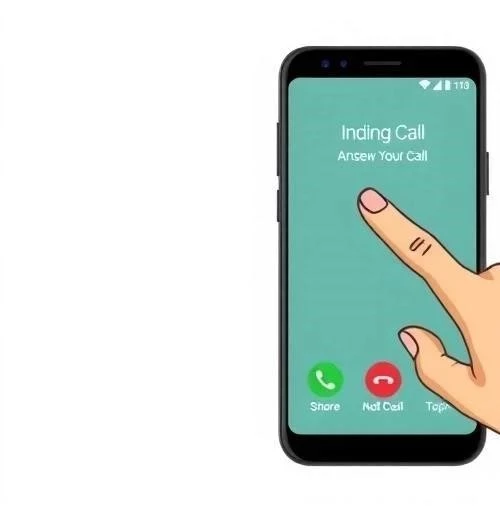
On MIUI 10, the way you answer an incoming call may depend on your Xiaomi model, the region firmware and the Phone app installed on the device. Some versions offer an Answer gestures setting; others use a fixed swipe gesture and do not provide a switch to tap-to-answer. Try the steps below first, then use the alternatives if the setting is missing.
Check the call settings
- Open the Phone app—the app you use to make calls.
- Tap the menu icon (often three lines or three dots) and choose Settings. On some phones, open the main Settings app, then go to System apps > Call settings.
- Open Incoming call settings. If you see Answer gestures, Answer method or a similarly named option, tap it.
- Select one of the choices shown, if available, and follow any on-screen instructions. The change should apply to subsequent incoming calls.
The exact labels and choices vary. Depending on the software build, the option may let you change the direction or style of the swipe, or it may offer another supported gesture. If the menu only contains settings such as Flip to silence, Flash when ringing or Proximity sensor, those do not change how a call is answered.
If there is no answer-gesture option
On many MIUI 10 phones, answering by swiping on the incoming-call screen is built into the Phone app. If there is no answer-related setting in the call menus, MIUI 10 may not let you replace that gesture with a single tap. You can still answer using an accessory or check whether another supported method is available:
- Headset or Bluetooth device: A connected headset may let you answer with its call button. The button’s behavior depends on the headset and its compatibility with the phone.
- Accessibility settings: Open Settings > Additional settings > Accessibility and review the options available on your device. The names and functions differ between builds; do not assume that an option to end calls also answers them.
- Another Phone app: If you install a different dialer, it may use different call controls, but it might not replace the system app completely. Check its permissions and test it before relying on it for calls.
Make sure you are changing the right setting
Flip to silence normally mutes the ringtone when you turn the phone face down; it does not answer the call. Proximity sensor controls screen behavior near your face during a call, rather than the incoming-call gesture. Likewise, settings for call notifications or the lock screen affect how the call is displayed, not necessarily how it is accepted.
Troubleshooting
- Search Settings for answer or incoming call, since menu locations vary on MIUI 10 devices.
- Check that you are opening settings for the dialer currently used to receive calls. Some Xiaomi phones or regional versions use a different Phone app.
- Restart the phone and check again after a system or app update. Menu names and features can change between MIUI builds.
- If a setting is present but has no effect, test with the screen locked and unlocked, and temporarily disconnect any headset or Bluetooth device.
In short: go to Phone > Menu > Settings > Incoming call settings and look for an answer-gesture option. If it is not there, your MIUI 10 build probably does not support changing the default answer action through its settings. The usual swipe control may therefore be the only on-screen method available.
5 Comments. Оставить новый
Good, practical advice. It would be useful to know that if the answer option isn’t there, the swipe may simply be fixed on that phone.
Clear and easy to follow, especially the warning that accessibility options vary and may not answer calls. Thanks for explaining the limitations.
The note about “Flip to silence” not changing the answer gesture is useful. Those settings are easy to confuse.
I appreciate the reminder that headset buttons may work differently depending on compatibility. That’s a good alternative to try.
Helpful explanation that the answer gesture can depend on the specific MIUI build and Phone app. I’ll check the call settings on my device first.