
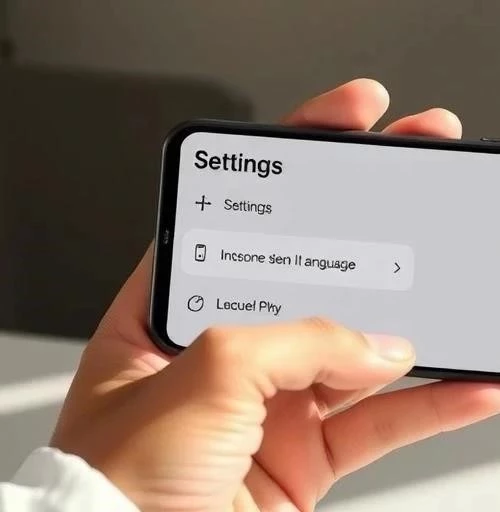
Chinese text on a Xiaomi phone does not always mean the device is faulty․ It may be the selected system language, a China-market version of MIUI or HyperOS, or simply a few preinstalled apps․ Identify which case applies before changing settings: switching the language is usually safe, while replacing the phone’s software can cause serious problems․
Change the system language
- Open Settings (the gear icon)․
- Find Additional settings, then Languages & input and Languages․ On some versions, Languages appears directly in Settings․
- Select English, Russian, or another language․ If a list allows reordering, move your preferred language to the top․
Menu names differ between MIUI, HyperOS, and regional releases․ If you cannot read the menus, use the Settings search icon and search for “language”; on a Chinese interface, the word is ․ You can also use the Settings gear and follow the same menu positions, though their locations may vary by version․ Changing the system language does not normally delete data․
If Chinese remains in some places
Restart the phone after changing the language․ Then check whether the remaining text belongs to a particular app: some apps have their own language setting․ On Android versions that support it, open Settings → Apps → [app name] → App language․ Otherwise, look inside that app’s settings or update it․ A Chinese app name or advertisement is not proof that the whole phone’s language is unchanged․
Changing Region is not the same as changing Language․ Region settings can affect formats, services, and available content, but usually will not translate the system interface․ Change the region only if you have a specific reason, and check the effects first․
Remove unwanted Chinese apps safely
For an app you do not use, try long-pressing its icon and selecting Uninstall․ If uninstall is unavailable, the app may be a system component; some can be disabled through Settings → Apps, but do not disable unfamiliar services․ Removing core components with unofficial debloating tools can break updates, notifications, or phone functions․ Back up important data before making substantial changes․
When the phone has a China ROM
If English or your preferred language is missing from the language list, the device may run a China-market ROM․ A factory reset is unlikely to add languages that the software does not provide․ Check the exact model and ROM with the seller or Xiaomi support and ask whether an official international version exists․
Avoid installing a ROM from an unverified guide․ Unlocking the bootloader or flashing firmware can erase data, make the phone unusable, affect warranty or security, and install software intended for a different model․ Do not use a “global ROM” unless it is officially compatible with your exact device․ The safest approach is to change the language in Settings, remove only apps you recognize, and seek official support if the ROM itself is the limitation․
9 Comments. Оставить новый
The explanation that menu paths vary by software version adds useful context. It keeps the instructions from sounding universal when Xiaomi interfaces can differ.
This is a clear, low-risk first approach: check the system language, restart, and then investigate apps that still display Chinese. The order makes practical sense.
The advice to use Settings search is practical, especially when menu names differ across MIUI and HyperOS versions. It offers a reasonable alternative to guessing through unfamiliar menus.
I appreciate the warning that changing the region is not the same as changing the language. Those settings are easy to confuse, and the article explains why changing the wrong one may not solve the problem.
I found the reassurance about changing the system language useful, along with the caution that replacing the phone software can be much riskier. The article appropriately separates routine settings from advanced changes.
The article usefully distinguishes a language setting from a China-market device. That distinction helps readers avoid risky software changes when a simple settings adjustment may be enough.
The article is careful not to treat every Chinese app or advertisement as evidence that the whole phone is misconfigured. That is a helpful distinction for troubleshooting.
The article gives readers a sensible way to narrow down the cause before taking action. Checking whether the issue is limited to one app is a straightforward troubleshooting step.
The guidance to uninstall or disable apps cautiously is sensible. In particular, warning readers not to disable unfamiliar system services helps prevent avoidable problems.