
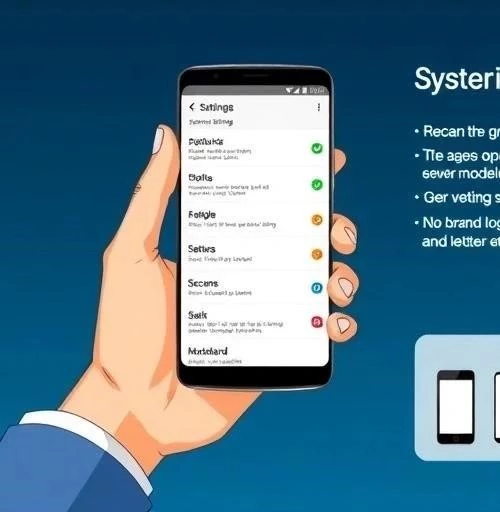
The phrase “change the phone model” can mean several different things. You might want to rename your Xiaomi so it is easier to recognize on Bluetooth or Wi-Fi, or you may want apps to display a different model number. These are not the same: you can change the device’s name, but you cannot turn one Xiaomi model into another through a normal setting. The camera, processor, memory, modem, and other hardware remain those of the original phone.
Change the device name
Renaming your phone changes the label shown in some places, such as Bluetooth lists, nearby-sharing features, and device lists. Menu names differ slightly between MIUI and HyperOS versions, but try this route:
- Open Settings.
- Tap About phone.
- Choose Device name or tap the name currently shown.
- Enter a new name and confirm it with Save or the check mark.
On some versions, the option may be under Settings → Additional settings → Device name. If you do not see it, use the Settings search bar and search for “device name.” The change usually takes effect immediately, though a connected accessory may need to reconnect before it displays the new name.
Change the Bluetooth or hotspot name
Some Xiaomi software versions use the device name for Bluetooth, while others show a separate name or provide a related control. Open Settings → Bluetooth, turn Bluetooth on, and look for Device name or Rename this device. Edit the label and save it.
To rename a portable Wi-Fi hotspot, go to Settings → Connection & sharing → Portable hotspot (the wording can vary), then open Set up portable hotspot. Change the network name, also called the SSID, and save. This alters the name other devices see when searching for Wi-Fi; it does not change your Xiaomi’s model or its Wi-Fi capabilities.
Change the name shown in your Google account
Your Google account may list the phone using a name you previously assigned or a model label. On a computer or another device, open your Google Account’s device-management page, select the Xiaomi, and check the available device details. You can also review the Google account name and synced-device settings. Account labels may take time to update and do not rewrite the model information stored on the phone.
Can you change the model number?
There is no standard MIUI or HyperOS setting that safely changes the official model number. You can check the real model under Settings → About phone; the exact screen may show a model name, model number, or both. The box, purchase documents, and Xiaomi support information can help confirm it. Do not publish your IMEI or serial number while asking for help: these are identifying device details.
Some online guides suggest rooting the phone or changing system properties to make Android report another model; This is an advanced, unofficial modification, not a genuine conversion. It can cause update failures, app or banking-service problems, incompatibility with firmware, boot loops, or loss of data. Rooting and unlocking may also affect security and warranty or support eligibility, depending on the device and local rules. A different reported name will not give the phone another model’s features.
If you meant changing to another Xiaomi model
To move your information to a new phone, back up the old device first. Use Xiaomi’s transfer tool if it is available on both phones, or restore contacts, photos, and other data from your Google or Xiaomi account during setup. Check that important files are backed up separately, and keep both phones charged and connected to a trusted network. Once you have verified the transfer, you can erase the old phone before selling or giving it away.
Quick recap
- For a new label, change Device name in Settings.
- For a different Wi-Fi label, edit the hotspot name separately.
- For the actual model number, use About phone; it cannot be changed through ordinary settings.
- Avoid unofficial model-spoofing instructions unless you understand the risks and have a reliable recovery plan.
Because Xiaomi menus vary by model, software version, and region, use Settings search if a path does not match your screen. Renaming is usually simple and reversible; changing the hardware model is not.


3 Comments. Оставить новый
A useful explanation for Xiaomi users who want their phone to appear under a different name on connected devices. It sets realistic expectations about what renaming can and cannot change.
This is a clear and practical guide, especially the distinction between changing a device name and changing the phone’s actual model. The note that menu labels vary by software version is helpful.
I appreciate the step-by-step instructions and the reminder to use Settings search if the option is hard to find. Explaining the hotspot name separately makes the advice more useful.