
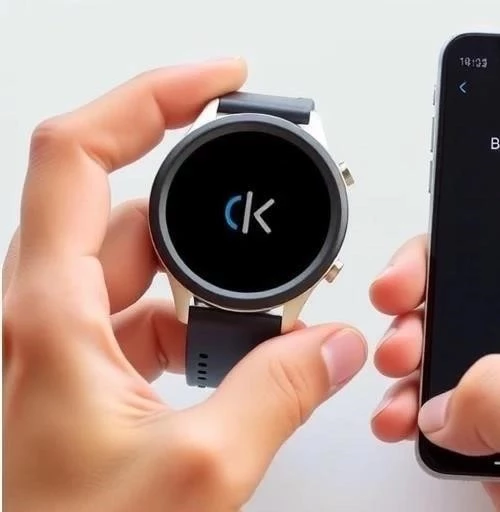
Pairing a Galaxy Watch through the Galaxy Wearable app is more reliable than connecting it from Bluetooth settings alone․ The app guides setup, installs the required components and lets you manage notifications, updates and watch settings․ Keep the watch and phone nearby, charge both devices, and turn on Bluetooth before you begin․
Check compatibility first
Most Galaxy Watch models pair with Android phones, although available features can vary by watch, phone and software version․ Recent Wear OS models, including the Galaxy Watch4 and later, require a compatible Android phone and do not officially pair with iPhone․ Older models may have different requirements, so check Samsung’s compatibility guidance for your exact watch․ Samsung phones often provide the smoothest experience, but many other Android phones work too․
Pair the watch with an Android phone
- Install the app․ On a Samsung phone, open Galaxy Wearable; on another Android phone, download it from Google Play․ Install any companion component the app requests․
- Start setup․ Turn on the watch․ If it has been used before, follow its reset or transfer prompt when needed․ Open Galaxy Wearable and tap Start, Add new device, or the equivalent option․
- Select your watch․ Choose its name when it appears․ If prompted, allow Bluetooth and nearby-device access so the phone can find and communicate with it․
- Confirm the code․ Compare the pairing code on the phone and watch․ If they match, confirm on both screens․ This check helps ensure you are connecting to the intended device․
- Finish setup․ Accept the requested permissions, sign in to your Samsung or Google account if asked, and choose settings such as notifications, location and health features․ Keep the devices close while setup and any updates complete․
After pairing, open Galaxy Wearable to customize watch faces, apps and alerts․ Grant only the permissions you need; for example, notification access is required if you want messages to appear on the watch․ A brief delay while the watch syncs is normal․
Moving the watch to a new phone
A watch that is already paired may not appear as a new device․ On the watch, look for Settings → General → Transfer watch to new phone (the wording can differ by model), then follow the phone’s prompts․ If transfer is unavailable, back up important data through Galaxy Wearable where supported, reset the watch, and pair it again․ A reset erases watch data that has not been backed up, so use it only after checking your backup․
If pairing fails
- Keep Bluetooth on, bring the devices within a few feet, and restart both․
- Update Galaxy Wearable and the phone’s software․ If the app is stuck, close and reopen it․
- If the watch is listed in the phone’s Bluetooth menu from an earlier attempt, remove or forget it, then start pairing again in Galaxy Wearable․
- Check that the watch is not still connected to another phone․ Disconnect it or use the transfer process before trying again․
Do not repeatedly reset the watch as a first step: restarting, updating the app and clearing an old Bluetooth pairing are safer and often solve the problem․ If the watch still cannot be found, verify model compatibility and consult Samsung Support․
What about iPhone?
Compatibility depends on the watch generation․ Recent Galaxy Watch models based on Wear OS are not officially compatible with iPhone, while some older models may work with limited functions through their supported iOS app․ Check support for your specific model before buying or attempting setup; a Bluetooth connection alone does not guarantee access to watch apps, health features or notifications․
In short: install Galaxy Wearable, pair from inside the app, confirm the matching code and complete permissions․ This gives the watch the best chance of working correctly and makes future settings and updates easier to manage․

8 Comments. Оставить новый
This is a clear and practical guide for first-time users. I would also remind readers that menu names can differ slightly by app version, but the overall pairing sequence is easy to understand.
I appreciate that the article distinguishes newer Wear OS watches from older Galaxy Watch models. Compatibility can vary, so advising readers to check the requirements for their exact device helps prevent frustration.
The article covers the main setup stages in a sensible order, from installing the app to finishing account and permission choices. The compatibility note is especially useful for people using non-Samsung Android phones.
The permissions guidance is balanced: users are told what access may be needed while still being encouraged to grant only what they want. That makes the setup advice more privacy-conscious.
Mentioning that iPhone support differs by watch generation is important. It sets realistic expectations before readers spend time trying to pair an unsupported model.
The troubleshooting advice to keep both devices nearby and charged is practical. Setup and updates can take time, and a stable connection can help avoid interruptions.
It is helpful that the article recommends Galaxy Wearable rather than relying on Bluetooth settings alone. The app provides a clearer setup path and gives users a place to manage watch features afterward.
The step-by-step pairing instructions make the process easy to follow, especially the reminder to compare the codes on both screens. That check is a useful security measure, not just a setup detail.