
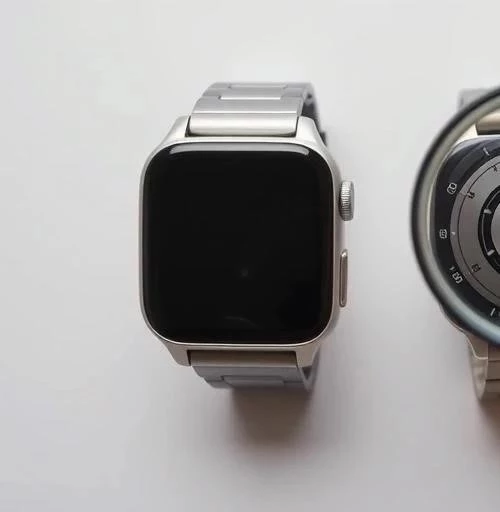
A convincing appearance alone cannot prove that an Apple Watch is authentic. Counterfeit devices may copy the case and packaging‚ while a genuine watch may have replacement parts or be linked to another person’s account. Use several checks together‚ and complete them before paying whenever possible.
Check the watch in Apple’s settings
On the watch‚ open Settings > General > About. Note the serial number‚ model name‚ software version and‚ if shown‚ IMEI. You can also find device information in the paired iPhone’s Watch app under General > About. Menu wording can vary slightly by software version.
A genuine Apple Watch should work with Apple’s Watch app on a compatible iPhone and offer the expected watchOS setup and features. A watch that instead requires an unfamiliar app‚ displays an Android-style interface‚ or cannot be paired normally is a serious warning sign. Do not rely on the seller’s screenshots; test the device yourself.
Compare the serial number and model
Compare the serial number shown in Settings with the one on the box and purchase documentation‚ if available. Differences may have an innocent explanation‚ such as a replacement box‚ but should be investigated. A matching number is not conclusive: counterfeiters can copy a serial number from a real product.
Enter the serial number on Apple’s official coverage-check page‚ reached through Apple Support. Check whether the result identifies an Apple product and whether the coverage information is plausible for the seller’s description. If the page says the number is invalid‚ or identifies a different product‚ pause the purchase and contact Apple Support. Warranty status alone does not authenticate a watch: a copied number may return valid details‚ and coverage can expire or change.
For more detail‚ open the model entry in About; on some versions‚ tapping the part number displays the model number beginning with “A.” Compare it with Apple’s official model-identification information. Make sure the case size‚ generation‚ finish and GPS or cellular configuration match. Do not assume a model is genuine merely because its name appears in a search result.
Pair it and check Activation Lock
Ask the seller to unpair the watch and remove it from their Apple Account before you pay. Then start setup with your own iPhone. If setup requests the previous owner’s Apple Account password‚ Activation Lock is still enabled. Do not buy the watch on a promise that the seller will remove the lock later. Apple cannot normally remove it without the required account credentials or valid proof of purchase.
Successful pairing is a useful check‚ but it is not an absolute guarantee of authenticity. Confirm that the watch appears in the Watch app‚ can complete setup‚ and offers normal Apple services and software updates. Refusal to pair‚ repeated unexplained errors‚ or an unusual setup process warrants caution.
Inspect the hardware and sale
Look for clean‚ even lettering‚ a well-fitted display‚ a responsive Digital Crown and side button‚ and charging that behaves normally. Check that the band attaches securely and that the charger and packaging are consistent with the listing. These details can expose poor imitations‚ but genuine watches can have cosmetic wear‚ and accessories can be replaced. Appearance is supporting evidence‚ not proof.
Buy from Apple or a reputable authorized retailer when possible. For a used watch‚ request a receipt‚ meet where you can test pairing‚ and use a payment method with buyer protection. Avoid pressure to pay quickly‚ unusually low prices‚ or sellers who refuse a reset and hands-on inspection.
Treat IMEI checks carefully
Some cellular Apple Watch models have an IMEI; GPS-only models may not. An IMEI lookup can help identify a cellular device or reveal reported network restrictions‚ depending on the service‚ but it does not prove that the watch is genuine. Third-party checkers may be incomplete or inaccurate. Never publish serial numbers or IMEI details unnecessarily.
Quick checklist
- Inspect device information in Settings and the iPhone Watch app.
- Compare the serial number and model details‚ then check coverage through Apple.
- Pair the watch and confirm that the seller has removed Activation Lock.
- Inspect the hardware and buy with documentation and payment protection.
Bottom line: no single number‚ website result or visual detail guarantees authenticity. The strongest practical approach is to combine Apple’s own device and coverage checks with successful setup‚ removal of the previous owner’s lock‚ a careful inspection‚ and a trustworthy source.