
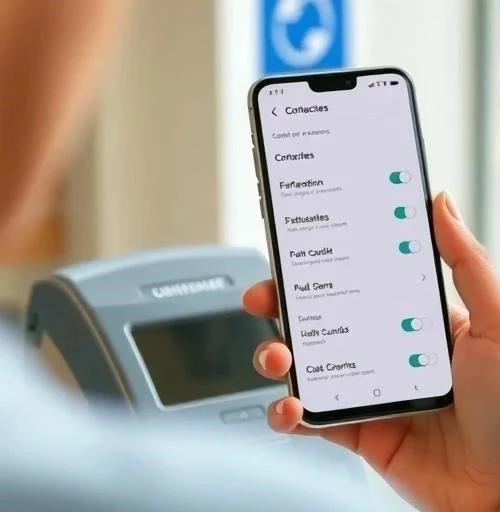
Paying with a Xiaomi phone can be quicker than using a physical card, but it works only when the phone, payment service, bank and shop terminal all support contactless payments. Before changing settings, check that your particular Xiaomi model has NFC: availability varies by model and market, and some phones have no NFC hardware. Search the phone’s Settings for “NFC” or check the model specifications. If the option is absent, software updates cannot add it.
Check the payment service and your bank
Choose a wallet available in your country, such as Google Wallet where supported. Availability, eligible cards and issuer rules differ by region, so confirm that your bank supports adding your card to that wallet. Xiaomi’s own services and menus also vary by country; do not assume that Mi Pay is available or that every Xiaomi device supports it. Install the wallet from Google Play or another official source, and update it and your phone’s system software.
Add your card
- Open the wallet app and choose the option to add a payment card.
- Scan the card or enter its details manually, then follow the verification steps. Your bank may send a code or ask you to approve the card in its app.
- If setup fails, check the bank’s instructions and make sure the card is eligible. Avoid sharing verification codes with anyone.
Turn on NFC and select the wallet
Open Settings and search for NFC. Turn it on. Depending on your MIUI or HyperOS version, NFC may appear under Connection & sharing, More connectivity options, or a similar menu. Then find Contactless payments or Default payment app in the NFC settings and select the wallet where you added the card. Menu names can differ, so using Settings search is often the fastest route.
Secure and test your phone
Set a screen lock, such as a PIN, password or supported biometric method. Contactless wallet services may require device security and a certified, unmodified system; root access, an unlocked bootloader or failed security checks can prevent payment. Keep NFC enabled, unlock the phone when required, and hold its NFC area near the terminal until you see confirmation. The antenna position differs between models, so move the phone slightly if the first tap does not register. A terminal must accept contactless payments, and some transactions may still require authentication.
If payment does not work
- Confirm that NFC is on and the correct wallet is the default.
- Check that the card is active, verified and supported by both the issuer and wallet.
- Update the wallet and system, restart the phone, and try another contactless terminal.
- If the wallet reports a security or device-eligibility error, follow its official guidance or contact support; reinstalling an app cannot fix missing NFC hardware.
For safety, use only official apps, keep the phone locked when not in use, and review card controls in your bank’s app. With compatible hardware, an eligible card and the right default-wallet setting, Xiaomi phone payments are straightforward and secure.
9 Comments. Оставить новый
The advice to confirm wallet availability with the bank is practical. Card eligibility can depend on the issuer and country, and checking this before setup may prevent unnecessary frustration.
Using Settings search to find NFC and contactless payment options is a sensible suggestion, especially because menu names can change between MIUI and HyperOS versions.
It is helpful that the article distinguishes between having NFC and being able to make payments. The bank, wallet service and store terminal must also support contactless payments, so all four pieces need to be compatible.
The article could be even more useful if it included a brief final test procedure, such as unlocking the phone and holding it near a supported terminal. Still, its compatibility checks and security reminders provide a strong foundation.
Including the card verification process makes the instructions more realistic. It is also good to remind readers not to share verification codes, since payment setup can involve sensitive banking information.
The reminder to check whether a specific Xiaomi model has NFC is important. Since hardware varies by model and market, confirming the specifications first can save users from troubleshooting a feature their phone cannot support.
The article appropriately warns readers not to assume that Xiaomi’s payment services are available everywhere. Regional differences matter, so directing users to official services and current local information is sound advice.
The security guidance is relevant because contactless payments should be protected by a screen lock. Mentioning device certification and system modifications also helps explain why a wallet might not work on every phone.
This is a clear, practical overview for someone setting up phone payments for the first time. The steps are easy to follow, and the qualifications about model and regional differences keep the advice appropriately cautious.