
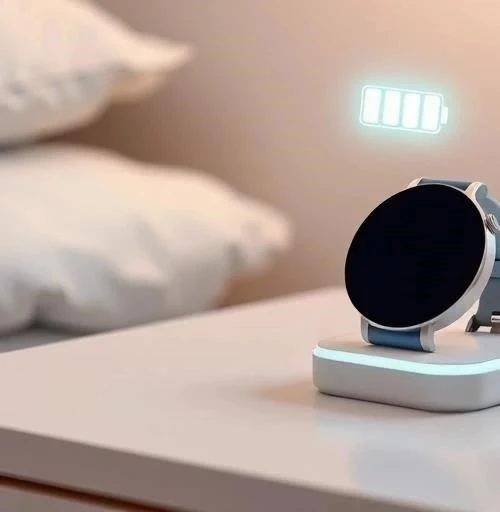
The Samsung Galaxy Watch6 is designed for daily use, but its battery does not have one fixed runtime. Samsung’s stated maximum is up to 40 hours with the always-on display (AOD) turned off, or up to 30 hours with AOD enabled. These are laboratory-style estimates, not a promise that every watch will last that long. In ordinary use, many owners should plan to charge it each day or every night.
Battery capacity by size
The standard Galaxy Watch6 comes in two case sizes. The 40 mm model has a 300 mAh battery, while the 44 mm version has a 425 mAh battery. The larger watch generally has more room for power storage, but its screen is also larger, so the difference in real-world endurance is not simply proportional to capacity. The Galaxy Watch6 Classic uses the same battery capacities: 300 mAh in the 43 mm case and 425 mAh in the 47 mm case;
Battery condition, software version, network reception, settings and the way the watch is worn all affect the result. Two people with the same model can therefore see noticeably different runtimes. A new device may also behave differently during its first days, while it is being set up and learning usage patterns.
What to expect in everyday use
With moderate use, AOD disabled and no lengthy GPS workouts, a full day is a reasonable expectation. Some users may reach into a second day, especially with a larger model and conservative settings. With the screen continuously visible, frequent notifications, regular health measurements and sleep tracking, charging every 24 hours is more realistic. Heavy use can shorten this further, so it is sensible to charge before a long outing rather than rely on the advertised maximum.
GPS exercise sessions, LTE calls or streaming, music playback from the watch, navigation, frequent interaction with the display and demanding apps can consume power quickly. Weak mobile or Bluetooth reception may also increase drain as the watch works harder to stay connected. Continuous heart-rate monitoring, stress measurements and automatic workout detection add to the load, although the effect varies with the measurement schedule and activity.
Sleep tracking is useful but means the watch is running overnight as well as during the day. If the battery is already low at bedtime, it may not have enough charge to record the whole night and remain ready for the next day. A short top-up before sleep or while getting ready in the morning can make daily use easier.
Why your result may differ
The always-on display is one of the most noticeable settings: it keeps the time visible but usually reduces runtime. Raising screen brightness, using a short screen timeout, enabling frequent wake gestures, and running animated watch faces can also increase consumption. Complications that update often, such as weather or other live information, may use additional power.
Health features are another factor. Continuous heart-rate checks, blood oxygen measurements during sleep, snore detection and frequent health readings can reduce endurance. The impact depends on which features are supported in your region, enabled on your device and used with a compatible phone. Turning off a feature you do not need may help, but it also means giving up that measurement.
Bluetooth-only and LTE versions can have different usage patterns. An LTE model may use more energy when it connects to a mobile network, particularly where coverage is weak or when calls and data are used without the paired phone nearby. GPS use during outdoor exercise is also more demanding than simply recording steps throughout the day.
How to extend battery life
- Turn off AOD or use it only when needed; reduce brightness and screen timeout.
- Choose a simpler watch face and limit unnecessary notifications and background apps.
- Review health-measurement schedules and disable functions you do not use.
- Use power-saving mode when you need the watch to last longer; some functions may be limited.
- Keep the watch software up to date and check the battery usage screen for unusually demanding apps.
These changes involve trade-offs. For example, a restricted power mode can reduce convenience or the availability of certain measurements. If battery life suddenly becomes much shorter, check for a recently installed app, a change in mobile reception or settings, and allow updates to finish. Persistent unusual drain may warrant restarting the watch or contacting Samsung support.
Charging and practical planning
The Galaxy Watch6 charges wirelessly using its compatible charging puck. Charging speed depends on the power adapter, temperature and the watch’s current battery level. A brief charge can be useful between activities, but charging time is not the same as a guaranteed number of extra hours: the amount gained depends on the same settings and workload that affect runtime. Use a suitable charger and avoid charging the watch when it is excessively hot.
For planning, treat the Watch6 as a device that usually needs a daily charging routine, rather than counting on two full days. The 44 mm and 47 mm versions have larger batteries, but display settings, LTE and exercise tracking can outweigh that advantage. If AOD is off and usage is light, runtime may approach Samsung’s stated maximum; with AOD and active features, expect less.
In short: Samsung quotes up to 40 hours with AOD off and up to 30 hours with it on. In practical use, roughly one day is a sensible baseline, with longer life possible under lighter use and shorter life during intensive GPS, LTE or health tracking.
3 Comments. Оставить новый
The article clearly distinguishes Samsung’s advertised battery estimates from the runtime users may experience in everyday conditions.
The comparison of battery capacities across the different case sizes is useful, and the article appropriately notes that capacity alone does not determine battery life.
The discussion of settings and activities that affect battery drain offers practical context, though the provided text ends before the final point is completed.