
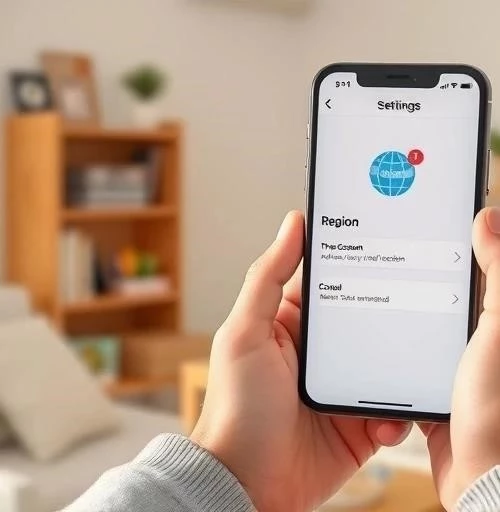
“Region” can mean three different things on Xiaomi devices: the country linked to your Xiaomi Account, the region setting on your phone, or the server region used by Xiaomi Home (Mi Home)․ These settings are not interchangeable․ Changing the phone’s region, for example, will not necessarily move an account or smart-home devices to another server․
Check whether your account country can be edited
Start with the Xiaomi Account page or account settings on your phone․ Sign in using your usual account, then open Personal info or Account security and look for a country/region field․ Menu names can vary by app version and location․ If the field is editable, choose the correct country, review any confirmation prompt, and save․ You may be asked to verify your identity․
Xiaomi does not offer the same account-country controls in every market․ If the country is missing, locked, or cannot be changed, do not try to alter your location with a VPN or enter false details; Contact Xiaomi Support for guidance․ Depending on the account and services involved, support may be unable to transfer the account; creating a new account for the correct country may be the practical option․
Change the region on your Xiaomi phone
- Open Settings․
- Go to Additional settings (on some versions, search Settings for “Region”)․
- Tap Region and select the country you want․
This changes the device’s regional preferences, which can affect available services, recommendations, date or number formats, and some app content․ It does not change the country registered to your Xiaomi Account․ Options and effects differ by model, HyperOS/MIUI version, and local rules․ Restarting the phone can help if a setting does not update immediately․
Change Xiaomi Home’s server region
For smart devices, open Xiaomi Home/Mi Home, go to Profile or Settings, and find Region․ Select the country where the device is supported, then sign in if prompted․ The exact menu may differ by app version․ Many Xiaomi smart products are tied to the server region selected during setup, so a device added on one server may not appear on another․
Before switching, note your current region and check that your device model is supported in the destination country․ You may need to remove and add devices again, recreate automations, or share access with household members․ Do not delete devices or reset them until you understand the consequences; a region switch alone may make them appear offline without erasing their configuration․
Before you make a change
- Back up important data and record your account sign-in and recovery details․
- Check whether subscriptions, purchases, cloud data, or services are country-specific․ Availability and transfer rules vary․
- Use your real country and a valid recovery method․ Avoid creating duplicate accounts unless Xiaomi’s instructions or support recommend it․
In short: use Account settings for account details, Phone Settings for the handset’s region, and Xiaomi Home settings for smart-device servers․ If the account country cannot be edited, the phone’s Region menu is not a workaround․ Confirm the consequences with Xiaomi Support before changing accounts or moving devices․

9 Comments. Оставить новый
The article is organized in a logical order and gives readers a safe first step: check which kind of region they need to change before making adjustments.
The reminder that menu names can differ by app and software version is a practical detail. It makes the instructions less likely to mislead people whose screens look different.
The step-by-step instructions for changing the phone’s region are clear, and the note about possible effects on formats and services helps set reasonable expectations.
The distinction between an account country, a phone’s region, and Xiaomi Home’s server region is especially useful. It prevents readers from expecting one setting to change all three.
The advice to select the server region where a smart device is supported addresses a common source of setup problems. I would also check product compatibility before switching regions.
I appreciate the caution against using a VPN or inaccurate account details. Explaining that Xiaomi’s options vary by market makes the guidance more realistic.
It is helpful that the article separates device settings from account settings. Those terms are easy to confuse, especially when troubleshooting apps or regional features.
This is a useful overview for anyone setting up Xiaomi devices in a new country. The distinction between phone-region preferences and smart-home server compatibility is important.
The account-country section wisely avoids promising that every user can transfer their account. Pointing readers toward Xiaomi Support is sensible when the option is locked or unavailable.