
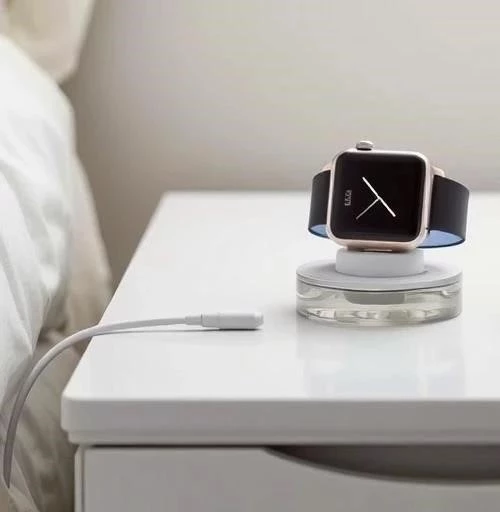
Use an Apple Watch magnetic charging cable or puck designed for your watch, connected to a compatible USB power adapter. The watch attaches magnetically to the round charging surface; a regular phone cable or an ordinary wireless charging pad is not a substitute. Choose a charger made for Apple Watch, since most standard Qi chargers do not charge it;
Choose the right charging cable
Apple Watch charging cables come with either a USB-C or USB-A connector at the power end. The magnetic end is what connects to the watch. Use the connector that matches the adapter or USB port you have. Many newer Apple Watch models come with a USB-C magnetic charging cable, while older cables may have USB-A. If you are buying a replacement, check the cable description and your available power source before ordering.
Some newer Apple Watch models support faster charging, but the watch, cable, and adapter must all support the required setup. For fast charging, use the Apple USB-C Magnetic Fast Charging Cable and a suitable USB-C power adapter. A USB-C adapter rated around 18–20 W is a practical choice; follow Apple’s requirements for your specific model. A more powerful adapter will not force extra power into the watch: it draws what it needs.
What power adapter is safe?
You do not need a special Apple-branded wall adapter just to charge the watch. A reputable, undamaged USB power adapter with the correct port can work. Apple’s adapter or a trusted third-party adapter from a reliable manufacturer is preferable to an unverified bargain charger. Check that the adapter meets the cable’s requirements and, if you want fast charging, supports the required USB-C power delivery. The adapter supplies power; the magnetic watch cable handles the watch connection.
You can also charge from a computer USB port or a suitable power bank, although charging speed may vary. For travel, a compact Apple Watch-compatible charging puck or stand is useful. Make sure a stand specifically states that it supports Apple Watch; a magnetic phone stand may not.
How to charge it
- Connect the charging cable to a suitable adapter or USB port.
- Place the back of the watch against the magnetic puck. It should align and click into position.
- Look for the charging symbol on the watch face. If it does not appear, reposition the watch and check the connections.
Remove the watch from the charger before wearing it. Keep the puck and the watch’s back clean and dry, and unplug the adapter if the cable, plug, or charger is damaged. Charging may pause or slow if the watch becomes too warm.
Quick buying advice
For most people, the best choice is a genuine Apple magnetic charging cable that matches their adapter, or a well-reviewed, explicitly Apple Watch-compatible alternative. If your priority is speed, confirm that your watch model supports fast charging and buy the compatible USB-C fast-charging cable and adapter. If you only need overnight charging, a standard compatible magnetic cable and a quality USB adapter are usually sufficient. When unsure, check Apple’s current charging guidance for your exact watch model.


9 Comments. Оставить новый
The note that charging speed can vary with a computer port or power bank is a useful detail.
I appreciate the practical advice about choosing a reputable adapter instead of an unknown bargain charger.
Clear and easy to follow. This answers the main question without making the charging setup sound complicated.
The USB-C and USB-A distinction is helpful, especially for anyone checking whether an older adapter will work.
The explanation of fast charging makes it easier to understand why the watch, cable, and adapter all matter.
A useful guide for people replacing a cable. Checking the connector and power source before ordering can save time.
This clearly explains that an Apple Watch needs its own magnetic charging cable rather than a standard wireless charging pad.
It’s good to know that a higher-wattage adapter won’t force extra power into the watch.
The travel charging suggestions are handy, and the reminder to confirm that a stand supports Apple Watch is important.