
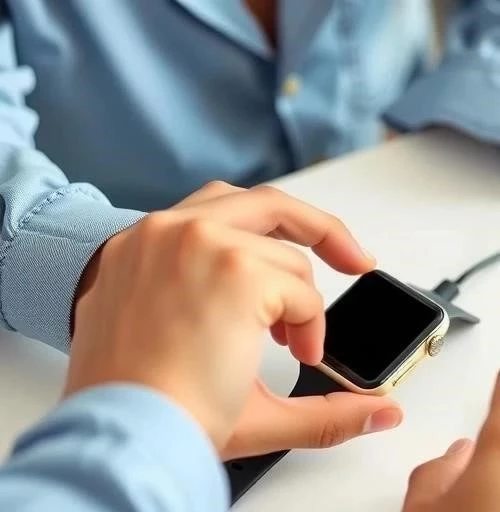
A used Apple Watch can look like a tiny piece of polished treasure: bright screen, neat strap, reassuring seller. But beneath the shine may be a locked account, a tired battery, or a fault that only appears when you turn the crown. Treat the purchase like a short detective story. Your goal is to test the watch itself—not the seller’s promises—before money changes hands.
Confirm exactly what is being sold
Ask for the precise model, case size, generation, GPS or cellular version, and included accessories. Apple Watch names can be confusing, and two watches that look alike may support different software features or cellular bands. Check the model number in Settings > General > About when the watch is available. Compare it with Apple’s official identification information. Make sure the model, case material, size, and connectivity match the listing.
Ask whether it has been repaired, whether any parts were replaced, and whether it has ever been exposed to a hard impact or liquid. A receipt, original box, or repair record can help establish its history, but none of these proves that the watch works today. Boxes and straps can also be swapped.
Make Activation Lock the first deal-breaker
The most important test is whether the watch can be paired to your iPhone. The previous owner must unpair it from their iPhone and remove it from their Apple Account. Ideally, meet in person, have the seller erase the watch, then try pairing it yourself before paying.
If setup asks for the previous owner’s Apple Account password, Activation Lock is still on. The seller must remove the watch from their account; a promise to do it later is not a solution; Do not pay for a watch you cannot activate. A reset alone does not necessarily remove Activation Lock, and Apple cannot simply unlock a device for a buyer without the required proof and account steps.
Inspect the body, screen, and controls
Examine the case under bright light. Look for deep dents, cracks, gaps, corrosion, or marks around the display and back sensors. Small scratches may be cosmetic; a lifted screen or damaged back glass can mean an expensive repair. Check that the display sits evenly against the case and that no edge appears to be separating.
Wake the screen and view several bright, dark, and colorful backgrounds. Watch for flicker, dead pixels, uneven brightness, odd discoloration, or touch areas that do not respond. Swipe around the entire display, open an app, and type or tap where possible. A screen can look perfect while switched off and reveal trouble only when lit.
Turn the Digital Crown in both directions. It should rotate smoothly and scroll accurately, without sticking or grinding. Press it, press the side button, and test the Action button if that model has one. Try the screen’s gestures and raise-to-wake feature. A button that clicks is not necessarily a button that functions.
Test the battery, charging, and sensors
Open Settings > Battery > Battery Health if that information is available on the model and software version. Maximum capacity gives a useful clue, not a complete diagnosis: real-world endurance depends on use, settings, and age. Ask how long the watch lasts during ordinary use. If it loses charge unusually fast during your meeting, treat that as a warning. Battery replacement may cost enough to change whether the deal is worthwhile.
Bring a known-good compatible charger, or test the included charger with a suitable power source. Confirm that the charging symbol appears and that the watch begins charging. Check the charger cable and puck for damage. A charging icon that flashes on and off can point to a poor connection, dirty surface, or hardware problem.
Try a short workout and check whether heart-rate readings appear. Test the microphone with a brief recording, play sound through the speaker, and make a test call if practical. Check Wi‑Fi and Bluetooth by pairing with your iPhone. On a cellular model, ask the carrier whether that exact model can be activated on its network; cellular hardware does not guarantee service eligibility.
Check the serial number and coverage carefully
Find the serial number in Settings or on the watch and compare it with any available packaging or receipt. You can enter it on Apple’s official coverage-check page to review recognized model and service information. A matching result is helpful, but it does not certify the watch’s condition or prove that it is not stolen. Be cautious if the number is missing, unreadable, inconsistent, or the seller refuses to let you inspect it;
Ask for the seller’s identity and a simple written receipt showing the date, price, serial number, and that the item is being sold to you. Pay in a way that offers a record and reasonable buyer protection. Avoid pressure, suspiciously low prices, shipping arrangements that prevent inspection, and requests to pay with gift cards or irreversible transfers.
Know what a quick inspection cannot prove
Apple Watch water resistance is not permanent, and it can diminish with age, impact, or repair. A successful splash test is not proof of safety, and you should not deliberately immerse a second-hand watch to “check” it. Also remember that appearance, a clean reset, and a valid serial number cannot guarantee a trustworthy history.
The final go/no-go test
- The seller removes the watch from their account, and you can pair it.
- The model and connectivity match the description.
- The screen, crown, buttons, charging, and key features pass your checks.
- The battery condition and price make sense together.
- You receive a clear record of the sale and can walk away if anything feels wrong.
A good Apple Watch should do more than sparkle under shop lights. It should start cleanly, connect to your phone, respond to your fingers, and come with no mystery owner hiding behind its setup screen. Take ten careful minutes now; they can save you from buying a very elegant paperweight.
2 Comments. Оставить новый
There’s a pleasingly practical detective spirit here. The reminder that a box, receipt, or confident sales pitch cannot certify a working watch cuts through the theater of online listings. I’d keep this checklist open during a meetup: it helps turn “looks fine” into questions with answers, before your money disappears into the plot.
This guide turns a secondhand watch purchase into a miniature escape room: the clues are model numbers, account locks, and the seller’s willingness to let you test the device. The strongest advice is also the simplest—pair it before paying. A polished screen can charm the eye; only a successful setup proves the watch is ready to join your wrist.