
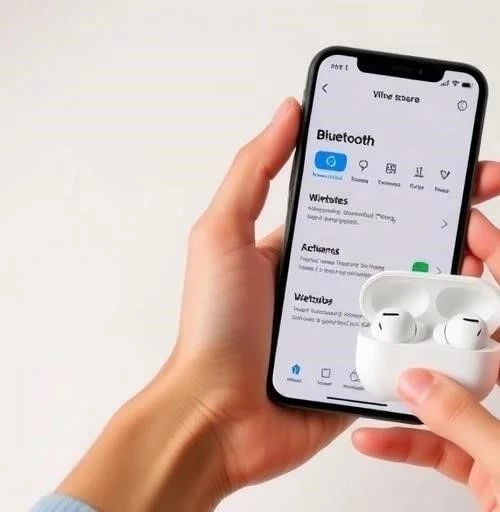
Xiaomi wireless earbuds connect to phones, tablets, and computers through Bluetooth. The steps are similar for Xiaomi, Redmi Buds, and Mi True Wireless models, although the controls for entering pairing mode or resetting the earbuds can differ. Keep the earbuds charged and close to the device you want to use before you begin.
Connect to an Android phone
- Charge and prepare the earbuds. Put both earbuds in the charging case and make sure the case has power. If the earbuds are new, remove any protective film covering the charging contacts. Charge them briefly if they do not switch on.
- Open the Bluetooth settings. On your phone, go to Settings > Bluetooth or Settings > Connected devices > Pair new device. The wording varies by Android version. Turn Bluetooth on and leave this screen open.
- Put the earbuds into pairing mode. Open the case with the earbuds inside. Many Xiaomi models enter pairing mode automatically the first time they are used. Look for a flashing indicator light. If nothing flashes, use the case button or the touch controls as described in the instructions for your exact model. The method is not identical across all Xiaomi earbuds.
- Select the earbuds on your phone. Tap the name shown in the available-device list, such as “Redmi Buds” or “Xiaomi Buds.” Confirm the pairing request if prompted. When connected, the device should appear as paired or connected in Bluetooth settings.
Connect to an iPhone, iPad, or computer
On an iPhone or iPad, open Settings > Bluetooth and switch Bluetooth on. Put the earbuds into pairing mode, then tap their name under Other Devices; On a Windows computer, open Settings > Bluetooth & devices, choose Add device, select Bluetooth, and pick the earbuds. On a Mac, open System Settings > Bluetooth and select them from the nearby-device list.
If a connection request appears, approve it. Usually, no PIN is needed. If the device asks for one, check the model’s manual rather than guessing. After the first successful pairing, the earbuds will often reconnect automatically when removed from the case, Bluetooth is enabled, and they are not already connected to another device.
Using Xiaomi’s pairing features
Some Xiaomi or Redmi phones can display a pairing pop-up when a compatible earbud case is opened nearby. Keep Bluetooth on and follow the prompt if it appears. This feature is not available on every phone or earbud combination, so the standard Bluetooth menu is the reliable alternative. Companion-app features, where supported, may let you check battery levels, change touch controls, or update firmware; they are not required for basic audio playback.
If the earbuds do not appear or connect
- Check the charge. Charge the case and earbuds, and ensure the charging contacts are clean and unobstructed. A low battery can prevent pairing or cause a connection to drop.
- Bring the devices close together. Keep the earbuds near the phone and move away from sources of wireless interference. Turn Bluetooth off and back on, then try again.
- Disconnect other devices. Earbuds may reconnect to a previously paired phone, tablet, or laptop. Temporarily switch Bluetooth off on those devices. Some models support multipoint connections, while others connect to only one source at a time.
- Remove the old pairing. In the phone’s Bluetooth settings, tap the information icon or gear beside the earbud name and choose Forget or Unpair. Restart Bluetooth, enter pairing mode again, and pair as if for the first time.
- Restart the phone and earbuds. Put both earbuds in the case, close it for a few seconds, then reopen it. Restart the phone and repeat the pairing steps.
Resetting Xiaomi earbuds
If the earbuds still refuse to pair, a factory reset may clear an old or corrupted connection. First remove the earbuds from the phone’s saved Bluetooth list. Then follow the reset instructions for the precise model: some cases have a button that must be held, while other models use touch controls or a different sequence. Indicator lights can signal when the reset is complete. Do not rely on a reset method for a different model, because the controls and timing vary. After resetting, place the earbuds back in pairing mode and select them on your device.
One earbud is silent or audio sounds wrong
Check that both earbuds are charged and seated correctly in the case. If only one side connects, put both back in the case, clean the contacts gently with a dry, soft cloth, and try pairing again. Confirm that audio is routed to the earbuds rather than the phone speaker, and check the phone’s volume and audio-balance settings. If the problem persists after a model-specific reset, consult Xiaomi support or the product manual.
Helpful tips
For everyday use, keep the earbuds’ charging case nearby and avoid pairing them with unfamiliar devices. If you want to switch phones, disconnect them from the first device or turn off its Bluetooth before pairing with the second. Exact menu names, indicator lights, and button combinations vary by model, but the general process is the same: charge, enter pairing mode, select the earbuds in Bluetooth settings, and confirm the connection.

4 Comments. Оставить новый
Helpful overview for anyone setting up wireless earbuds. Mentioning the model-specific pairing controls is a useful detail.
The instructions for Android and Apple devices are easy to follow, especially the advice to check that the earbuds are charged first.
This makes the basic connection process less confusing and wisely advises checking the manual if pairing does not work as expected.
A clear, practical guide. I appreciate the reminder that pairing steps can vary between Xiaomi and Redmi models.