
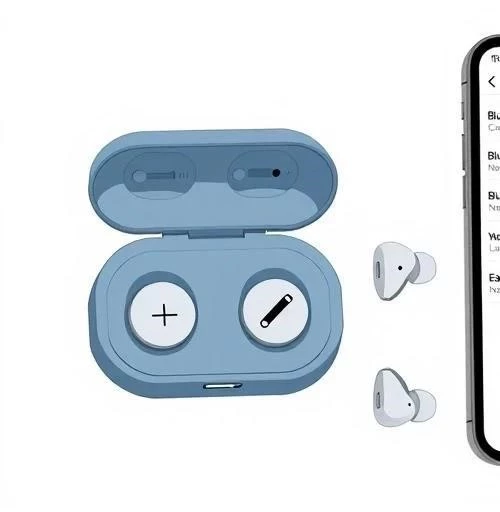
If the left Xiaomi AirDots earbud will not connect‚ the cause may be a low battery‚ dirty charging contacts‚ lost synchronization between the earbuds‚ or a Bluetooth issue with the phone. The steps below help identify the problem without assuming that every AirDots model uses exactly the same controls.
Check charging and contact points
Place both earbuds in the case and confirm that the left one sits correctly. Check its indicator‚ if the model has one‚ and leave it charging for at least 20–30 minutes. A case with little power may not charge the earbuds reliably. Inspect the metal contacts on the earbud and inside the case. If they look dusty‚ wipe them gently with a dry‚ lint-free cloth. Do not use sharp objects or let liquid enter the case.
Restore the connection between the earbuds
AirDots earbuds may lose their link to each other even when one still appears in the phone’s Bluetooth list. In the phone’s Bluetooth settings‚ forget or remove the saved AirDots entry. Put both earbuds in the case‚ then take them out together and allow time for them to pair with one another before connecting to the phone. If that does not work‚ try the reset procedure in the manual for the exact model. Some versions use a long press on the touch areas or buttons‚ but the duration and sequence can differ. Avoid relying on instructions for a different AirDots model.
Check the phone and Bluetooth settings
- Turn Bluetooth off and on‚ then restart the phone.
- Keep the earbuds close to the phone and disconnect other devices that may have connected to them.
- Check the phone’s audio output selection and accessibility settings. Balance controls or mono-audio options can make one side seem silent.
- Test the earbuds with another phone or tablet. This helps distinguish a phone setting from an earbud fault.
When the problem may be hardware-related
If the left earbud does not show signs of charging‚ respond to the model’s reset procedure‚ or work with another device‚ its battery‚ charging contact‚ or internal electronics may be damaged. A drop‚ moisture‚ or ordinary battery wear can cause this. Do not open the earbud; its small battery can be hazardous if mishandled. Contact the seller or an authorized service provider‚ especially if the product is under warranty.
Start with charging and cleaning‚ then remove the old Bluetooth pairing and follow the model-specific reset instructions. If these steps do not restore sound‚ professional inspection is the safest next step.


7 Comments. Оставить новый
The troubleshooting steps are clearly organized and cover common causes, including charging contacts, synchronization, and phone settings.
The advice to clean the contacts with a dry, lint-free cloth is practical and avoids suggesting methods that could damage the charging case.
The article gives a straightforward sequence of checks, starting with charging and moving on to Bluetooth settings.
It is helpful that the article notes reset instructions can vary by AirDots model. Checking the exact manual is a sensible precaution.
Testing the earbuds with another device is a useful way to determine whether the issue may be with the phone or the earbud.
The guidance is appropriately cautious about model differences and provides several basic checks before suggesting a hardware fault.
Mentioning audio balance and mono-audio settings is useful, since these settings can make one earbud seem silent.