
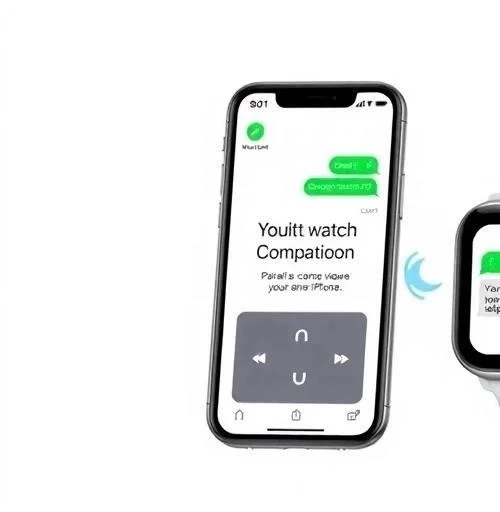
Yes‚ you can use WhatsApp on Apple Watch Series 10. Install its official Apple Watch app and keep WhatsApp set up on the iPhone paired with your watch. The watch app lets you handle conversations from your wrist‚ but it is not a replacement for setting up a WhatsApp account on your phone.
Before you begin
- Pair and set up your Apple Watch Series 10 with an iPhone.
- Install WhatsApp on that iPhone‚ sign in to your account‚ and update the app.
- Connect both devices to the internet during installation and first setup. Keep Bluetooth and Wi-Fi enabled so they can communicate.
- Update iOS and watchOS if updates are available. Series 10 supports current watchOS versions‚ but an outdated system or app can prevent installation.
Use the official WhatsApp app from the App Store. Avoid unofficial watch apps that ask for your WhatsApp password or promise features WhatsApp does not provide.
Method 1: Install from the iPhone Watch app
- Open the Watch app on the iPhone paired with your Series 10.
- Tap My Watch and scroll to Available Apps. If WhatsApp appears‚ tap Install.
- Wait for the installation to finish. WhatsApp should then appear in the watch’s app list or on its Home Screen.
- Open WhatsApp on the watch and follow any prompts. Keep the iPhone nearby and unlocked if setup asks you to confirm something on it.
If WhatsApp is not under Available Apps‚ that does not necessarily mean the watch is incompatible. Try installing it directly from the watch’s App Store instead.
Method 2: Install from Apple Watch
- Press the Digital Crown and open the App Store on the watch.
- Tap Search‚ enter WhatsApp‚ and select the official app published by WhatsApp LLC.
- Tap Get or the download button. Confirm with the side button or your Apple Account password if requested.
- After installation‚ open the app and complete any on-screen setup instructions.
Turn on notifications
To receive alerts‚ open the iPhone’s Watch app‚ tap Notifications‚ and find WhatsApp. Enable its alerts or choose to mirror iPhone notifications. Also check that WhatsApp notifications are allowed in the iPhone’s Settings. Notification delivery and the watch app are related but separate: mirroring alerts alone does not install the WhatsApp app.
What you can do—and what to check
The available watch features may include reading messages‚ replying‚ sending voice messages‚ and viewing supported media or reactions. The small screen and watch controls are designed for quick interactions‚ not every feature available on iPhone. Options can vary with the WhatsApp version‚ watchOS‚ and account settings.
If installation fails‚ confirm that the watch is paired with the iPhone where WhatsApp is installed‚ check your internet connection and available storage‚ then restart both devices. Update WhatsApp and watchOS and search the App Store again. If the official app still does not appear‚ availability may depend on your region or software version; do not install a similarly named third-party app as a substitute.
In short: install WhatsApp through the iPhone Watch app or the watch’s App Store‚ finish setup‚ and enable notifications if you want alerts. This is the safest way to get WhatsApp on Apple Watch Series 10.

3 Comments. Оставить новый
The article gives practical prerequisites before moving into the setup instructions, which should help prevent common installation problems. The provided text ends mid-sentence in the notifications section, so completing that section would make the guide feel more comprehensive.
The advice to use only the official WhatsApp app is a helpful security reminder, especially given the number of unofficial watch apps. The troubleshooting note about WhatsApp not appearing under Available Apps also keeps readers from assuming their watch is incompatible.
The step-by-step layout makes the installation process easy to follow, and the distinction between installing from the iPhone and directly from the watch is useful. It would be even clearer to note that available features can depend on the current WhatsApp and watchOS versions.