
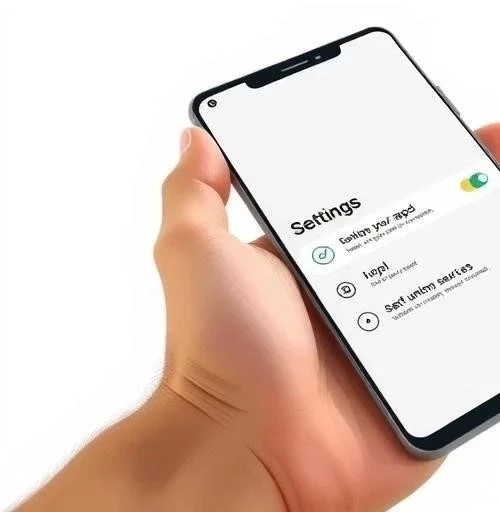
Your Xiaomi has a cautious gatekeeper: Android won’t let every app wander in from outside Google Play. If you trust the app’s source‚ you can grant permission to the specific app that will open its installer. The setting is usually called Install unknown apps—and on newer Xiaomi phones‚ permission is given app by app‚ not with one universal switch.
Before opening the gate
Download the APK only from the developer’s official website or another source you trust. An APK is an Android installation file; it can also carry malware. Avoid links in unexpected messages‚ and don’t disable security protections just to make an installation work. If the app is available on Google Play‚ that is generally the safer route.
Enable permission on HyperOS or MIUI
- Download the APK‚ but don’t install it yet.
- Open Settings and tap Privacy protection or Security. Menu names can vary by model‚ region‚ and software version.
- Look for Special permissions‚ then tap Install unknown apps. If you can’t find it‚ use Settings search and search for “unknown apps” or “install unknown apps.”
- Choose the app you’ll use to open the APK—for example‚ File Manager‚ Chrome‚ or another browser.
- Turn on Allow from this source. Read the warning before confirming: this gives that app permission to install files it opens.
- Return to the downloaded APK‚ tap it‚ and follow the installation prompts.
If the menus look different
On some MIUI versions‚ you may reach the same control through Settings → Passwords & security → Privacy → Special app access → Install unknown apps. On others‚ open the APK first and tap Settings when Android displays a permission message. Xiaomi changes labels and layouts between devices‚ so searching Settings is often the quickest compass.
Keep the gate narrow
Permission belongs to the app you selected. If Chrome opens the APK‚ allowing File Manager won’t help; choose Chrome instead. After installation‚ return to the same screen and switch off Allow from this source unless you still need it. This small lock-turning habit reduces the chance of an accidental installation later.
If installation fails
- “Not allowed”: check that permission is enabled for the exact browser or file manager opening the APK;
- “App not installed”: the file may be incomplete‚ incompatible with your Android version‚ or conflict with an existing app. Download it again from the developer.
- Security warning: pause and verify the source. Don’t bypass a warning if you can’t confirm the file is legitimate.
Allowing an installation is not the same as proving an app is safe. Treat the permission as a temporary key: give it only to the app you need‚ install carefully‚ then take the key back.
8 Comments. Оставить новый
The app-by-app explanation is the key detail here. It saves readers from searching for one imaginary master switch, and the Settings search tip is a small compass worth remembering.
A tidy little map through HyperOS and MIUI territory. I especially value the reminder that Google Play is generally safer when the app is available there.
This guide makes Android’s security warning feel less like an obstacle and more like a sensible checkpoint. I appreciate the clear distinction between trusting a source and simply trusting an APK.
Practical, calm, and refreshingly free of “just turn off security” advice. The warning about choosing the same app that opens the file could prevent a lot of head-scratching.
The “cautious gatekeeper” image gives the instructions a little character without obscuring the steps. Most importantly, the article makes clear that permission should be limited and temporary.
Xiaomi menu names can feel like shifting sand, so the alternate routes and search suggestion are welcome. This is the kind of guide that stays helpful even when labels change.
“Keep the gate narrow” is a memorable way to explain a setting that can otherwise feel like a maze. The reminder to revoke permission afterward is especially useful.
I like how the article treats an APK like a package that deserves inspection, not a harmless button to tap. The safety notes give the instructions a useful second layer.