
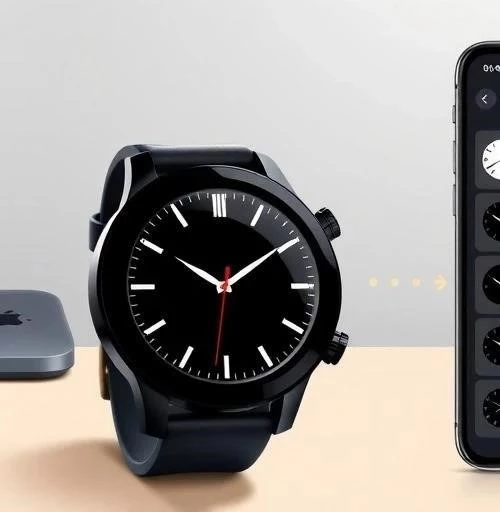
Your GT 2 can wear more than a factory-issued digital uniform. A watch face might turn it into a tiny star map, a retro instrument panel, or a pocket-sized piece of modern art. The safest place to begin is Huawei’s own Health app: many faces that look “custom” are available there without installing anything unusual. Truly unofficial faces are a different adventure, and compatibility depends on your watch, phone, app version, and region.
First, try the official route
- Pair the watch with your phone and open Huawei Health.
- Tap Devices, choose HUAWEI WATCH GT 2, then open Watch faces or More. Menu names can vary by app version.
- Browse the available designs. If useful, search or filter by style, then tap a face to open its details.
- Choose Install or Set as default. Keep the watch connected and the Health app open while the face transfers.
Once it finishes, check the watch display. If the new face does not appear immediately, wait a moment, reopen the watch-face list, or restart the connection between the app and watch. You can also change faces directly on many GT 2 models: press and hold the current face, then swipe through the designs stored on the watch. Some firmware versions also offer a face menu under Settings > Display > Watch face.
When “third-party” really means unofficial
People use the phrase for two different things: a design made by an independent artist but delivered through Huawei Health, and a face installed through an unofficial app or modified tool. The first is the straightforward choice. The second may involve sideloading, altered software, or a particular phone-and-app combination; Those methods are not guaranteed to work on every GT 2, and online instructions can become outdated as Huawei Health changes.
Some users mention apps such as Huawfaces, community face collections, or modified versions of Huawei’s companion app. Treat these as independent projects, not Huawei products. Before trying one, confirm that its current release explicitly supports your exact GT 2 model and firmware. Read recent reports from users with the same phone operating system and region; an old tutorial may describe a method that no longer works.
A cautious installation checklist
- Check compatibility. “GT 2” can refer to different sizes and editions. Verify the exact model in Huawei Health and compare it with the face’s stated requirements.
- Use a trustworthy source. Prefer a project’s official page or a reputable app store. Avoid random download mirrors, repackaged APKs, and files shared without a clear creator or version history.
- Review permissions. A watch-face tool should not need access that makes no sense for its purpose. Do not grant broad permissions simply because an installer asks.
- Protect your account. Never hand over your Huawei ID password to an unofficial site or app. Keep a record of the official Health app and account setup before experimenting.
- Expect limits. A face may install but show missing complications, incorrect colors, or no live data. Battery use and transfer reliability can also vary.
If a guide asks you to remove the official Huawei Health app and replace it with a modified edition, pause. That can expose your data, break pairing, interrupt updates, or leave you with an app that stops working after a system change. I can’t recommend downloading unknown modified software; If you choose to explore community tools anyway, research the specific method carefully and understand how to restore the official app before making changes.
If the face refuses to appear
Start with the simple fixes: charge the watch, bring it close to the phone, ensure Bluetooth is on, and reopen Huawei Health. Check that the watch is still paired and that both the app and watch firmware are current. If an official face download stalls, try again on a stable connection and make room by removing faces you no longer use. Restarting both devices can clear a temporary sync snag.
For unofficial faces, confirm the file format and installation instructions belong to the exact tool version you have. Do not keep installing random files to “see what sticks.” If the watch disconnects or the official app stops behaving normally, remove the third-party tool, reinstall Huawei Health from an official source, and pair the watch again. A factory reset is a last resort: it may erase local settings, so back up or sync anything important first.
Make the face yours
Choose a design that earns its place on your wrist. A beautiful face with tiny text may be useless outdoors; a busy layout can turn a quick glance into a tiny puzzle. Check whether the face displays the information you actually use, such as the date, battery level, or activity progress. Try it for a day and notice whether it is readable and comfortable—not merely impressive in a screenshot.
The simplest rule is also the best: explore Huawei Health first, and treat unofficial installations as experiments rather than guaranteed features. Your GT 2 is a watch, not a software treasure chest that must be forced open. A little curiosity can give it a fresh personality; a little caution helps keep that personality connected, secure, and telling the right time.

5 Comments. Оставить новый
This makes watch-face customization feel less like cracking a tiny vault and more like choosing a new window for your wrist. The practical troubleshooting tips are welcome, and the warning about outdated third-party instructions is the sort of detail that saves an afternoon.
The small touches make this guide shine: keep the watch connected during transfer, give the list a moment to refresh, and remember that menus vary. It turns a fiddly setup into a calm ritual, with room for a little personality on the screen.
A clear, sensible guide with one foot in the official app and the other near the wilder shores of community tools. The reminder that compatibility depends on the whole phone-watch-app-region constellation is particularly helpful.
A useful little compass for anyone lost in Huawei Health’s menus. I especially like the distinction between independent designs delivered officially and genuinely unofficial installation methods—it keeps “customize my watch” from turning into “why is my watch acting haunted?”
I appreciate that this article doesn’t promise every exotic watch face will magically land on every GT 2. It offers a safe first route, then labels the unofficial path honestly—a refreshing bit of daylight in a foggy corner of tech advice.