
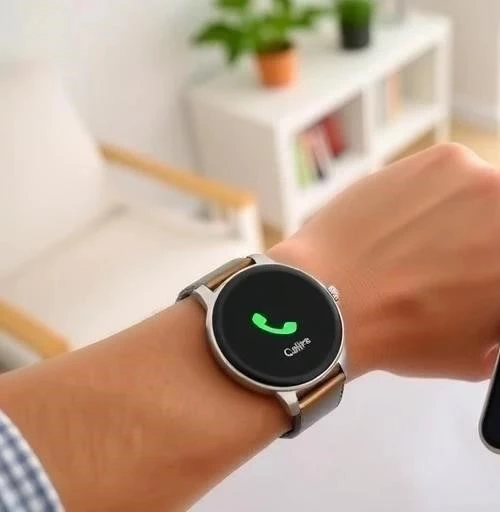
“Watch call” usually means making or answering phone calls from a smartwatch. The exact menus vary by brand, but setup generally requires pairing the watch with a phone. Some models can also call independently using cellular service. Follow the instructions for your watch type below.
Before you begin
- Charge the watch and keep it near your phone.
- Turn on Bluetooth on the phone. For initial setup, connect both devices to Wi-Fi if available.
- Install the manufacturer’s official watch app from the App Store or Google Play. Examples include Apple Watch, Galaxy Wearable, and Pixel Watch. Use the app named in your watch’s manual.
- Check that your phone’s operating system and the watch app are up to date.
Pair the watch with your phone
- Turn on the watch. If it has been set up before, look for an option such as Settings → System → Reset; resetting may erase its data.
- Open the official app on your phone and choose Add device, Set up a watch, or a similar option.
- Select your watch from the list. Confirm that the pairing code shown on the phone matches the one on the watch, then accept the request on both devices.
- Follow the prompts to sign in, choose settings, and install any available update. Keep the devices close together until setup finishes.
Enable calls over Bluetooth
Many watches use the phone’s cellular connection for calls. In the watch app, enable call access or Bluetooth calling if that option appears. On some Android phones, open Settings → Bluetooth, tap the watch or its audio entry, and enable Calls. On the watch, open the Phone app, allow requested contacts and call permissions, and select a contact or dial a number. When a call comes in, tap the answer icon; speak into the watch or use a connected headset.
If you can see call notifications but cannot talk through the watch, it may be paired only for notifications. Check the Bluetooth call or audio connection as well as the watch’s sound settings. Menu names differ by model, so consult the manufacturer’s guide if the option is missing.
Set up calling without your phone
Standalone calling requires a cellular/LTE version of the watch and a compatible carrier plan. In the watch app, find Mobile network, Cellular, or Mobile service, then follow the carrier’s steps to activate the watch’s eSIM. The carrier may charge an additional fee. A Bluetooth-only watch cannot make independent calls when it is away from its paired phone, although Wi-Fi calling may be available on some models and plans.
If calling does not work
- Restart both devices, then check that Bluetooth is on and the watch shows as connected.
- Allow Phone, Contacts, Bluetooth, and microphone permissions when requested. Check Do Not Disturb, call audio, and volume settings.
- Move the phone closer and test a regular phone call. If the watch has LTE, confirm that cellular service is activated and has coverage.
- If needed, remove the watch from the app and Bluetooth list, then pair it again. Back up important data before resetting.
Call availability, emergency calling, and supported features depend on the watch, phone, region, and carrier. Do not rely on a watch as your only way to contact emergency services; keep your phone accessible when possible.
9 Comments. Оставить новый
This gives readers a sensible checklist before pairing, including charging the watch and keeping the devices nearby.
I appreciate the reminder to use the manufacturer’s official app. That can prevent a lot of confusion during setup.
The step-by-step pairing guidance makes this approachable, especially for someone setting up a smartwatch for the first time.
A practical guide for getting started with watch calls, with useful reminders about permissions and call settings.
Helpful and easy to follow. The reminder that resetting a previously configured watch can erase data is important.
The troubleshooting tip about checking the Bluetooth audio connection addresses a common and frustrating issue.
A clear overview that acknowledges menus differ by model rather than presenting one set of instructions as universal.
The explanations are straightforward without assuming every smartwatch works in exactly the same way.
The distinction between receiving call notifications and actually talking through the watch is particularly useful.