
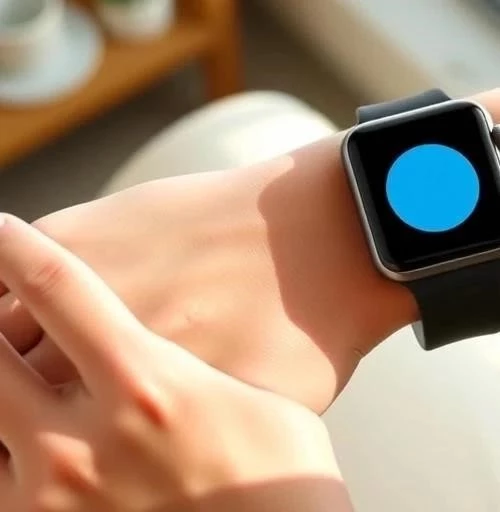
Apple Watch Series 7 can estimate blood oxygen saturation (SpO₂) using its Blood Oxygen app. The reading is a percentage estimate of how much oxygen your red blood cells carry. It can be useful for personal wellness tracking, but it is not a medical diagnosis and should not replace advice or testing from a healthcare professional.
Before you begin
- Confirm that you have an Apple Watch Series 7 and that the Blood Oxygen app is available in your country or region. Availability can vary.
- Update the watch and its paired iPhone if an update is available. The watch must be paired with a compatible iPhone.
- In the Health app, complete any requested setup, including your date of birth. The feature is intended for people aged 18 or older.
- Make sure the Blood Oxygen app is installed and enabled. If you cannot find it, check the Watch app on your iPhone and your regional availability.
Set up the feature on iPhone
Open the Watch app on your iPhone, tap My Watch, then choose Blood Oxygen. Turn on Blood Oxygen Measurements if the option is shown. You can also open the Health app, tap Browse, select Respiratory, and then Blood Oxygen to follow the setup prompts and later review saved readings.
Take a reading on your watch
- Wear the watch on the top of your wrist. It should fit snugly enough for the back of the watch to touch your skin, without being uncomfortably tight. Move it slightly above the wrist bone if needed.
- Sit down and rest your arm on a table or your lap. Keep your wrist flat, with the watch face facing up.
- Open the Blood Oxygen app on Apple Watch. Tap Start if prompted.
- Stay still and avoid talking for about 15 seconds while the watch measures. When the countdown ends, the result appears on screen.
- Tap Done to leave the app. The result is saved to the Health app on your iPhone.
The watch uses red and infrared light from sensors on its back to estimate oxygen levels from the light reflected by blood flowing through the wrist. Movement, a loose fit, cold skin, tattoos, or reduced blood flow can interfere with the sensor and affect a reading.
Find your readings and trends
On iPhone, open Health and go to Browse > Respiratory > Blood Oxygen. You can view individual measurements and trends over time; tap a result for details such as the date and time. A spot reading is only a snapshot. The watch may also take background measurements when you are still, including during sleep if the relevant settings and sleep tracking are enabled. Background readings are not guaranteed at regular intervals, so do not treat them as continuous monitoring.
If the measurement does not work
- Check that the watch is secure and the sensor is clean and dry. Make sure your wrist and hand are relaxed.
- Keep your arm supported and stay still until the measurement finishes. Try again in a comfortable, warm environment.
- Check that Blood Oxygen Measurements are enabled in the Watch app and that the app is available for your device and region.
- If the app is missing, restart the watch and iPhone, check for software updates, and review the setup options in the Watch app.
Understanding the number
Many healthy people see readings in the mid-to-high 90s, but results vary with circumstances and individual health. A single unexpected value can be caused by measurement conditions or sensor limitations. Repeat the measurement while resting, and consider the overall pattern rather than reacting to one result. Apple Watch readings are not a substitute for a clinical pulse oximeter or a clinician’s assessment.
Do not use the watch to diagnose, treat, or rule out a health condition. If you feel short of breath, confused, faint, or seriously unwell, seek urgent medical care rather than waiting for another watch reading. For persistent concerns or repeated low readings, contact a healthcare professional and explain how the measurements were taken.


5 Comments. Оставить новый
A concise and reassuring guide. It sets sensible expectations about what the watch can measure without overstating its capabilities.
I like that the article covers setup as well as taking a reading. The regional availability note is useful, too.
Helpful overview, and the notes about a snug fit and staying still explain why technique can affect the result.
The step-by-step instructions make the process easy to follow, even for someone using the Blood Oxygen app for the first time.
This is a clear, practical guide. I especially appreciate the reminder that the reading is for wellness tracking and not a substitute for medical advice.