
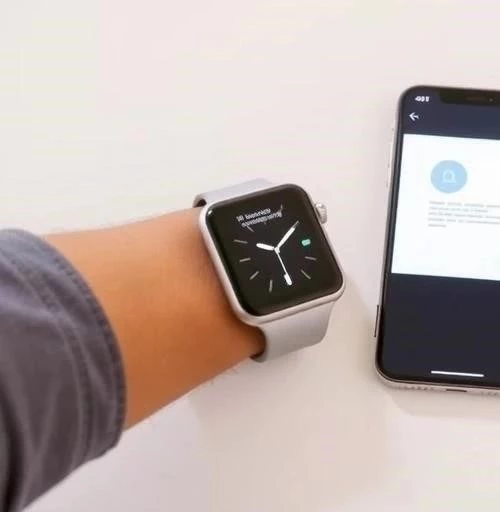
Apple Watch is designed for quick reading, not full document management. It does not provide the same Files experience as an iPhone, and a plain .txt file saved on the phone may not open directly on the watch. The practical method depends on the document’s length, your watchOS version, and whether you are willing to use a companion app.
Option 1: Use Apple Notes
For a short document, put its text in a note on your iPhone. Open Notes, create or select a note, and paste the text. Make sure Notes is enabled for the account used by your devices and that syncing is complete. On supported watchOS versions, open the Notes app on Apple Watch and select the synced note. Availability and features can vary by software version, account settings, and region.
- On iPhone, open the text file in an app that can read it, then select and copy the text.
- Create a note in Apple Notes and paste the copied content.
- Wait for the note to sync, then open Notes on the watch and tap the note.
If the watch does not show Notes, check for a software update and confirm that the app is installed or available for your model. A very long note may be inconvenient to scroll through on the small display. Splitting it into shorter notes, adding headings, or placing the most important information near the top can make it easier to use.
Option 2: Use a document app
Some third-party reading apps can transfer text from an iPhone to a companion Apple Watch app. Install the app on both devices, import the document on the iPhone, and follow its instructions to download or sync the content to the watch. Before relying on it, check that it supports your watchOS version, works offline if needed, and can display the file format you have. App features and subscription requirements differ.
Things to check
- File format: A reader may accept TXT, PDF, or other formats; support is app-specific.
- Connection: Initial syncing may require the iPhone nearby, internet access, or both.
- Readability: Use short sections and simple formatting; Small screens are not suited to editing or lengthy reading.
- Privacy: Review an app’s permissions and data practices before importing sensitive text.
In short, copy a brief text into Notes for the simplest route, or use a compatible reader when you need to keep a separate document. The watch is best used to consult key passages rather than replace an iPhone or computer for opening, organizing, or editing files.



2 Comments. Оставить новый
The article presents practical options for viewing text on Apple Watch and notes relevant limitations, such as syncing and screen size. Checking compatibility with the specific watchOS version is a useful suggestion.
The steps for using Apple Notes are clear, and the distinction between built-in and third-party options helps set expectations. The article ends mid-sentence, so the final section appears incomplete.