
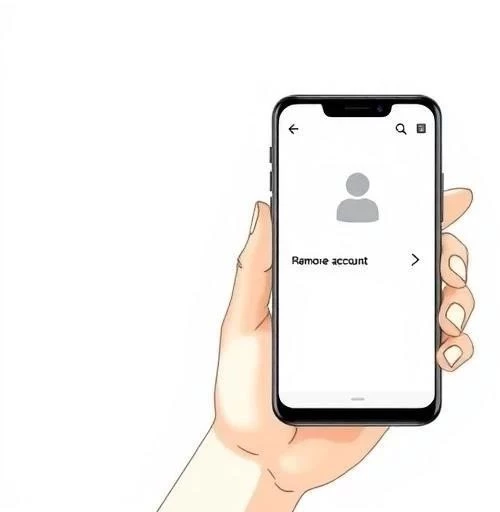
You can remove a Google account from a Xiaomi phone without deleting the Google account itself․ This disconnects the account from that device and stops its services from syncing there․ The account‚ email‚ and files stored in Google’s cloud remain available on other devices and can be added to the Xiaomi phone again later․
Before you begin
Check that you know the phone’s screen-lock PIN‚ password‚ or pattern; Xiaomi may request it to confirm the change․ If you use the account for contacts‚ calendars‚ email‚ or app data‚ make sure important information has finished syncing or make a separate backup․ Removing an account can remove its synced content from the phone‚ although the cloud copy is not normally deleted․
If this is the only Google account on the phone‚ removing it may affect access to Google Play and other Google services until you add an account again․ Consider whether you need to keep the account for app updates‚ purchases‚ backups‚ or device features before proceeding․
Remove the account in Settings
- Open Settings on the Xiaomi phone․
- Open Accounts & sync․ Depending on the model and software version‚ this may appear as Passwords & accounts‚ Users & accounts‚ or Manage accounts․
- Select Google‚ then choose the account you want to remove․ If several accounts are listed‚ check the email address carefully․
- Tap More or the three-dot menu‚ if shown‚ and select Remove account․
- Review the confirmation message and tap Remove account again․ Enter the device screen-lock code if requested․
The wording and layout can differ between MIUI and HyperOS versions․ If you cannot find the account settings‚ use the search field at the top of Settings and search for accounts or Google․ You can also open the Google section in Settings and look for account management options․
What changes after removal?
The selected account is signed out on that phone․ Its Gmail messages‚ Google contacts‚ calendar entries‚ and other synced items may no longer appear in the phone’s apps․ Google Play may ask you to sign in before you download or update apps․ The account itself is not closed‚ and information stored online remains associated with it․ To use those services on the phone again‚ go to the account settings and choose Add account․
Removing one account does not automatically remove other Google accounts on the device․ Repeat the steps for each account you want to disconnect․ If an item was saved only on the phone rather than synced or backed up‚ removing an account may not preserve it; check important files before changing account settings․
If you no longer have the phone
If the Xiaomi device is lost or unavailable‚ open your Google Account’s security settings from another trusted device․ Find the list of devices‚ select the Xiaomi phone‚ and choose the option to sign out․ The available controls may vary‚ and remote sign-out requires access to the Google account․ If the phone may have been stolen‚ secure the account by changing its password and reviewing recent security activity․
Before selling or giving away the phone
First remove your Google account and any other personal accounts‚ then back up information you want to keep․ Afterward‚ use the phone’s reset option in Settings to erase personal data․ Removing the account before a factory reset helps avoid Factory Reset Protection asking the next owner to verify the previous Google account․ Do not give the buyer your password or verification codes․ If you have already reset the phone and it requests the former account‚ sign in with the account previously used on the device or contact the manufacturer or Google for legitimate recovery help․
Troubleshooting
If Remove account is unavailable‚ restart the phone and check whether a work profile‚ parental control‚ or device administrator restricts account changes․ A managed phone may require its organization’s administrator to remove the account․ If the phone requests verification‚ use the screen-lock method configured on the device․ For a forgotten Google password‚ use Google’s official account-recovery process rather than third-party unlocking services․
2 Comments. Оставить новый
The guidance is organized and includes useful reminders about syncing and access to Google services. The provided text ends mid-sentence, so the final section is incomplete.
The article clearly distinguishes removing a Google account from deleting it and provides practical steps while noting that menu names can vary by software version.