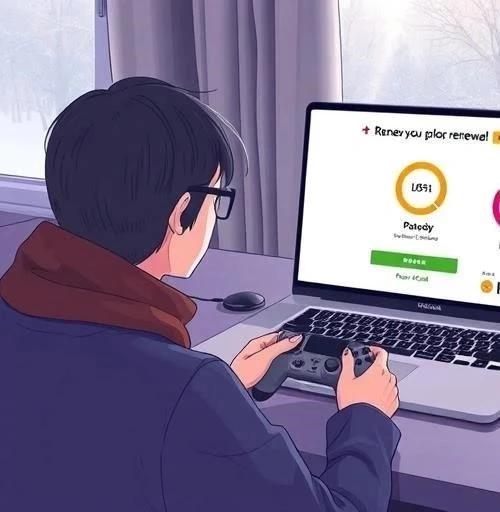
Renewing PlayStation Plus from Russia requires more planning than it does in countries where the PlayStation Store accepts local bank cards. As of November 2026‚ Russian cards are generally not accepted for direct PS Store payments‚ and the Russian store’s normal payment service remains suspended. The practical route is usually to fund a PlayStation Network wallet for an account registered in a supported region‚ then buy or renew Plus there. This is not a single universal workaround: the account’s country‚ the voucher’s region‚ the subscription tier and the seller’s reliability all matter.
Start with the account region
Before buying anything‚ check the country or region associated with your PSN account. On a console‚ open Settings‚ then Users and Accounts‚ then Account; your account details and the Store’s currency can help identify the region. The country selected when an account is created determines which Store‚ prices‚ wallet currency and vouchers apply. A PlayStation gift card or wallet code for one region normally cannot be redeemed on an account from another region. Do not assume that choosing a different console language changes the account’s country.
In most cases‚ the safest approach is to renew on the same account that holds your games‚ trophies and current subscription. A new foreign-region account may let you access a different Store‚ but it does not automatically move your purchases‚ saved progress or subscription from the old account. Check Sony’s current account rules before making a new account or relying on game sharing. Treat any claim that a seller can change your account’s region as a warning sign; account-region options are limited and should be confirmed through official support.
Common renewal methods
Redeem a wallet top-up code
For many users‚ a region-matched PlayStation Store gift card is the clearest option. Buy a code issued for the exact country or region of your PSN account‚ and make sure its currency and denomination are suitable. After redeeming it‚ use the wallet balance to purchase the available PlayStation Plus plan. This separates the purchase of funds from the subscription transaction and can be easier than trying to use a Russian bank card at checkout.
On PS5 or PS4‚ open the PlayStation Store and choose the option to redeem a code; the label and menu location can vary by system software. Enter the code carefully and confirm that the funds appear in the wallet. You can also redeem codes through supported PlayStation account or Store pages. Then open the PlayStation Plus section‚ select the tier and term you want‚ review the total and complete checkout using the wallet. If the balance is short‚ the purchase may fail or ask for another payment method‚ so include any taxes or price differences shown at checkout.
Use a payment method accepted in the account’s region
A bank card may work only when it is accepted by the relevant Store and meets that region’s payment and billing requirements. Russian-issued cards are commonly declined‚ so do not repeatedly enter the same card expecting a different result. A card issued in another country is not a guaranteed solution either: the Store may check its country‚ billing details or other eligibility conditions. Use accurate information and follow Sony’s terms rather than trying to disguise a payment’s origin.
Buy through a reseller‚ carefully
Some marketplaces and specialist sellers offer region-specific top-up codes or help arrange a subscription. This can be convenient when direct payment is unavailable‚ but it adds risks: an invalid‚ already-used or wrong-region code; hidden fees; delayed delivery; or a seller asking for account credentials. Prefer a code you redeem yourself‚ check the seller’s history and refund policy‚ confirm the region in writing‚ and compare the final price with the Store. Never share your password‚ email access or one-time verification codes. If a service requires taking over your account‚ the risk to your purchases and personal data may outweigh the convenience.
Choose the right tier and timing
Essential‚ Extra and Deluxe (or the equivalent tier name shown in your region) provide different benefits. Compare the current catalogue‚ online multiplayer access‚ monthly games and other features against what you actually use; a higher tier is not automatically better value. Prices‚ included games and plan names differ by region and can change‚ so rely on the subscription page for the account you will use‚ not a price quoted for another country.
Renewing before expiry may preserve continuous access‚ but do not assume every purchase adds time in the same way. The result can depend on whether you buy the same tier‚ upgrade‚ downgrade or use a promotional offer. Check the checkout screen and account subscription details for the effective date and any conversion terms. If you do not want automatic renewal‚ review the subscription settings and turn it off after purchase. Keep a record of the confirmation and the code until the wallet credit and subscription are visible.
A safe renewal checklist
- Confirm the PSN account and its Store region.
- Choose a Plus tier and term available in that Store.
- Buy only a matching-region code or use a payment method the Store accepts.
- Redeem the code on your own account and verify the wallet balance.
- Complete checkout and confirm the new expiry date and renewal setting.
- Contact the seller or official PlayStation support if funds or access do not appear; never send anyone your password or security codes.
Bottom line
For a Russian player whose local card is rejected‚ a correctly matched PSN wallet voucher is often the most straightforward renewal route‚ while a region-compatible payment method may work where available. The essential rule is to match the code and purchase to the account’s region‚ not merely to the console’s location. Avoid rushed purchases and account-sharing offers: a cheap code that cannot be redeemed is no bargain. Because payment options and Sony policies can change‚ verify the current Store checkout terms before paying.