
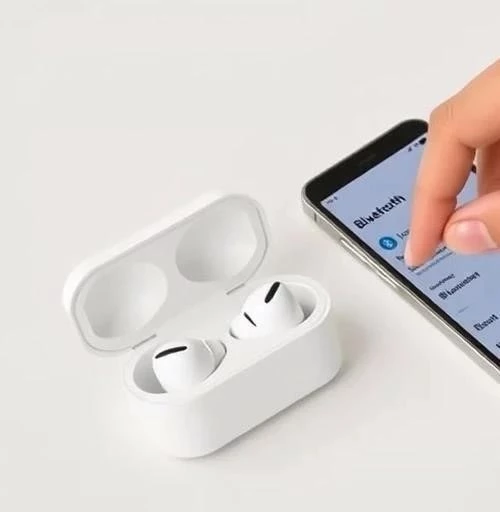
Resetting a Xiaomi Bluetooth headset can help resolve pairing failures‚ connection drops‚ or sound coming from only one earbud. A reset clears the headset’s stored pairing information and returns it to its default state. The exact button sequence differs between Xiaomi and Redmi models‚ so check the manual for your specific model if the steps below do not match it.
Before you begin
- Charge the earbuds and their case. A low battery may prevent a reset from completing.
- On your phone or computer‚ open Bluetooth settings‚ select the Xiaomi headset‚ and choose Forget‚ Unpair‚ or Remove device.
- Turn Bluetooth off on nearby devices that have previously connected to the headset. This helps prevent automatic reconnection during setup.
Reset models with a button on the charging case
- Place both earbuds in the case and make sure they are seated correctly. Leave the lid open if the model’s instructions require it.
- Press and hold the case button for about 10 seconds. On many models‚ the indicator flashes to show that the reset has started or finished.
- Release the button and wait a few seconds. Close the lid briefly‚ then open it again.
- Take the earbuds out‚ or follow the model’s pairing instructions‚ and connect them to your device as if they were new.
The indicator pattern and button timing can vary. If the light does not flash‚ charge the case and earbuds‚ then check the model-specific manual rather than repeatedly trying a sequence intended for a different product;
Reset models without a case button
Some Xiaomi or Redmi earbuds use touch controls instead of a physical case button. Depending on the model‚ the reset may require holding both touch panels while the earbuds are in the case‚ or holding them after taking them out. Keep both earbuds close together and follow the instructions for the exact model. Do not assume that a touch-and-hold method is universal: the controls and timing differ across product generations.
If the manual specifies a touch-control reset‚ apply the stated gesture to both earbuds for the full indicated time. Watch for a flashing indicator or an audio prompt‚ then return the earbuds to the case and wait briefly before pairing again.
Pair the headset again
- Open the case or remove the earbuds‚ as required by the model‚ to enter pairing mode.
- Enable Bluetooth on your phone‚ tablet‚ or computer and open the available-device list.
- Select the Xiaomi or Redmi headset name. Confirm pairing if prompted.
- Test audio in both earbuds. If stereo sound does not return‚ place both in the case‚ check that they are charging‚ and repeat the model-specific reset once.
If the reset does not work
Confirm that the charging contacts are clean and that each earbud’s indicator responds when it is placed in the case. Gently wipe the contacts with a dry‚ lint-free cloth; do not use liquid or insert sharp objects. Restart the phone and remove any old headset entries from its Bluetooth list before trying again. You can also test pairing with another device to determine whether the problem is with the headset or the original device.
If only one earbud connects‚ check that both earbuds have charge and are seated properly‚ then repeat the reset and pairing process. Keep them near each other while they synchronize. If the headset still cannot reset‚ does not charge‚ or shows no indicator‚ consult Xiaomi support or an authorized service centre. The model name is usually printed on the case‚ packaging‚ or device settings; use it to find the correct instructions.
Important note
A Bluetooth reset is not the same as resetting a phone or deleting its data. It clears the headset’s connection state‚ but it does not repair a damaged battery‚ blocked speaker‚ or hardware fault. Avoid holding buttons for an extended time beyond the instructions‚ and do not open the case. Using the correct procedure for the precise Xiaomi or Redmi model is the safest way to restore pairing.

1 Comment. Оставить новый
The article clearly explains the basic reset steps while noting that procedures vary by model. Checking the model-specific manual is a useful precaution.