
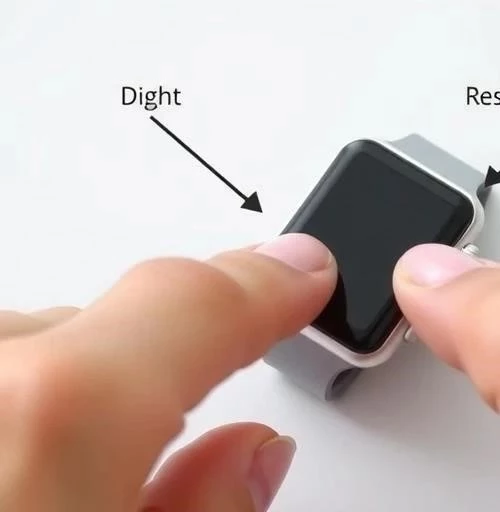
Restarting your Apple Watch can help when an app stops responding, the screen seems stuck, or the watch is running unusually slowly. A normal restart shuts the watch down and starts it again. If it is completely unresponsive, you can try a force restart instead.
Restart it normally
- Take the watch off its charger. It cannot be switched off while it is charging.
- Press and hold the side button until the power options appear. The side button is below the Digital Crown.
- Tap the power icon, if shown, then drag the Power Off slider to the right. Wait for the display to go dark.
- To turn the watch on again, press and hold the side button until the Apple logo appears, then release it. Startup may take a little time;
If the power-off slider does not appear, keep holding the side button until the options are displayed. Avoid pressing the Digital Crown by itself; it does not open the power menu.
Force restart an unresponsive watch
Use this method only if the watch is frozen and you cannot shut it down normally:
- Press and hold the side button and the Digital Crown at the same time.
- Keep holding both buttons for at least 10 seconds, until the Apple logo appears.
- Release the buttons and allow the watch to restart.
A force restart does not normally erase your settings or data, but it should not be used as a routine way to switch off the watch.
Important precautions
Do not force-restart the Apple Watch while a watchOS update is in progress. An update screen or progress indicator can remain visible for some time; leave the watch on its charger and wait for the process to finish. Interrupting an update may cause problems.
If the watch does not respond, connect it to its charger and allow it to charge for a while, then try a normal restart. Check that the charger and cable are seated correctly. If the Apple logo remains on screen, buttons do not work, or the watch repeatedly restarts, try the force-restart steps once. Repeated failure may require assistance from Apple Support or an authorised service provider.
After restarting
Enter your passcode if requested and check whether the original issue has cleared. If a particular app still freezes, close and reopen it, or check for available software updates. A restart is different from unpairing or erasing the watch: it simply turns the device off and back on.

1 Comment. Оставить новый
The instructions clearly distinguish a normal restart from a force restart and include useful precautions about charging and software updates. The steps are easy to follow.