
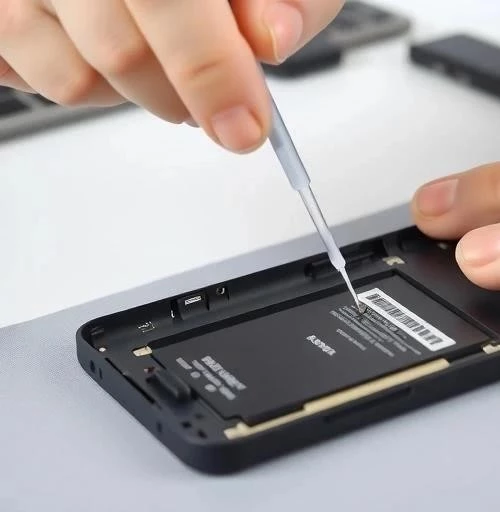
Important: Xiaomi phones vary by model․ Many recent devices have a glass or plastic back glued to the frame, not a cover that simply snaps off․ Opening the phone can damage the finish, break the back panel, affect water resistance, or void the warranty․ If the phone is under warranty, or you are unsure, use an authorized repair service․
Before you start
- Find a repair guide for your exact model number; the opening method and internal layout differ between phones․
- Power the phone off, unplug it, and remove the SIM tray․ If possible, let the battery run down below 25% to reduce risk if it is accidentally damaged․
- Prepare a hair dryer or temperature-controlled heat mat, a suction cup, thin plastic opening picks, and a plastic card․ Wear eye protection and work on a clean, well-lit surface․
Opening a glued back panel
- Warm the edges of the back evenly to soften the adhesive․ Use low, controlled heat and keep the heat source moving․ The panel should feel warm, not painfully hot․ Do not overheat the camera area or one spot․
- Place a suction cup near an edge and pull gently to create a small gap․ If it will not lift, warm the edge again rather than forcing it․
- Slide a thin plastic pick into the gap only a few millimetres․ Move it slowly around the perimeter to cut the adhesive․ Add warmth as needed and use additional picks to keep opened sections from sticking again․
- Lift the panel gradually․ Some models have a fingerprint sensor cable attached to the back, so do not pull the cover away sharply․ Open it like a book and disconnect the cable only after identifying its connector in a model-specific guide․
Safety and reassembly
Never use a knife, metal screwdriver, or excessive force to pry the cover: these can puncture the battery, short components, or shatter the panel․ Stop immediately if the battery looks swollen, smells unusual, becomes hot, or is damaged․ Do not continue heating or pressing the phone; take it to a repair professional․
Adhesive usually needs replacement after opening․ Remove old residue carefully, apply the correct pre-cut adhesive for your model, and check that no cables are trapped before closing the phone․ Press the edges evenly․ A home repair may not restore the original water resistance, so keep the device away from moisture afterward․
In short: confirm the exact Xiaomi model, soften the adhesive carefully, and use plastic tools with patience․ If the back does not release easily, stop and seek professional help․

8 Comments. Оставить новый
A useful reminder that Xiaomi models differ. Looking up a model-specific repair guide before starting is essential.
I appreciate the advice to use plastic picks and controlled heat rather than metal tools. That could help prevent avoidable damage.
The practical tip to warm the edges again instead of forcing the panel is excellent. Patience matters with glued phone backs.
Helpful overview for anyone considering a repair. The guidance to stop if the battery is swollen or damaged is particularly responsible.
This article strikes a good balance between practical steps and safety warnings. The advice to seek professional help when unsure is sensible.
This is a clear and safety-conscious guide. The reminder to check the exact model before opening the phone is especially useful.
The warning about fingerprint sensor cables is important. It’s easy to forget that the back panel may still be connected internally.
Well organized and easy to follow. I’m glad it emphasizes that opening the phone can affect water resistance and warranty coverage.