
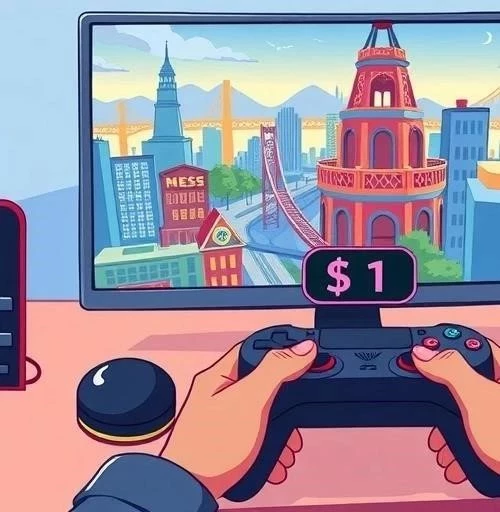
San Francisco is full of cameras, rivals, and systems that would rather keep your progress to themselves. Fortunately, saving in Watch Dogs 2 is less of a puzzle than hacking the city grid: the game saves automatically. There is no traditional “Save Game” button or list of manual save slots. Your job is to give the autosave a moment to do its work—and leave the game safely.
The short version: progress saves automatically
Watch Dogs 2 records your progress at key moments, including mission checkpoints and completed objectives. It also saves as you make progress through the world, such as collecting items or unlocking content. The precise timing can vary with what you are doing, so don’t treat every movement or newly discovered corner as a guaranteed save.
When you finish a mission, wait for its ending and any progress or reward notifications to appear. If an autosave indicator shows on-screen, let it disappear before quitting. The indicator may not appear at every save, so a short pause after a major milestone is a sensible habit even when the screen looks quiet.
A safe routine before you quit
- Reach a stable moment. Finish the current objective or get through the checkpoint. Avoid quitting during a cutscene, mission transition, active download, or moment when the game is visibly saving.
- Give the game a few seconds. Let animations, notifications, and any save icon finish. This is especially useful after a long mission or a burst of collectible hunting.
- Open the pause menu. Use the game’s normal menu and choose the available option to leave or return to the main menu, if shown. Otherwise, close the game using your platform’s normal controls.
- Wait for the game to shut down. Don’t switch off the console, pull the plug, or force-close the application while it is saving or exiting.
Think of it like sending a message through DedSec: the action is not complete just because you pressed the button. Let the confirmation arrive.
Can I save whenever I want?
No—not in the usual manual-save sense. You cannot open a menu, choose a slot, and record the exact second you are standing on a rooftop. The game’s autosave system decides when progress is written. If you need to stop quickly, finish the nearest objective or checkpoint first, then allow a moment for the save to complete.
That also means you generally cannot use saving to undo a risky choice or replay a small section from an arbitrary point. Mission replay and saved campaign progress are separate ideas: replaying content does not turn the game into a manual, rewind-anywhere save system.
How to check whether your progress stuck
After starting the game again, check your campaign progress: look at completed missions, unlocked skills, or a recently collected item. If the latest activity is missing, the game may have closed before that progress was recorded. Repeat the activity from the last saved point and, this time, wait for a calm moment before exiting.
For a stronger check, quit normally, launch the game again, and confirm that the campaign resumes with the expected progress. You do not need to do this every time, but it can help after a long session, a crash, or a platform update.
Platform and cloud-save notes
Your save is associated with the platform and account you use. On a console, the system may also manage local or cloud copies, depending on your account, subscription, and settings. On PC, Ubisoft Connect or another storefront may offer cloud synchronization. Keep the game online while syncing when possible, and do not interrupt a “syncing” message.
If you see a conflict between local and cloud data, read the dates and times carefully before choosing a copy. The newest-looking option is not automatically the one with the progress you want. When unsure, stop and check the platform’s guidance rather than guessing. Avoid deleting save data or moving files by hand unless you understand exactly which copy you are changing.
If the game seems not to save
- Finish the current mission step, then wait briefly in ordinary gameplay.
- Make sure the game has not frozen and that the storage device has free space.
- Close the game normally and check that the correct user profile is signed in.
- On PC or console, allow any account or cloud sync to finish before launching again.
- If progress repeatedly disappears, restart the game and platform, then consult the support page for your platform and game version.
Crashes, interrupted power, storage problems, or a sync conflict can all interfere with a save. A sudden quit is the biggest avoidable risk: autosave is helpful, but it is not a promise that every uncompleted action has already been written down.
One last DedSec rule
Complete a milestone, pause for the save, and exit cleanly. Watch Dogs 2 handles the saving in the background; you provide the patience. Give the system a few seconds to lock in your latest hack, and Marcus can return to San Francisco with the important progress still in his pocket.
7 Comments. Оставить новый
A useful guide for anyone who assumes every collectible is instantly immortalized in the save file. The calm, practical routine makes quitting feel less like pulling the plug on a heist.
The advice to look for a stable moment is simple, but easy to forget when you’re eager to escape the mission. A handy little safety check before signing off.
That “let the confirmation arrive” advice deserves its own DedSec sticker. I’ve definitely quit too quickly after a mission and learned that patience is a survival skill—even outside the game.
This has the energy of a friend leaning over your shoulder just before you close the game: “Hold on—let the icon finish.” Clear, reassuring, and genuinely useful.
The best tip here may be the quiet one: autosaves don’t always announce themselves. A few seconds of patience is a small toll to pay for keeping your progress.
I like the comparison to sending a message: pressing the button is only half the story. Waiting for the digital receipt might save a real-world headache.
A neat guide that turns a vague worry into a repeatable ritual. Finish the moment, wait, exit normally—and leave San Francisco knowing your progress is probably coming with you.