
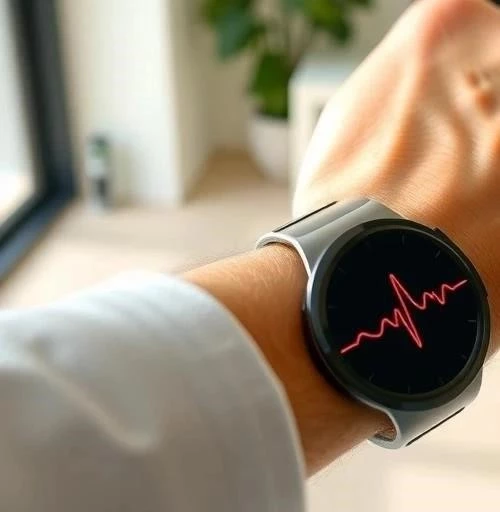
The Samsung Galaxy Watch3 can record a single-lead electrocardiogram (ECG) using the Samsung Health Monitor app. The recording captures electrical signals from your heart for about 30 seconds and may identify a rhythm that looks like atrial fibrillation (AFib). It is a useful screening feature, but it is not a diagnosis and cannot replace medical care.
Before you begin
- Check availability. ECG access depends on your country or region and applicable approvals. The feature may not appear even if your watch supports it.
- Use a compatible phone. You generally need a supported Samsung Galaxy smartphone paired with the Watch3, with the required software and Samsung Health Monitor app. Compatibility and setup can vary by region and phone model.
- Update and install. Update the watch and phone software. Install Samsung Health Monitor from the Galaxy Store if it is available, then follow its prompts to set up ECG on both devices. Accept the requested permissions.
- Wear the watch correctly. Fasten it snugly on your wrist, just above the wrist bone, so the back sensor touches your skin. Make sure your skin and fingers are clean and dry.
How to take a reading
- Sit down and rest for a few minutes. Avoid measuring immediately after exercise, caffeine, smoking, or a stressful activity. Do not take a reading while the watch is charging.
- Open Samsung Health Monitor on the Watch3 and select ECG. If prompted, review the instructions and confirm that you are ready.
- Rest your forearms on a table or your lap. Keep still and relaxed. Do not speak, move, or clench your hand during the recording.
- Place a fingertip from your other hand lightly on the watch’s top button (the Home key). Do not press hard. Keep your finger there until the watch finishes, usually after about 30 seconds.
- Read the result on the watch or open Samsung Health Monitor on your phone for the recording and any available explanation. Save or share the report only if you choose to.
Understanding the result
The app may report Sinus Rhythm, meaning the recording showed a regular pattern; Atrial Fibrillation, meaning the pattern may be consistent with AFib; or a result such as Inconclusive or Poor Recording. A poor-quality result can happen if you move, talk, have weak sensor contact, or your hands are cold. Rest, warm your hands, adjust the fit, and try again. Follow the app’s on-screen guidance rather than repeatedly taking readings.
An AFib result does not confirm that you have AFib. Likewise, a sinus-rhythm result does not rule out every heart problem, and the watch does not detect a heart attack. The ECG is a limited, single-lead recording—not the multi-lead ECG used in a clinic. It may not be suitable for everyone, and the app’s age restrictions and instructions can vary by location.
If ECG is missing or will not record
- Confirm that ECG is approved and available where you live and that the phone and watch are properly paired.
- Check for app and software updates, then reopen Samsung Health Monitor. If setup is incomplete, follow the pairing instructions again.
- Wear the watch firmly, keep the sensor against your skin, and touch the Home key with a fingertip throughout the entire recording.
- Stay still, keep your arms supported, and ensure your skin and finger are dry. If the problem continues, consult Samsung support or the app’s help information.
When to seek medical help
Discuss an AFib, inconclusive, or repeatedly poor result with a healthcare professional, especially if you have symptoms or a known heart condition. Do not change medication or delay care because of a watch reading. If you have chest pain, severe shortness of breath, fainting, or another urgent symptom, contact emergency services immediately—even if the ECG says “Sinus Rhythm.” Use the Watch3 as an additional health tool, not as a substitute for professional evaluation.

4 Comments. Оставить новый
The practical tips about watch fit, clean and dry skin, and keeping your finger lightly on the button should help readers get a more reliable recording.
The compatibility and regional availability notes are helpful. It would also be useful to include guidance on what to do after an unusual result.
The step-by-step instructions make it easy to understand how to take an ECG reading, especially the reminders to stay still and rest beforehand.
I appreciate the clear explanation that the watch can screen for signs of AFib but cannot diagnose a condition or replace medical care.