
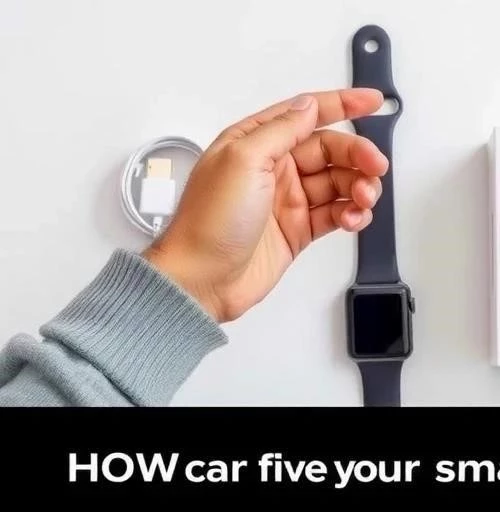
When buying an Apple Watch SE, especially second-hand, do not rely on one clue such as the box, logo, or serial number․ Packaging and identifiers can be copied, and a genuine watch may be sold without its original box․ Check the device itself, confirm that it pairs with an iPhone, and make sure the seller can remove any account lock before payment․
Check the watch and its details
Apple Watch SE models have an aluminum case and a Retina display․ Compare the watch’s size, color, case material, and features with Apple’s specifications for the exact generation being offered․ SE generations differ, so do not judge a watch against a different year’s model․ The SE does not include some features found on higher-end Apple Watch models, such as an ECG app; a listing that promises those features is a warning sign․
On the watch, open Settings > General > About․ Note the model name, software version, serial number, and model number․ Tap the model-number field if needed to see the regulatory model number․ Compare these details with Apple’s support information and the seller’s description․ A mismatch between the stated generation, appearance, and device information deserves an explanation․
Verify the serial number—but do not stop there
Enter the serial number on Apple’s official coverage-check page, reached through Apple’s website․ Check whether the result is consistent with the watch and its reported coverage․ A valid serial number is useful, but it is not proof of authenticity: counterfeiters can copy a real number from another device․ If the page gives unexpected details, or the same identifier appears on multiple listings, contact Apple Support or avoid the purchase․
Test pairing and Activation Lock
Ask to pair the watch with your iPhone using Apple’s Watch app—not an unfamiliar app, a website, or a QR code supplied by the seller․ A genuine Apple Watch SE should be recognized by the official app and complete setup normally, provided the iPhone and watch software are compatible․ During setup, confirm that the seller has unpaired the watch and removed it from their Apple Account․ If the screen asks for the previous owner’s Apple Account password, Activation Lock is still enabled․ Do not pay until the owner removes the lock and setup can proceed with your account․
Inspect the software, charging, and accessories
Look for watchOS and Apple’s familiar Settings, App Store, and Watch app experience․ A watch that displays a phone-like menu, uses a non-Apple app for setup, or cannot install updates through the normal process may be counterfeit․ Test the touchscreen, Digital Crown, side button, speaker, microphone, Bluetooth connection, and charging․ Check that the charger connects securely and that the watch does not overheat or repeatedly disconnect․
Examine printing, finish, buttons, and packaging for poor alignment or spelling errors, but treat these only as supporting clues․ Bands and chargers can be replaced, and packaging may belong to another device․ A convincing box does not authenticate the watch․
Buy with protection
Prefer Apple or an authorized retailer, or use a seller and payment method that provide buyer protection․ For a used watch, request a receipt and meet where you can test pairing and reset the device․ Walk away if the seller refuses basic checks, pressures you to pay quickly, offers a price that seems implausibly low, or cannot clear Activation Lock․ The strongest verification is a combination of consistent device information, successful setup in Apple’s official app, and a clean transfer to your Apple Account․
9 Comments. Оставить новый
The section about Activation Lock highlights an important issue to resolve before paying for a used device.
The advice to use Apple’s Watch app for pairing helps distinguish a normal setup process from an unfamiliar seller-provided method.
The reminder to check the watch itself rather than relying on its packaging is useful, especially when buying second-hand.
The article clearly explains why a valid serial number alone cannot confirm that a watch is genuine.
The distinction between features on the SE and higher-end Apple Watch models could help buyers assess claims in a listing.
It is helpful that the article notes that different SE generations should be compared with specifications for the correct model year.
Comparing the generation, appearance, and device information is a practical way to spot inconsistencies in a listing.
The suggested checks are presented in a clear order, from inspecting device details to testing setup with an iPhone.
This is a useful overview of several checks buyers can make before purchasing a second-hand Apple Watch SE.