
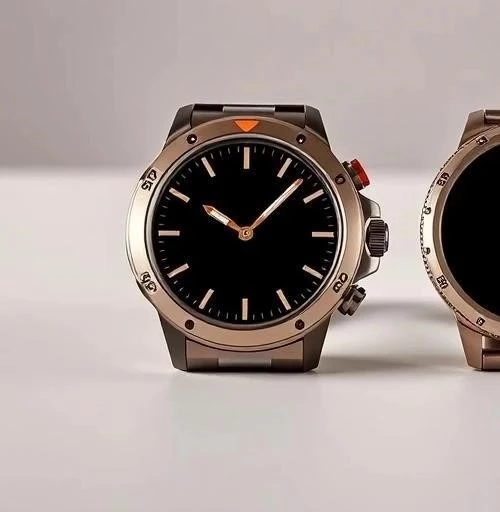
Counterfeit smartwatches can look convincing in photos, and some even imitate Apple’s menus. No single visual detail or serial-number check proves that an Apple Watch Ultra 2 is genuine. The safest approach is to inspect the watch, pair it with an iPhone using Apple’s Watch app, and test its features before paying.
Check the case and controls
The Ultra 2 has a distinctive 49 mm case made of titanium, with a flat sapphire crystal display, a raised crown guard and a large orange Action button on the opposite side; The Digital Crown has an orange accent. The case should feel solid and carefully finished; rough edges, uneven gaps, loose controls, poor printing or a lightweight, plastic feel are warning signs.
Ultra 2 models are available in natural titanium and, on later versions, black titanium. A different finish alone does not establish that a watch is fake: check that the specific model and finish match Apple’s product information. Bands can be changed, so an unusual or third-party band is not proof of counterfeiting.
Inspect the display and software
The Ultra 2 has a bright, sharp always-on display with slim, even borders. Look for blurry text, uneven backlighting, sluggish animations, misspelled labels or menus that look like a generic phone interface. These are suspicious, though a convincing imitation may copy the appearance of watchOS.
On the watch, open Settings > General > About and review the model name, software version and identifying information. The menus and responses should be smooth and consistent with watchOS. A watch that runs Android, requires a separate unfamiliar app, or cannot use Apple’s normal setup process is not an Ultra 2.
Pair it through Apple’s Watch app
This is one of the most useful checks. Bring the watch near an up-to-date iPhone and start setup in Apple’s built-in Watch app. A genuine, properly reset Ultra 2 should be recognized and proceed through Apple’s pairing and setup screens. Do not accept a seller’s demonstration in a third-party app as equivalent.
If the watch shows that it is linked to someone else’s Apple Account or Activation Lock, ask the owner to remove it from their account and erase it before the sale. Do not buy it on a promise that the lock will be removed later. A legitimate watch can be locked, but it will not be usable by you until the owner releases it.
Verify the model and serial number carefully
Compare the model and serial information in Settings with the information shown during setup and, where available, on the packaging or purchase receipt. You can enter the serial number on Apple’s coverage-check website. A result that identifies a different product, or information that does not match, is a serious warning.
However, a valid serial number is not proof of authenticity. Counterfeiters can copy the number from a real watch, and boxes or receipts can be forged. Treat the lookup as one check among several, not a guarantee. Be cautious if the seller refuses to let you inspect the device or the details do not agree.
Test real Ultra 2 features
Once paired, check that the watch behaves like a full Apple Watch, not just a screen that imitates one. Try opening Apple’s built-in apps, changing settings, syncing notifications and installing or updating an app through the normal Apple ecosystem. Confirm that the Digital Crown, side button, Action button, touchscreen, speaker and microphone respond properly.
The Ultra 2 includes GPS and cellular capability, but cellular service may require carrier support and an active plan, so a lack of service by itself does not prove a fake. Its advanced health and safety functions should be checked in the genuine watchOS interface. Do not rely on a printed feature list or a seller’s claims; demonstrate the functions on the device.
Examine the sale, not just the watch
Prefer an Apple Store or an authorized retailer, or meet a private seller where you can pair and test the watch before handing over money. Ask for a receipt and a clear explanation of the watch’s history. An unusually low price, pressure to pay immediately, stock photos, refusal to reset the device, or a request to pay through an irreversible method should make you stop.
Quick checklist
- Inspect the 49 mm titanium case, orange-accented Crown, Action button and finish.
- Pair using the iPhone’s built-in Watch app—not an unfamiliar application.
- Check Activation Lock and make sure the seller removes their Apple Account.
- Compare device details and check the serial, while remembering it can be copied.
- Test the controls, software and everyday functions before completing the purchase.
Bottom line: combine physical inspection, successful Apple Watch app pairing, account-release verification and hands-on testing. If any key check fails or the seller will not allow it, walk away and buy from a trusted source. A box, logo, receipt or serial lookup alone cannot establish that an Apple Watch Ultra 2 is genuine.
8 Comments. Оставить новый
A sensible reminder to verify the watch with an iPhone and Apple’s software instead of trusting a serial number or product photos by themselves.
The distinction between warning signs and definitive proof is important. Counterfeits can imitate details, so several checks are better than one.
I appreciate the balanced advice here: visual clues can raise suspicions, but they aren’t proof on their own.
Useful checklist for secondhand buyers. I’d also make sure the seller allows enough time to inspect and pair the watch in person.
The article makes a strong case for checking the actual setup process before paying. A convincing-looking screen alone isn’t enough.
The reminder to pair the watch through Apple’s own Watch app is especially useful. It’s a practical check rather than relying on appearances.
Clear and practical guidance, especially for people who haven’t handled an Ultra 2 before. The specific design details give buyers a helpful starting point.
Good point that a different band or finish doesn’t automatically mean a watch is counterfeit. Those details can easily lead buyers to the wrong conclusion.