
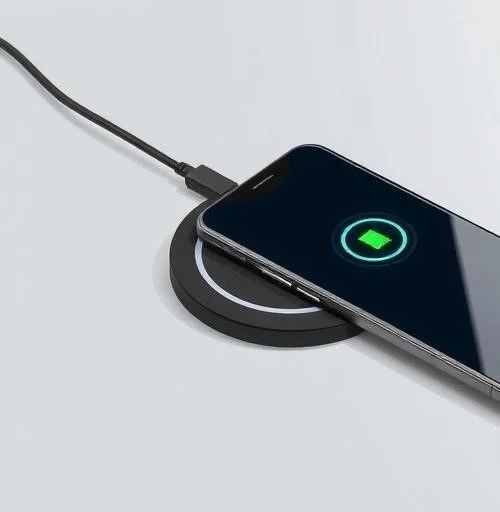
Short answer: you cannot enable wireless charging on the Xiaomi 11 Lite 5G NE. The phone does not have the hardware required for Qi wireless charging, so there is no setting, button, app, or software update that can add the feature. If you place it on a standard wireless charging pad, it will not charge.
Why wireless charging cannot be enabled
Wireless charging is not simply a software function. A Qi-compatible phone needs a receiving coil and supporting charging circuitry inside its body. The Xiaomi 11 Lite 5G NE was designed for charging through its USB-C port and does not include that wireless-charging hardware. Android settings cannot compensate for a missing component, and installing an application cannot create one.
This distinction matters because online advice sometimes suggests looking in Settings, entering a service code, or downloading a “wireless charging” utility. Those steps may sound plausible, but they cannot make this model charge wirelessly. An app can display information or help manage supported functions; it cannot add a coil or alter the phone’s physical design. Likewise, resetting the phone or updating MIUI/HyperOS will not change its charging capabilities.
How to charge the Xiaomi 11 Lite 5G NE
Use a compatible wired charger and connect it to the phone’s USB-C port. The model supports wired charging up to 33 W. Actual charging speed can vary with the adapter, cable, battery temperature, and whether the phone is being used while charging. For best results, use a reliable adapter and cable compatible with the phone’s charging standard. Charger availability and packaging can differ by region, so check what came with your device or consult its documentation.
- Connect the USB-C cable securely to the phone.
- Plug the other end into a compatible power adapter or a suitable powered USB port.
- Check that the charging symbol appears on the screen or in the status bar.
- If charging does not begin, try another known-good cable, adapter, and wall outlet.
Do not force a connector into the port. If the cable feels loose, the port is visibly damaged, or charging repeatedly disconnects, stop testing and have the phone inspected by a qualified repair service. Carefully remove lint only if you can do so without metal tools or pressure that could damage the connector.
What if a wireless charging pad is already available?
A regular Qi pad will not charge the phone directly. A third-party USB-C wireless receiver may be advertised as a workaround: it plugs into the phone’s port and places a thin receiving coil against its back, sometimes under a case. Such accessories are not the same as built-in wireless charging. They can be slower, less convenient, and more sensitive to alignment; they also occupy the USB-C port and may not work reliably with every case or accessory.
Before buying one, verify that the receiver specifically supports USB-C phones and that its connector, dimensions, and charging output suit your device. Consider heat as well: wireless power transfer can generate warmth, and heat is undesirable for a battery. Do not use a receiver that becomes unusually hot, interferes with the case, or requires bending the plug. A wired charger is the straightforward and dependable option for this model.
Common misunderstandings
- “There must be a hidden switch.” No. A software switch can control only hardware the phone already has.
- “A newer update will add it.” No update can install the missing receiver coil and charging circuitry.
- “It supports 5G, so it should support wireless charging.” These are separate features. 5G describes mobile-network connectivity, not how the battery receives power.
- “It has NFC, so it can charge on a pad.” NFC and Qi charging use different hardware and serve different purposes.
- “A wireless charger should work if the phone is positioned correctly.” Correct placement helps only when a compatible receiving coil is present.
Bottom line
There is no way to turn on built-in wireless charging on the Xiaomi 11 Lite 5G NE because the phone does not support it. Use USB-C wired charging, rated up to 33 W, or consider a carefully chosen external receiver only if you accept its limitations. If a seller or tutorial promises that a setting or app will enable native Qi charging, treat that claim skeptically: it confuses software features with hardware requirements.

5 Comments. Оставить новый
The steps for checking a wired connection are straightforward and helpful. Mentioning the cable, adapter, temperature, and phone use also gives readers a sensible explanation for differences in charging speed.
I appreciate the warning about misleading online advice. Explaining why updates and resets cannot enable wireless charging makes the answer more convincing than simply saying the feature is unavailable.
This is useful, practical guidance for Xiaomi 11 Lite 5G NE owners. The article directly answers the main question and offers wired charging as the realistic alternative, while appropriately noting that charging speed can vary.
The explanation clearly distinguishes between a software setting and the hardware needed for Qi charging. That helps prevent readers from wasting time on apps or service codes that cannot add a missing charging coil.
The article stays focused on the device’s actual capabilities and avoids promising a workaround that will not work. Its advice to check regional packaging and documentation is a useful practical detail.