
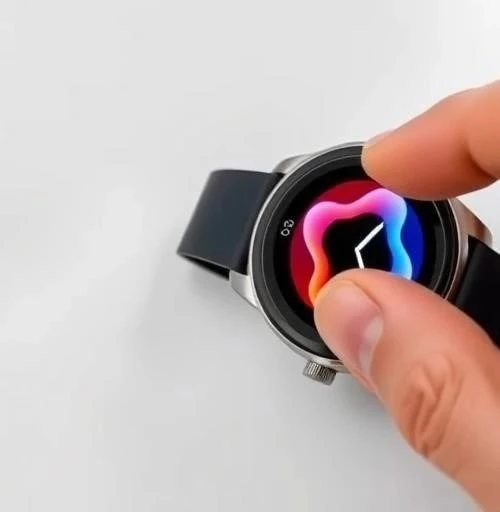
Getting your X8 Pro started is usually simple: charge it‚ use the side button to power it on‚ then pair it with your phone if you want to use smart features. Button placement and menus can vary slightly between versions‚ so check the markings on your watch and its quick-start guide if something looks different.
Charge the watch first
If the screen is blank‚ the battery may be empty. Find the charging contacts on the back of the watch and attach the supplied magnetic or USB charging cable‚ matching the contacts carefully. Connect the other end to a suitable USB power source. Keep the watch on a dry‚ stable surface and allow it to charge for at least 20–30 minutes before trying again. If possible‚ charge it fully before first use.
Use the cable made for your model and make sure the contacts are clean and aligned. Avoid forcing the connector‚ using a damaged cable‚ or charging a wet watch. A charging symbol or screen illumination usually indicates that power is reaching the device.
Switch it on
- Locate the physical button on the side of the watch. Some versions have more than one button.
- Press and hold the main button for about 3–5 seconds. A short press may only wake the display‚ so keep holding until the logo or startup screen appears.
- Release the button and wait while the watch starts. The first boot may take a little longer than usual.
If nothing happens‚ connect the charger and hold the button again. Try a different USB power source or reposition the charging cable if there is no charging indicator. Do not press buttons repeatedly while the watch is starting. If it remains unresponsive after a reasonable charge‚ consult the seller or the instructions for your exact X8 Pro version.
Set up and pair with a phone
After startup‚ select a language if prompted. To connect the watch‚ scan its QR code or look in its settings for the companion-app name; the app can differ by batch. Install the suggested app from your phone’s official app store‚ open it‚ and allow Bluetooth access. Keep Bluetooth enabled and place the phone near the watch.
- In the app‚ choose the option to add or bind a device.
- Select the X8 Pro from the list‚ or scan the watch’s pairing code if offered.
- Confirm the pairing request on both screens. Grant only the permissions needed for features you want‚ such as notifications or activity tracking.
Some X8 Pro versions use a separate Bluetooth connection for calls. If calling does not work after app pairing‚ open your phone’s Bluetooth settings and connect to the watch’s audio device as well. Follow the app’s on-screen instructions; avoid pairing unrelated devices with a similar name.
If it will not turn on
- Charge it for 30–60 minutes‚ check that the cable contacts line up‚ and try another compatible USB source.
- Hold the side button for 10–15 seconds to attempt a restart. On some versions‚ a shorter hold is sufficient.
- If the watch starts but will not pair‚ restart Bluetooth on the phone‚ keep the devices close‚ and try adding the watch again in the companion app;
Once the watch is on‚ set the time and notification preferences in the app. Menu names and available features may vary by firmware‚ so use the supplied manual for model-specific steps. Don’t open the case or attempt a factory reset unless the manual explains how to do it.