
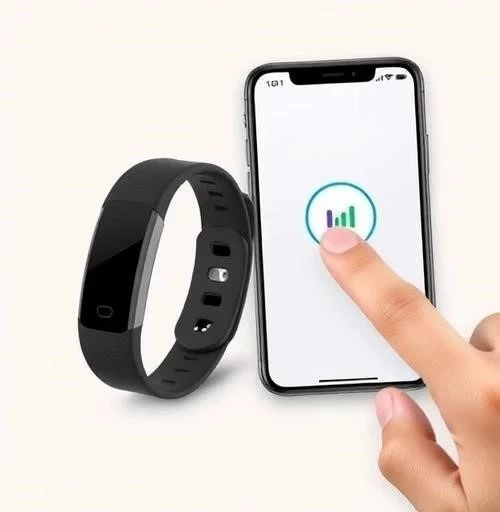
To disconnect a Xiaomi Mi Band 4 properly, unpair it from the app used to set it up. On most phones, that app is Zepp Life, previously called Mi Fit. Removing the band only from the phone’s Bluetooth settings is not the same as unbinding it from the app or account. If you are selling, giving away, or reconnecting the band, use the app’s unpair option first.
Before you unpair
- Keep the band and phone close together, and make sure Bluetooth is on.
- Open the app that currently manages the band. If you have used more than one fitness app, check which one shows Mi Band 4 as a connected device.
- If you want to keep your activity history, open the app while the band is connected and allow it to finish syncing.
- Check that you can sign in to the account associated with the app. A factory reset alone may not remove an account-based binding.
Unpair it in Zepp Life (formerly Mi Fit)
- Open Zepp Life on the phone where the band is paired.
- Tap Profile at the bottom of the screen.
- Select Mi Smart Band 4 from the list of devices. The displayed name may vary slightly by app version.
- Scroll to the bottom of the device settings and tap Unpair or Unbind.
- Read the confirmation message and confirm. Wait for the app to complete the process.
After unpairing, the band may display a prompt to connect or may return to its initial screen. The exact wording and appearance depend on the firmware. The device should no longer appear as connected in the app. If you plan to use it with another phone, install a compatible app there, sign in as needed, and follow the app’s instructions to add a device.
Remove the Bluetooth connection if necessary
Once the app has unpaired the band, you can also remove its saved Bluetooth entry from the phone. On Android, open Settings, go to Bluetooth or Connected devices, select Mi Band 4, and choose Forget or Unpair. On an iPhone, open Settings > Bluetooth, tap the information icon beside the band if it is listed, and choose Forget This Device.
This extra step clears the phone’s stored connection. It does not replace the in-app unpairing step. If you remove the Bluetooth entry first, the app may lose its connection and be unable to complete the unbinding process until the band is paired again.
If the old phone is unavailable
Try signing in to the same Zepp Life account on another phone and checking whether the band is listed among its devices. If it is, open its settings and use the unpair option. App features and account behavior can change between versions, so follow the current prompts. If the band is not accessible from the account, consult the app’s support or Xiaomi support for guidance; do not assume a factory reset will release an account binding.
If unpairing does not work
- Charge the band, keep it near the phone, and retry with Bluetooth enabled.
- Close and reopen the app, then check for an app update.
- Restart the phone and try again. Avoid clearing app data or uninstalling the app until you have checked that your account details are available.
- If the band is already disconnected, try reconnecting it to the original app and then choosing Unpair.
Unpairing versus factory reset
Unpairing removes the app’s connection to the band and is the recommended first step when transferring it to someone else. A factory reset, where available in the band’s settings, clears device data but may not remove a binding maintained by an app account. For a transfer, complete the in-app unpairing and then reset the band if you want to erase its local settings. The new owner should pair it with their own compatible app and account.

7 Comments. Оставить новый
The separate Bluetooth removal section helps clarify what to do after unpairing in the app.
This is a straightforward guide for disconnecting a Mi Band 4, with helpful notes about what to expect afterward.
The checklist covers useful preparations, including keeping the devices close and confirming access to the associated account.
The article explains why a factory reset may not be enough when an account binding is involved.
The distinction between unpairing through the app and removing the Bluetooth entry is useful, especially for people preparing to pass the band on.
It is helpful that the instructions mention app names and menu labels may vary. That makes the guidance easier to apply across different versions.
The steps are clearly organized, and the reminder to sync activity data before unpairing is practical.