
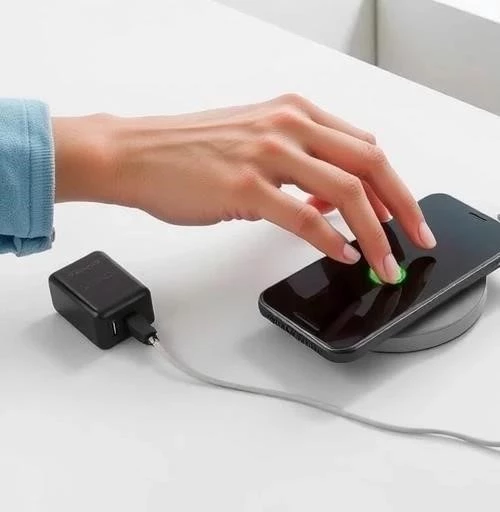
Xiaomi wireless charging is simple when the phone, charger and power adapter are compatible. The exact charging speed and available features depend on the model, so check the phone’s specifications and the charger’s instructions before use. A wireless charger may work with a Qi-compatible phone, but it may not provide Xiaomi’s fastest charging rate.
Check compatibility
Confirm that your Xiaomi phone supports wireless charging; many models do not. Look up the model name in its specifications or user guide. Also check the charging pad or stand for its supported standard and output. For a particular high-speed mode, the phone and charger may need to be designed to work together. Using a different adapter or cable can reduce charging speed.
Connect the charger
- Place the charging pad on a stable, flat surface, away from liquids and excessive heat.
- Connect it to a suitable power adapter using the supplied or recommended cable.
- Plug the adapter into a wall outlet. If the charger has an indicator light, check that it shows power.
For the best results, follow the charger’s stated power requirements. A low-power adapter, damaged cable or unsuitable power source may prevent charging or make it slower.
Position the phone
Place the phone’s back centrally on the charging surface, with the screen facing up. On a stand, position it as directed by the manufacturer. The charging coils must line up; if the phone does not start charging, move it slightly in different directions. Look for the charging symbol on the screen or another confirmation specified in the phone’s settings.
Thick cases, metal plates, magnetic accessories, cards or other objects between the phone and charger can interfere with charging. Remove them if charging does not begin or repeatedly stops. Do not place loose metal items on the pad.
Check charging and temperature
Wireless charging can produce some warmth. If the phone or charger becomes unusually hot, stop charging, remove the phone and allow both devices to cool. Keep the charger uncovered and use it in a well-ventilated place. Avoid charging near sources of heat or in direct sunlight. If a temperature warning appears, follow the phone’s on-screen instructions.
Charging may pause or slow when the phone is in use, the battery is nearly full, or the device becomes warm. These behaviors can vary by model. For faster charging, leave the phone idle and use the compatible adapter and charger specified for it.
Troubleshooting and care
- No charging indicator: Check the outlet, cable and adapter, then reposition the phone. Confirm wireless charging is supported.
- Intermittent charging: Remove the case or accessories and make sure the phone stays centered.
- Slow charging: Check that the adapter meets the charger’s requirements and that the phone and pad support the desired speed.
Keep the charging surface clean and dry, and inspect the cable and adapter for damage. Do not use damaged equipment. If the phone still will not charge, test with a compatible charger or consult Xiaomi support or the device manual. Compatibility, indicators and settings differ between models; the instructions supplied with your specific devices take priority.

2 Comments. Оставить новый
The guidance is organized and easy to follow, with appropriate emphasis on manufacturer instructions and heat. The article could also mention that charging performance varies by phone and charger model.
The article provides clear, practical steps for checking compatibility and setting up wireless charging. Its reminders about positioning, accessories and power requirements are useful for troubleshooting.