
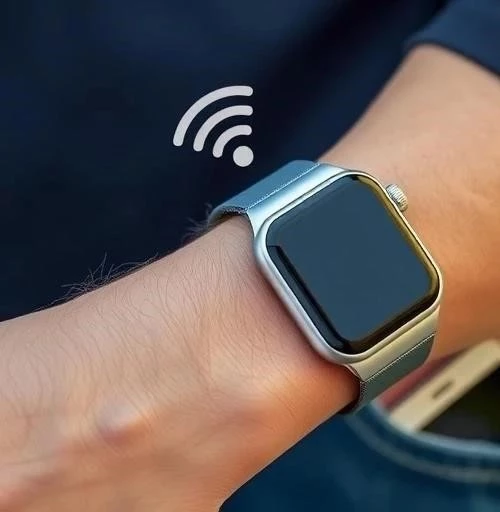
“Cellular” on Apple Watch Series 5 refers to a model with a built-in mobile network connection. It can connect to a supported carrier’s network without relying on a nearby iPhone for every task. Apple sold Series 5 in GPS and GPS + Cellular versions. The cellular option adds a radio and an electronic SIM, or eSIM; it does not mean that every Series 5 watch has mobile service.
What you can do with a cellular model
When cellular service is active and coverage is available, the watch can perform some connected tasks while its paired iPhone is elsewhere, turned off, or out of Bluetooth range. Depending on the app, carrier, region, and settings, you can make or answer calls, send and receive messages, receive notifications, use online apps, and stream music. The watch can also use Wi-Fi when an appropriate network is available.
Cellular does not make the watch a complete replacement for an iPhone. Some features and apps still depend on the phone, and their availability varies. For example, an app may need the iPhone for setup, data, or a particular function. A watch without a cellular signal may still communicate over Wi-Fi in some circumstances, but that is not the same as having mobile coverage everywhere.
Do you need a separate plan?
Yes. The cellular hardware alone does not provide service: you normally need an eligible mobile plan from a carrier that supports Apple Watch. The carrier activates the watch’s eSIM, usually through the Watch app on the paired iPhone. Many carriers offer a watch add-on that shares the iPhone’s number, so calls and messages can appear to come from the same number. Prices, eligibility, and plan terms differ by carrier and country.
Before buying or activating a watch, check that the exact model and your carrier are compatible. Cellular features may not work with every carrier, plan, or in every location. International use and roaming have their own restrictions, so do not assume that a plan will provide service abroad. Activation also requires a compatible iPhone and the relevant account credentials.
How to tell which Series 5 you have
Series 5 cellular models have a distinctive red ring or accent on the Digital Crown. This is a useful visual clue, but checking the model details is more reliable, especially if the watch has a case or the crown is hard to see. On the watch, open Settings, then General and About to find identifying information. You can also check the model in the Apple Watch app on the paired iPhone. A GPS-only model cannot gain cellular capability through a software update.
GPS and Cellular compared
- GPS model: Uses the iPhone connection or Wi-Fi for many online functions. It does not connect directly to a mobile network.
- GPS + Cellular model: Has the additional hardware needed to connect to a supported mobile network, provided a compatible plan is activated.
Both versions can track workouts and use location features; the cellular model is not required simply to use GPS. The practical difference is the option to stay connected when the iPhone is not nearby. The cellular version may cost more to purchase and operate, and cellular use can consume more battery power, particularly when reception is weak.
Setup and everyday use
To set up cellular, pair the watch with an eligible iPhone, open the Apple Watch app, and follow the mobile-service instructions. The carrier may ask you to sign in or confirm the plan. Once service is active, the watch can switch between the iPhone connection, Wi-Fi, and cellular as conditions change. You can check connection status in Control Center. If activation fails, verify carrier support, plan eligibility, account status, and software updates before contacting the carrier.
Is Cellular worth choosing?
It can be useful for people who want to leave their iPhone behind during a run, walk, or brief errand while retaining selected calling, messaging, and online functions; It may be unnecessary if the phone is usually nearby, if Wi-Fi meets your needs, or if you do not want an additional monthly charge. Consider coverage, battery expectations, carrier costs, and the features you actually use.
In short, “Cellular” identifies the Apple Watch Series 5 version that can connect to a mobile network through an activated carrier plan. It offers more independence from a nearby iPhone, but does not remove the need for a compatible iPhone during setup or guarantee that every feature works independently.
8 Comments. Оставить новый
The explanation of eSIM activation and carrier compatibility is straightforward.
The notes about plan costs and terms varying by carrier and country add practical context.
The article makes clear that cellular hardware does not provide service without an eligible plan.
The article appropriately notes that a cellular watch does not replace every iPhone function.
The examples of tasks that may work away from an iPhone are useful, with appropriate notes about availability.
The distinction between the GPS and GPS Cellular models is explained clearly.
The reminder to check roaming restrictions before traveling is relevant for prospective buyers.
It is helpful that the article distinguishes cellular connectivity from Wi-Fi access.