
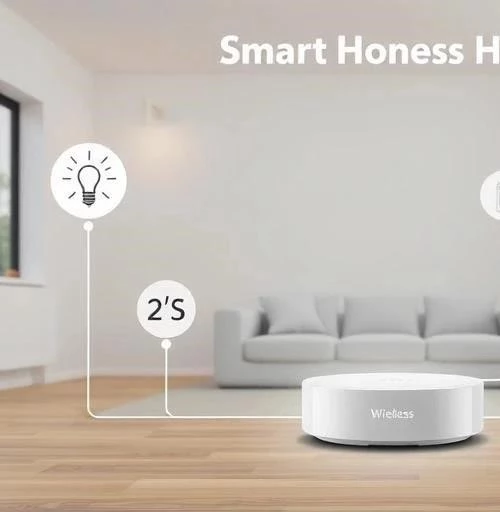
A Xiaomi Smart Hub is a device that helps compatible smart-home products communicate with one another and, in some cases, with the internet. It can act as a bridge between devices that use different wireless technologies, and it may let you create automations—for example, turning on a light when a motion sensor detects someone. The exact functions depend on the hub model, the connected devices and the region in which they are sold.
How it fits into a Xiaomi smart home
A Xiaomi home setup usually includes three parts: smart devices such as bulbs, sensors or switches; the Xiaomi Home app (also called Mi Home in some markets); and, when needed, a hub. The app is where you add supported products, adjust settings, check status and build routines. The hub is the physical unit that connects certain devices to the network or coordinates their communication.
Not every Xiaomi device needs a hub; Products with Wi-Fi may connect directly to your home router and appear in the app. Other devices, especially small battery-powered sensors, may use Zigbee or Bluetooth rather than Wi-Fi. A compatible hub can provide the link that lets those products be managed through the app. Some hubs support more than one protocol, but capabilities differ: check the specifications of the particular model rather than assuming that every Xiaomi hub works with every Xiaomi device.
What can a hub do?
- Connect supported devices: It can bridge compatible sensors, switches or other accessories to your smart-home system.
- Enable automations: You may be able to create rules based on a sensor, a schedule, or another supported device.
- Coordinate routines: A single event can trigger several actions, such as switching on a light and sending an alert.
- Support remote control: Depending on the product and setup, the app may let you check or control devices while away from home.
For example, a door sensor could trigger a notification when the door opens. A motion sensor might switch on a compatible lamp at night. These examples are possibilities, not guaranteed features of every hub: the required devices, automation options and whether an action works locally or through the cloud vary by model and software.
Hub, app and router: what is the difference?
The hub is hardware that communicates with supported accessories. The Xiaomi Home app is the interface for setup and control. Your router provides the home network and internet connection. A hub does not normally replace a router, and installing the app alone does not provide the wireless bridge that hub-dependent accessories need.
Some products described as hubs may also have extra functions, such as a speaker, alarm, display or support for an additional smart-home standard. These features are model-specific. The word “hub” is used broadly, so read the product listing and manual to see what the device actually does.
Compatibility and setup
Before buying, check the exact model name and its supported protocols. Confirm that your sensors and accessories are listed as compatible, and check whether the hub works with your phone, app version and local region. Xiaomi’s product range and software features can differ between countries. A device sold in one region may not be available in another, and some accessories may require a matching regional setting or server in the app.
- Install or open Xiaomi Home and sign in.
- Connect the hub to power and follow the in-app instructions to add it.
- Use the app to pair compatible accessories with the hub.
- Test each device, then create a simple automation and verify when it runs.
During setup, keep the hub within the recommended range of the router and accessories. Walls, interference and distance can affect wireless communication. If pairing fails, check power, network settings, region selection and the manufacturer’s instructions; restarting the hub or accessory may also help.
Does a Xiaomi Smart Hub need the internet?
Internet access is commonly needed for initial setup, app access from outside the home, updates and cloud-connected functions. Whether automations continue to work if the internet goes down depends on the specific hub, device and rule. Some actions may be handled locally, while others may rely on Xiaomi’s cloud services. If offline operation matters to you, look for explicit confirmation in the model documentation and test the behavior before relying on it.
Is it worth getting one?
A hub is useful if you want to add compatible low-power accessories, connect devices that do not use Wi-Fi, or build routines across supported products. If all your smart devices connect directly to Wi-Fi and you do not need hub-based features, you may not need one. The best choice is determined less by the word “smart hub” than by the protocols, compatibility list and automation features of the exact model.
In short: a Xiaomi Smart Hub is a coordinator or bridge for compatible smart-home devices—not a universal controller for every gadget. Check its specifications, app support and regional compatibility before purchasing, then use Xiaomi Home to set up devices and create routines that match your needs.

3 Comments. Оставить новый
A clear overview of what a smart hub does and how it fits into a Xiaomi setup. The reminder to check the specifications of each model is especially useful.
The examples make the potential automations easy to understand. It would also be helpful to compare which wireless protocols are supported by specific hub models.
This is a practical introduction for anyone planning a smart home. I appreciate that it explains that some devices connect directly to Wi-Fi and may not need a hub.