
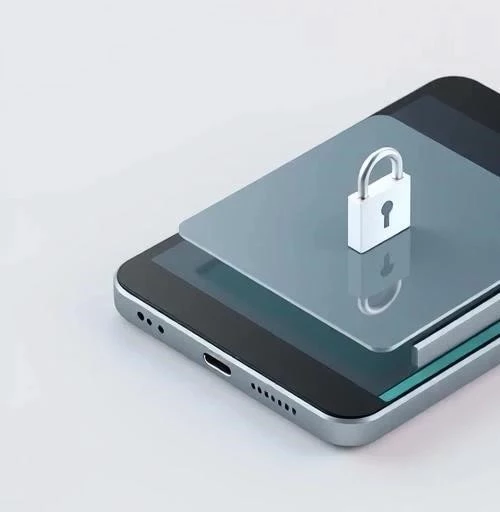
Think of your Xiaomi phone as a small, well-guarded city. The bootloader is its gatekeeper: each time the phone starts, it checks what software is allowed to enter and then launches Android. In Russian, “загрузчик Xiaomi” usually means this bootloader—not an app that downloads files.
Locked gate, safer phone
Most Xiaomi phones ship with a locked bootloader. It helps protect the operating system from unauthorized changes and supports Android’s security checks. For everyday use—calling, messaging, photos, apps—you generally do not need to unlock it. A locked gate is not a flaw; it is the normal setting.
Why unlock it?
Unlocking can let experienced owners install a custom ROM, test another version of Android, or gain deeper control over the device. It may also be needed for certain advanced repairs. But this is a key that opens more than one door: modified software can introduce bugs, weaken security, or stop banking and other protected apps from working.
What happens during unlocking?
Xiaomi’s official process uses its unlocking tool and account-based checks; availability and waiting rules can vary by model, region, and current policy. Unlocking normally erases user data, so back up photos, chats, and files first. Keep the phone charged and follow the instructions for your exact device. Avoid unofficial “instant unlock” services that ask for passwords or payment without clear proof of legitimacy.
Important risks
An unlocked phone may be easier to tamper with if it is lost, and installing an incompatible system image can leave it unable to start—a state often called “bricked.” Warranty and support terms differ by location, so check Xiaomi’s current local rules rather than relying on an old forum post. Never relock the bootloader while unofficial or mismatched firmware is installed: the phone may fail its security checks and become unusable.
Bootloader is not Recovery
These names are easy to mix up. The bootloader is the startup gatekeeper; Recovery is a separate maintenance environment, while Fastboot is a mode used to communicate with the phone from a computer. Seeing a Fastboot screen does not, by itself, mean that the bootloader is unlocked or that the phone is broken.
In short: Xiaomi’s bootloader is the security checkpoint that starts the operating system. Leave it locked unless you have a specific technical reason, a complete backup, and reliable instructions for your exact model. Curiosity is a fine compass—but make sure you know what lies beyond the gate before turning the key.
6 Comments. Оставить новый
The gatekeeper analogy does more than decorate the explanation—it helps clarify why security checks matter. A calm, practical piece for anyone tempted to experiment before backing up their data.
I appreciate that the article respects both kinds of readers: curious tinkerers and people who just want their phone to work. Its best advice may be the least glamorous: check current rules and back up first.
A pocket-sized lesson in digital caution, with a memorable image at its center. It makes clear that opening the gate can bring freedom—but also lets trouble wander in.
A useful guide that puts the risks beside the rewards instead of treating unlocking like a harmless shortcut. The warning about relocking mismatched firmware is the kind of detail that could save someone a very expensive afternoon.
This reads like a careful map through a technical maze: clear landmarks, no fake promises, and a bright warning sign around unofficial unlock services. I’d love to see the final section continue the distinction between bootloader and Recovery.
The “small, well-guarded city” metaphor makes a technical subject feel instantly navigable. I especially like the reminder that a locked bootloader is normal, not a problem waiting to be fixed.