
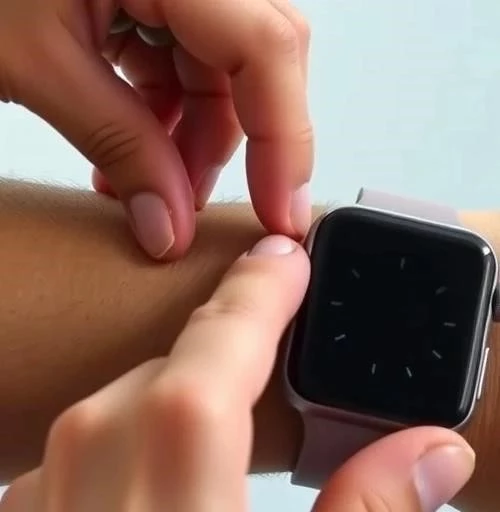
If the back of your Apple Watch Series 5 flashes or glows green‚ the watch is usually working normally. Those lights belong to the optical heart-rate sensor. They shine into the skin‚ and sensors detect changes in reflected light as blood moves through your wrist. The watch uses this information to estimate your heart rate. In other words‚ green light is generally a sign of measurement—not a fault or a warning.
Stop a reading that is happening now
First‚ check whether a workout is running. Open the Workout app on the watch and end the active session by swiping across the screen and tapping End. A workout can prompt frequent heart-rate readings‚ so stopping it may make the green flashes stop sooner. Also close any third-party fitness app that may be tracking a session.
If no workout is active‚ take the watch off and wait briefly. The sensor may continue to flash for a short time while the watch checks whether it is still being worn or completes a measurement. A momentary glow after removing the watch is not‚ by itself‚ evidence of damage.
Disable background heart-rate measurements
To reduce or stop routine heart-rate readings‚ open the Watch app on your paired iPhone‚ tap My Watch‚ then go to Privacy and switch off Heart Rate. Depending on your watchOS version‚ the corresponding controls may also appear on the watch under Settings > Privacy & Security > Health. Menu names can vary slightly after software updates.
This is the most direct option when the goal is to stop background measurements; However‚ disabling heart-rate access has a trade-off: heart-rate readings and related features may no longer work as expected. Workouts‚ heart-rate notifications‚ and apps that rely on this data can be affected. If you value those features‚ it is better to leave the setting on and stop only the app or workout that is causing unnecessary readings.
Use Low Power Mode temporarily
If you want to conserve battery or pause some background activity‚ enable Low Power Mode from the watch’s Settings > Battery menu‚ or use the Battery control in Control Center if available. On supported software‚ this mode limits certain background heart-rate measurements. It is a temporary compromise‚ not a perfect replacement for changing the heart-rate privacy setting‚ and it can reduce other watch functions too.
Why the light may still appear
The green LEDs may flash intermittently even when you are not deliberately checking your pulse. Apple Watch can take background readings‚ and a fitness or health app may request measurements. If you disable heart-rate readings but still see a brief flash‚ restart the watch and check for an active workout or third-party tracking app. Do not cover the sensor or press it tightly against your skin to try to stop it; that will not fix the cause and may irritate your wrist.
When to seek help
If the green light stays on continuously‚ the watch becomes unusually hot‚ the battery drains rapidly‚ or the sensor behaves oddly after a restart and software update‚ contact Apple Support or an authorized service provider. A persistent light alone does not prove a hardware problem‚ but checking the settings and having the device assessed is more sensible than attempting a repair yourself.
In short: green light is normally the heart-rate sensor at work. End an active workout first; turn off Heart Rate in privacy settings if you want to stop background readings‚ understanding that health features may be limited.


3 Comments. Оставить новый
The article clearly explains that the green light is usually part of normal heart-rate sensing, which should reassure readers who notice it. The troubleshooting steps are practical, and the warning about disabling heart-rate features helps readers understand the trade-off before changing settings.
I appreciate the distinction between an active workout and routine background measurements; checking for a running fitness app is a sensible first step. The article could be even more helpful by noting that settings and menu labels may differ by watchOS version, though it does acknowledge that variation.
The calm explanation avoids treating a normal sensor function as a hardware problem, and the suggested steps proceed from simple checks to changing privacy settings. It is also useful that the article points out the possible impact on workouts and other features rather than presenting sensor shutdown as a consequence-free fix.