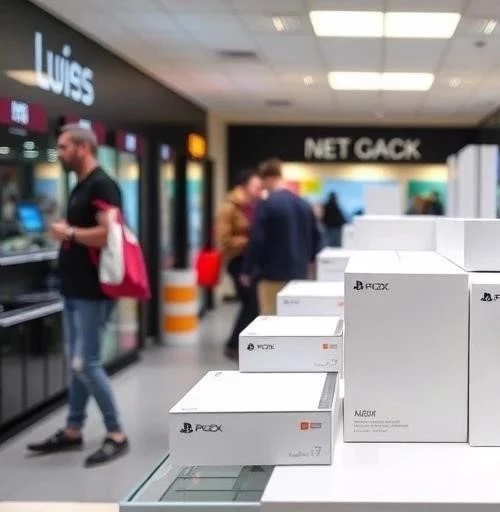
The honest answer: there is no universal date for the next PS5 delivery. New stock reaches shops at different times, in different quantities, and for different console versions. A retailer may receive a shipment while the store across town—or the same retailer in another region—has nothing to sell. If you are waiting for a “new batch,” the most useful thing to know is not a rumored day, but how to spot a real restock before it disappears.
Updated for the information available on November 27, 2026.
So, when should you expect it?
No confirmed date for a new PlayStation 5 batch is included in the information available for this article. The search results provided alongside the question concern university admissions, not PlayStation stock, and therefore do not verify a shipment or launch schedule. It would be misleading to turn them into a date—or to promise that consoles will appear on a particular Friday, holiday, or at a particular retailer.
In practice, PS5 restocks are announced or listed by individual retailers. Some stores update their online stock when a shipment is checked in; others wait until the consoles are ready for sale; A delivery can also be divided among branches, online orders, and pre-orders. Even when a retailer confirms that more consoles are coming, it may not publish the precise day or hour.
That means the best answer is: check the retailers serving your area for a confirmed listing, and treat every date that lacks a direct source as a rumor. If no retailer or official PlayStation channel has announced a restock, there is no dependable public date to give you.
What “a new batch” might actually mean
“The next PS5” can refer to several different things. Before setting alerts, decide which console you are looking for. A listing for one version does not necessarily mean that every version is back in stock.
- PS5 with a disc drive: The right choice if you want to play physical games, use compatible discs, or buy and trade pre-owned titles. Check the product name carefully: some listings may refer to a console with a detachable drive or to a bundle.
- PS5 Digital Edition: Games are purchased and downloaded digitally. It may have a different price and stock pattern from the disc model. Confirm whether the listing includes a disc drive; do not infer this from a product photo alone.
- PS5 Pro: A separate, higher-spec model, not simply another name for the standard console. Availability, pricing, and bundles may differ. Make sure a restock alert is for the exact model you intend to buy.
- Bundles: A console packaged with a game, controller, or accessory can be available even when the standalone system is sold out. Compare the bundle’s total cost with the individual prices, and check that every included item is something you actually want.
Retailers sometimes make a bundle look like an “in-stock PS5” headline while the bare console remains unavailable. That can still be a perfectly legitimate way to buy, but the bundle contents and final price deserve a quick inspection before checkout.
Where to look for a real restock
Start with the official PlayStation website for your country and the websites or apps of established retailers that sell consoles locally. Look for product pages that identify the model, seller, condition, warranty, delivery terms, and return policy. A page saying “notify me” is useful, but it is not a promise that stock is arriving on a specific date.
- Check the manufacturer’s regional store. If PlayStation Direct or an equivalent official store operates in your country, check its console pages and announcements. Availability is regional, so a page for another country may not help.
- Choose several reputable retailers. Include major electronics shops and trusted local chains. A shipment may reach one retailer before another; checking more than one gives you options without relying on a single rumor account.
- Subscribe to stock notifications. Use the retailer’s own alert feature where possible. Confirm that notifications are enabled for the correct model, and check that the message has not landed in spam or promotions.
- Check the listing itself. A search-engine snippet, old social post, or cached page may show outdated availability. Open the retailer’s page and confirm that the console can actually be added to the basket and delivered to your area.
- Ask about local stores. Some retailers can check branch inventory or offer collection. A store employee may be able to explain the local process, though they may not know the timing of future deliveries.
Stock trackers and community groups can be helpful as early-warning systems, but they are not the seller. Treat an alert as a reason to verify the retailer’s page—not as proof that a console is reserved for you.
A practical restock plan
Preparation turns a frantic refresh into a calm purchase. You do not need to watch a product page all day; you need a short checklist and a few reliable alerts.
- Pick your acceptable models. Decide whether you want the disc version, Digital Edition, Pro, or more than one option. Write down the maximum price you are willing to pay, including delivery and any bundle extras.
- Create accounts in advance. Use official retailer sites, set a strong password, and confirm your email address. Add a delivery address and preferred payment method only on trusted sites.
- Turn on notifications. Enable app notifications or email alerts from the retailer. If you use a stock-tracking service, choose a reputable one and avoid giving it your store password.
- Check at sensible intervals. Restocks do not follow one global timetable. A quick check of official pages once or twice a day is usually more useful than refreshing every few seconds.
- Move quickly, but read the order. When a listing appears, confirm the model, seller, price, condition, delivery date, and return terms before paying. A few seconds of checking can prevent an expensive mistake.
- Keep a backup choice. If your first choice sells out, know whether you would accept another version or a fairly priced bundle. Do not let urgency persuade you to buy something you did not want.
Some stores use queues, purchase limits, lotteries, or invitation systems. Follow the retailer’s instructions rather than opening multiple accounts or trying to bypass its rules. Those tactics may invalidate an order, and they do not create more consoles.
How to separate a genuine announcement from a rumor
A convincing restock claim should identify the country, the retailer, the console model, and the source of the information. Ideally, it links to a current retailer page or an official announcement. “My friend heard,” “a shipment is definitely coming,” and “everyone will get one next week” are not confirmation.
Be especially cautious with exact dates and countdowns. A seller may know that stock is expected without knowing when it will be scanned into inventory or released for sale. A delivery can also be delayed, divided, or allocated to existing orders. Even credible information can become outdated quickly; always verify it at the point of purchase.
On November 27, 2026, the information supplied for this article contains no PlayStation stock notice. It cannot establish whether a shipment has landed or when one will arrive. For a date that matters to your purchase, rely on a current notice from PlayStation or the retailer that will take your order.
Watch out for fake “in stock” offers
When people are eager to buy a popular console, scammers borrow the language of a restock: “last units,” “private allocation,” “deposit now,” or “pay by bank transfer to reserve.” A dramatic claim is not evidence that the seller has a PS5.
- Check the web address carefully. A copied logo does not make a site official.
- Look for a real company name, customer-service details, clear warranty terms, and a usable returns policy.
- Be suspicious of prices far below the normal local price, especially when paired with pressure to pay immediately.
- Avoid sending money through gift cards, cryptocurrency, person-to-person transfers, or other methods that are difficult to reverse.
- On a marketplace, check who is actually selling and shipping the console. “Fulfilled by” and “sold by” can identify different businesses.
- Do not share one-time security codes, account passwords, or payment details with someone claiming they can secure a place in line.
If the offer is real, the seller should be willing to explain exactly what is being sold and under what terms. You should not have to gamble your money on a private message or a mysterious reservation fee.
Should you wait, or buy what is available?
That depends on your budget and your preferred model. If the only available option is a bundle priced above your limit, waiting is sensible. If the console is sold by a reputable retailer at a price you accept, with clear delivery and return terms, there may be little benefit in waiting for an unspecified batch. The key is to compare the real total cost, not just the headline price.
Consider what you will use: physical games, digital downloads, extra storage, a second controller, or a particular edition. A bundle can be good value when it contains things you planned to buy. It is not a bargain merely because a seller calls it one. Likewise, a more expensive model is worthwhile only if its features matter to you.
If you can wait, decide how long and at what price you would be comfortable buying. That simple boundary helps counter the “buy now or lose it forever” feeling that often follows a low-stock warning. A console should fit your plans, not force them.
Quick answers
Is a new PS5 batch confirmed for a particular date?
Not by the information available here. No reliable shipment date is provided, so any specific date should be checked against a current official or retailer announcement.
Do all shops receive stock at the same time?
No. Deliveries and sale times can differ by retailer, region, model, and store. An in-stock notice at one shop does not guarantee availability elsewhere.
Does “notify me” mean the console is coming soon?
No. It usually means the shop can alert you if the product becomes available. It may not reveal when the next shipment will arrive.
What is the fastest safe way to buy?
Use an account with a reputable retailer, enable its alerts, and check the exact product page when notified. Verify the seller and total price before paying.