
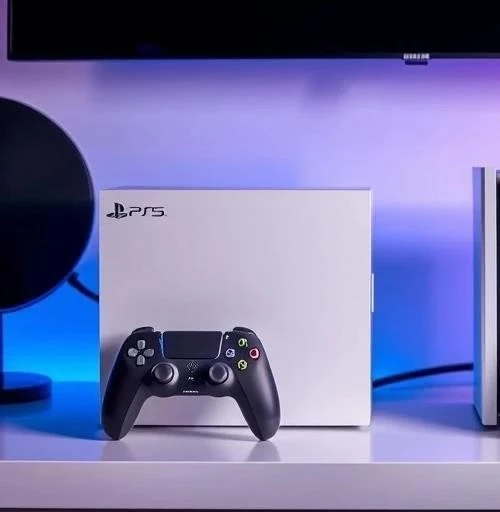
There is no single answer to the question of whether Xbox or PlayStation is better. Both offer capable consoles, large game libraries, online services, and options for playing with friends. The right choice depends on what a person values most: particular games, subscription costs, performance, convenience, accessibility, or compatibility with an existing collection. Comparing the platforms by these factors is more useful than treating the decision as a simple contest between brands.
The main consoles
The current console families are Microsoft’s Xbox Series X and Xbox Series S, and Sony’s PlayStation 5, including its digital and disc-equipped configurations. Their hardware specifications and available versions can differ, so shoppers should check the exact model rather than assume every console in a family has the same features. In general, the Series X and standard PS5 are designed for high-end console gaming, while the Series S is a smaller, lower-cost digital option with less powerful hardware and less storage than the Series X.
Both companies support modern features such as fast storage, high-resolution output, and quick loading in compatible games. The experience still varies by title, display, and graphics settings. A theoretical specification advantage does not guarantee that every game will look or run better on one platform. For most buyers, exclusive games, price, and the people they play with are likely to matter more than small differences in technical performance.
Games and exclusives
Game libraries are often the most important reason to choose a console. PlayStation has a strong reputation for story-focused releases and established series, including games developed by Sony’s studios. Xbox offers its own first-party catalog and access to a broad range of titles from Microsoft-owned developers. The precise list changes over time, and releases may appear on more than one platform, arrive later on another system, or also be available on PC.
Before buying, make a list of the games you genuinely expect to play. Check where each one is available, whether it is included with a subscription, and whether it supports cross-play with friends on other systems. A console is not automatically the better purchase because its marketing highlights an impressive exclusive. The relevant question is whether its current and expected catalog matches your interests. People who mainly play popular multiplatform games may find that either platform meets their needs.
It is also worth checking release plans carefully. Statements about future games can change, and a game announced for a platform may not have a confirmed release date or final feature list. Choose based on games that are released or reliably confirmed, rather than assuming that every rumored title will arrive as expected.
Subscriptions and overall cost
Both platforms sell subscriptions that can provide online multiplayer access, game catalogs, and other benefits, but the details and names of plans may change. Catalogs rotate, and not every game is included in every tier. Compare the current plans in your country, including the monthly and annual prices, the titles available, and the features you will actually use. A large advertised catalog has little value if it does not contain the games you want.
The console’s initial price is only one part of the budget. Add the cost of games, subscriptions, an extra controller, storage expansion, and any accessories you expect to buy. Digital-only models can have a lower upfront price, but games must generally be purchased and downloaded digitally. A disc drive can be useful for physical games, used copies, lending, and certain movie discs, although details depend on the model and region. Digital purchases are convenient, but they are tied to an account and platform.
Discounts can make a meaningful difference. Compare official store prices with legitimate physical retailers, and consider whether a subscription saves money for your particular playing habits. Someone who completes several catalog games each year may benefit more from a service than someone who buys only one or two specific releases. Avoid assuming that the same subscription, price, or promotional offer is available in every country.
Performance, storage, and design
Both leading systems can deliver detailed graphics and responsive gameplay, but performance depends on the game and its settings. Some titles offer a choice between a mode that prioritizes visual detail and one that targets a higher frame rate. A compatible television or monitor is needed to benefit from features such as high refresh rates or particular high-resolution formats. If you use an older display, many advertised capabilities may not affect your experience.
Storage also deserves attention. Modern games can occupy substantial space, and the usable capacity is lower than the advertised drive size because system software uses some of it. Check how each model handles expansion and whether additional storage can run current-generation games directly or is mainly useful for storing them. Download speeds, home network quality, and available broadband data limits can affect how convenient a digital library is.
Physical size, noise, power use, and placement may matter in a small room. Look at the dimensions of the exact model and allow enough ventilation around it. Neither a more compact design nor a more powerful specification automatically makes a system the better choice for everyone; the practical fit depends on the space and setup available.
Controllers and accessibility
Controller preference is personal. PlayStation’s DualSense controller is known for adaptive triggers and advanced haptic feedback in supported games. Xbox controllers use a familiar layout and are designed to work across Xbox consoles and Windows PCs, with compatible models and connection methods. The quality of the experience depends partly on whether individual games make effective use of these features; If possible, try both designs in a shop or at a friend’s home before choosing.
Accessibility includes more than controller shape. Both platforms provide system settings and support options intended to help people adjust controls, display, audio, and other aspects of play. The features available can vary by game and system software. Anyone with a specific accessibility requirement should check the precise options in the games they plan to play, rather than relying only on a general platform description.
Online play, friends, and backward compatibility
Social convenience can outweigh many hardware differences. If most of your friends already play on one platform, joining them may be the simplest reason to buy that system. Some games support cross-play across consoles and PC; others do not. Confirm this for the specific games and modes you care about. Cross-progression, which allows progress to carry between platforms, is a separate feature and is not guaranteed even when cross-play is available.
Both manufacturers provide online accounts, social tools, parental controls, and multiplayer services. Their functions and requirements can change, so review current terms before subscribing. Parents may wish to check settings for age restrictions, communication, spending, and play time. A console’s default settings may not match every household’s preferences.
Backward compatibility can help preserve access to older games, but support is not identical across systems or generations. Check whether your specific titles work, whether they run from a disc or digital account, and whether saved data can be transferred. A physical disc does not guarantee compatibility with every console, and a digital license may be associated with the account that purchased it. People with an existing game collection should verify these details before upgrading.
Convenience and ecosystem
The Xbox ecosystem may be attractive to people who already play on Windows or use Microsoft services, while PlayStation may suit those who already own Sony consoles or value its particular games and features. Account systems, cloud saves, remote play, and cross-device options can be useful, but their availability depends on the device, region, subscription, and individual title. Consider how the console will fit into your existing setup rather than judging features in isolation.
Digital libraries are convenient because games can be downloaded without changing discs, and some systems offer ways to resume or switch between activities quickly. Physical libraries provide different benefits, including resale or lending where permitted. Neither format is universally superior. The best option depends on how you buy games, how reliable your internet connection is, and whether you prefer to own and exchange physical copies.
Which console should you choose?
- Choose PlayStation if its exclusive games, controller features, or your existing PlayStation library are the strongest reasons for you to play.
- Choose Xbox Series X if you want Microsoft’s higher-tier console, value its services or game catalog, or prefer to play within the Xbox and Windows ecosystem.
- Consider Xbox Series S if a lower purchase price and a compact, digital-only system matter more than matching the performance and storage of higher-tier models.
- Choose either platform if your priority is multiplatform games and your friends, display, and budget do not point clearly toward one option.
These are starting points, not universal rules. Model prices, bundles, subscription plans, and game availability vary by country and can change. Compare the exact consoles and current offers available to you, and include the cost of any accessories or services needed to play the way you want.
Xbox and PlayStation are both strong choices, and neither is objectively best for every player. PlayStation may be the better fit for someone drawn to its particular game lineup and controller experience. Xbox may be preferable to someone who values its ecosystem, services, or lower-cost Series S option. For many buyers, the decisive factors are simpler: which games they want, where their friends play, how much they plan to spend, and whether they prefer physical or digital purchases.
A practical decision takes only a few steps: identify the games you will play, check compatibility with friends and older titles, compare the full cost of the console and services, and confirm that the model suits your display and storage needs. On that basis, choose the system that best matches your circumstances. If both meet them equally well, current price and game bundles can reasonably settle the choice.



1 Comment. Оставить новый
The article gives a balanced overview of the main factors to consider when choosing between Xbox and PlayStation. Its emphasis on game libraries, pricing, and personal preferences is useful, and the reminder to compare specific console models helps keep the discussion practical.