
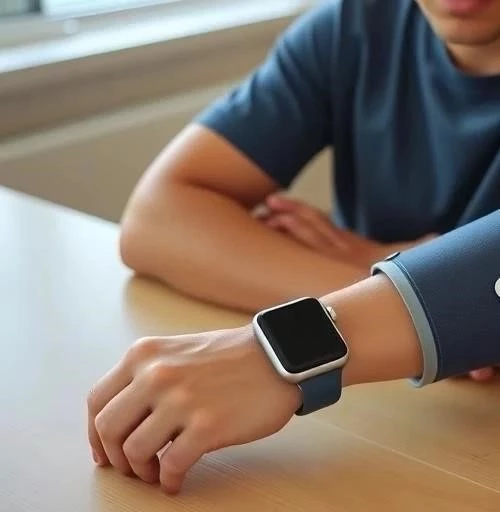
Short answer: Apple Watch Series 3 cannot measure blood pressure on its own. It has no blood-pressure sensor and cannot produce a systolic or diastolic reading. Its heart-rate sensor measures pulse, which is different from blood pressure. To obtain a reading, use a suitable blood-pressure monitor, then view or record the result on a compatible iPhone or app.
What the watch can and cannot do
Series 3 can track heart rate and activity, but those figures do not reveal whether blood pressure is high or low. An app cannot turn the watch’s optical heart-rate sensor into a blood-pressure cuff. Treat claims that a watch-only app can accurately measure pressure on this model with caution; a displayed number is not a clinical measurement unless it comes from an appropriate, validated device.
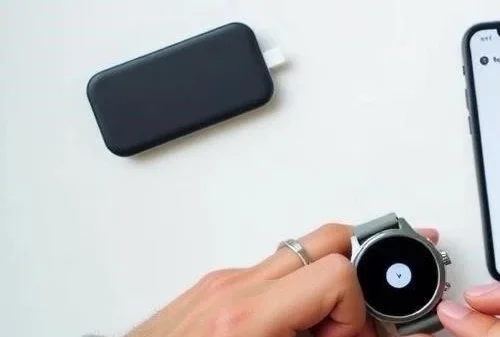
A Bluetooth blood-pressure monitor may send readings to its own iPhone app. Depending on the monitor, app, iPhone software, and watchOS version, readings or notifications might also be available on the watch. This is a way to view information, not a measurement performed by Series 3. Compatibility can change, so check the device maker’s current requirements before buying or pairing equipment. Series 3 supports an older version of watchOS, and some newer apps may not support it.
How to take a reliable reading
- Use a validated automatic upper-arm monitor with a cuff that fits. Follow its instructions; wrist monitors may be more sensitive to positioning.
- For 30 minutes beforehand, avoid exercise, smoking, and caffeine. Empty your bladder if needed. Sit quietly for at least five minutes.
- Sit with your back supported, feet flat and uncrossed. Place the cuff on bare skin, and rest your arm on a table so the cuff is level with your heart. Do not talk or use your phone during the measurement.
- Start the monitor and remain still until it finishes. Record both numbers, the time, and any relevant notes. Take a second reading after about one minute if advised by your clinician or monitor instructions.
Do not tighten a watch band or place the cuff over the watch to try to measure pressure. Remove the watch if it interferes with cuff placement. Use the cuff’s display as the measurement source, rather than a heart-rate reading on the watch.
Saving readings
If the monitor’s app supports Apple Health, review its permissions and enable sharing of blood-pressure data if you want readings stored there. You can also enter measurements manually in the Health app on your iPhone, where that feature is available: open Health, find Blood Pressure, and add the systolic and diastolic values with the date and time. Menu names can differ by iOS version. Check that saved values are correct. Series 3 may not provide the same Health features or app support as newer devices; keeping a written log is a useful alternative.
Apple Watch is not a substitute for a medical-grade blood-pressure monitor or professional advice. Do not change medication based on a watch notification or a single home reading. Share a series of readings with a healthcare professional, especially if results are repeatedly outside the range they recommended.
When to seek help
If a reading is unexpectedly high, sit quietly and repeat it using correct technique. If it remains very high, contact a healthcare professional promptly for guidance. If a high reading occurs with chest pain, shortness of breath, weakness, confusion, or vision or speech problems, seek emergency care immediately. Symptoms matter even if the watch shows a normal pulse.

2 Comments. Оставить новый
The explanation is well organized and includes relevant cautions about app compatibility and measurement technique. Readers may also find it helpful to consult a healthcare professional about interpreting readings.
The article clearly distinguishes heart-rate tracking from blood-pressure measurement and explains why the Apple Watch Series 3 cannot provide a blood-pressure reading by itself. The practical guidance on using a separate monitor is useful.